AWS Emulator: a local AWS for you and your coding agents
By Flavio
Tagged: AI
AWS Emulator runs the AWS APIs on your machine, with no account. How to run it on a Mac, and why it's a good test loop for coding agents.
AWS Emulator is a program that serves the AWS APIs on your own machine. You point the AWS CLI or an AWS SDK at it, and your code creates S3 buckets, DynamoDB tables and SQS queues that only exist in the emulator’s memory.
You don’t need an AWS account, it’s free, and the source is on GitHub. It’s made by AWS, and the product page puts coding agents right in the first sentence.
I asked Claude Code to set it up on my Mac and test a small script against it. Everything in this post comes from that session, including the two times the agent’s requests tried to leave for the real AWS.
How it works
The emulator is one process that listens on https://127.0.0.1:9297 and answers for every AWS service on that port. There’s no dashboard.
Every time it starts it generates a new access key, a secret key and a TLS certificate, and writes them to ~/.aws/emulator/9297/. Requests must be signed with those keys, which stop working when the emulator stops.
All the state is in memory. Stop the emulator and every resource is gone.
Run it on a Mac
The emulator runs natively only on Linux. On macOS and Windows you run it in Docker, and AWS doesn’t publish an image, so you build one from a short Dockerfile. You need Docker installed and running.
This is the one for Apple silicon. On an Intel machine, replace aarch64 with x86_64:
FROM public.ecr.aws/amazonlinux/amazonlinux:2023-minimal
ADD https://downloads.aws.com/aws-emulator/packages/aws-emulator/LTS/latest/aws-emulator-aarch64.rpm /tmp/aws-emulator.rpm
RUN rpm -i /tmp/aws-emulator.rpm && rm /tmp/aws-emulator.rpm \
    && mkdir -p /home/emulator && chown 1000 /home/emulator
USER 1000
ENV HOME=/home/emulator
EXPOSE 9297
ENTRYPOINT ["aws-emulator", "-b", "0.0.0.0"]
Build it:
docker build -t aws-emulator .The build took 26 seconds here, and the image is 1.16GB.
Now create the folder the container shares with your Mac, and start the emulator:
mkdir -p ~/.aws/emulator
docker run --rm --memory=2g --memory-swap=2g -p 127.0.0.1:9297:9297 \
  -e HOME="$HOME" -v "$HOME/.aws/emulator:$HOME/.aws/emulator" \
  aws-emulator -p 9297 --telemetry off
Telemetry is on by default, and --telemetry off disables it. Notice the 127.0.0.1: in front of the port. Without it, Docker opens the emulator to your whole network.
It was answering its health check half a second after docker run, and it uses about 174MB of memory when idle.
Point the AWS CLI at it
In another terminal, set these environment variables. They send every request to the emulator and make the AWS CLI use the emulator’s keys and certificate:
export AWS_ENDPOINT_URL=https://127.0.0.1:9297
export AWS_SHARED_CREDENTIALS_FILE=~/.aws/emulator/9297/emulator_credentials
export AWS_CONFIG_FILE=~/.aws/emulator/9297/config
export AWS_CA_BUNDLE=~/.aws/emulator/9297/ca.pem
export AWS_EC2_METADATA_DISABLED=true
export AWS_DISABLE_HOST_PREFIX_INJECTION=true
export AWS_REGION=us-east-1
export AWS_DEFAULT_REGION=us-east-1
unset AWS_ACCESS_KEY_ID AWS_SECRET_ACCESS_KEY AWS_SESSION_TOKEN AWS_PROFILE
The last line removes any real credentials from the shell.
Check that you’re talking to the emulator. Its account ID is always 000000000000:
aws sts get-caller-identity{
"UserId": "AIDAH5I7GEMO7ADXNFAZU",
"Account": "000000000000",
"Arn": "arn:aws:iam::000000000000:user/emulator"
}Now create a bucket and list it:
aws s3api create-bucket --bucket flaviocopes-uploads
aws s3api list-buckets --query 'Buckets[].Name'
[
"flaviocopes-uploads"
]Use the AWS CLI version 2. With version 1 (1.46.3), aws sqs ignored AWS_ENDPOINT_URL and tried to call queue.amazonaws.com.
It returns the errors AWS returns
A hand-written mock accepts whatever you send it. The emulator validates requests like AWS does.
DynamoDB table names must be at least 3 characters long. Let’s try with 2:
aws dynamodb create-table --table-name ab \
  --attribute-definitions AttributeName=id,AttributeType=S \
  --key-schema AttributeName=id,KeyType=HASH \
  --billing-mode PAY_PER_REQUEST
An error occurred (ValidationException) when calling the CreateTable operation: 1 validation error detected: Value 'ab' at 'tableName' failed to satisfy constraint: Member must have length greater than or equal to 3Same with an SQS queue whose name ends in .fifo but isn’t declared as a FIFO queue:
aws sqs create-queue --queue-name orders.fifoAn error occurred (InvalidParameterValue) when calling the CreateQueue operation: Can only include alphanumeric characters, hyphens, or underscores. 1 to 80 in lengthUse it from Node.js
The SDK reads the same environment variables, so the code has no endpoint and no credentials in it. Node.js needs one more variable to trust the emulator’s certificate:
export NODE_EXTRA_CA_CERTS=~/.aws/emulator/9297/ca.pemThis script creates a table and a queue, saves an order, sends its ID through the queue and reads the order back:
import { DynamoDBClient, CreateTableCommand, PutItemCommand, GetItemCommand, waitUntilTableExists } from '@aws-sdk/client-dynamodb'
import { SQSClient, CreateQueueCommand, SendMessageCommand, ReceiveMessageCommand } from '@aws-sdk/client-sqs'

const db = new DynamoDBClient()
const sqs = new SQSClient({ useQueueUrlAsEndpoint: false })

await db.send(new CreateTableCommand({
  TableName: 'orders',
  AttributeDefinitions: [{ AttributeName: 'id', AttributeType: 'S' }],
  KeySchema: [{ AttributeName: 'id', KeyType: 'HASH' }],
  BillingMode: 'PAY_PER_REQUEST'
}))
await waitUntilTableExists({ client: db, maxWaitTime: 30 }, { TableName: 'orders' })
const { QueueUrl } = await sqs.send(new CreateQueueCommand({ QueueName: 'new-orders' }))

const start = performance.now()
await db.send(new PutItemCommand({
  TableName: 'orders',
  Item: { id: { S: 'order-1' }, total: { N: '49' } }
}))
await sqs.send(new SendMessageCommand({ QueueUrl, MessageBody: 'order-1' }))

const { Messages } = await sqs.send(new ReceiveMessageCommand({ QueueUrl }))
const { Item } = await db.send(new GetItemCommand({
  TableName: 'orders',
  Key: { id: { S: Messages[0].Body } }
}))
console.log(Item)
console.log(`${Math.round(performance.now() - start)}ms`)
Run it:
node orders.js{ id: { S: 'order-1' }, total: { N: '49' } }
15msThat’s 15 milliseconds for the 4 calls between the two timestamps.
The script didn’t look like this at the start. It took the agent two failed runs to get there, and those two runs are the reason I think this tool matters for agents.
A test loop for coding agents
An agent writes AWS code from memory, and the only way to know if it works is to run it. Until now that meant giving the agent credentials for a real account, where it can create things that cost money and delete things you care about. The other option was mocks, and a mock only checks what the agent already believes.
With the emulator the agent runs the code and reads the error AWS would return.
The first version of the script wrote the order right after creating the table. It failed:
ResourceNotFoundException: Requested resource not foundOn AWS a DynamoDB table takes a few seconds to become active, and the emulator reproduces that. Running the script again right away failed with ResourceInUseException, because the table was still being created. The agent added waitUntilTableExists, which is the fix you need on AWS too. A mock would have accepted the write.
The second run failed in a more interesting way:
InvalidClientTokenId: The security token included in the request is invalid.That error came from the real AWS. The emulator returns queue URLs with the real hostname, like https://sqs.us-east-1.amazonaws.com/000000000000/new-orders, and the JavaScript SDK sends SQS requests to the host in the queue URL. So SendMessage left my Mac and reached AWS, which rejected it because it was signed with the emulator’s keys. useQueueUrlAsEndpoint: false keeps the request on the configured endpoint.
Nothing happened, and that’s because the agent had no real credentials. The emulator’s keys start with EMULATOR and are worth nothing outside that one run. The AWS CLI version 1 request I mentioned before never left at all: Claude Code’s sandbox blocked the connection to queue.amazonaws.com.
My advice is to run the agent with both protections: a shell with no real AWS credentials, and a sandbox that only lets it reach 127.0.0.1. The emulator needs no network access to work.
One emulator per agent
Each emulator has its own port, keys and state. If you run several agents in parallel, for example one per Git worktree, start one emulator for each on a different port. The port goes in three places:
docker run --rm --memory=2g --memory-swap=2g -p 127.0.0.1:9298:9298 \
  -e HOME="$HOME" -v "$HOME/.aws/emulator:$HOME/.aws/emulator" \
  aws-emulator -p 9298 --telemetry off
I had the orders table on port 9297. Listing the tables on both:
aws dynamodb list-tables --query TableNames[
"orders"
]On 9298 the same command prints []. A request signed with the keys of 9298 and sent to 9297 is rejected:
AccessDenied: Sign the request with the emulator credentialsSo an agent can’t touch another agent’s resources by mistake.
There’s no route to reset the state. To start clean you restart the emulator, which takes half a second. Add --idle-timeout 600 and an emulator the agent forgot stops by itself after 10 minutes without calls.
Tell the agent about it
There’s an official skill that teaches the agent to install, start and connect the emulator. It needs the AWS CLI 2.35.0 or later:
aws agent-toolkit add-skill --skill-name aws-emulator --region us-east-1It installs for the agents the AWS CLI finds on your machine, like Claude Code, Cursor and Kiro. With it you can also ask “Will my app in this repo work on AWS Emulator?” and the agent checks the AWS operations your project calls against the published test results.
I didn’t install it. Claude Code got the emulator running from the Docker page of the docs. What I’d add in any case is a few lines in the project’s AGENTS.md, so the agent doesn’t have to rediscover the setup:
## Testing AWS code

- Never use real AWS credentials. Test against AWS Emulator.
- Start it with `./scripts/emulator.sh` and load `./scripts/emulator-env.sh` in the shell that runs the tests.
- `aws sts get-caller-identity` must print account `000000000000` before you run anything.
- SQS clients need `useQueueUrlAsEndpoint: false`.
- To reset the state, restart the emulator.
emulator.sh holds the docker run command and emulator-env.sh the export lines from above.
Emulator, mocks or a real account
| AWS Emulator | Hand-written mocks | A real AWS test account | |
|---|---|---|---|
| AWS account | Not needed | Not needed | Needed |
| Credentials the agent holds | Keys that only work for one run | None | Real ones |
| Cost | Free | Free | You pay for what the tests create |
| Rejects invalid requests | Yes, with the AWS error | Only if you wrote that case | Yes |
| State across calls | In memory, gone on restart | Whatever you coded | Stays until you delete it |
| IAM and bucket policies | Not evaluated like AWS | No | Yes |
| Speed | Milliseconds per call | Instant | Network round trips, slow deploys |
| Cleanup | Restart | Nothing to clean | Your job |
If you’ve used LocalStack, it’s the same idea, built by AWS from the API models the SDKs are generated from.
What it doesn’t do
Don’t use it to test security. The emulator doesn’t evaluate IAM policies, S3 bucket policies or KMS key policies the way AWS does, so a request AWS would deny can succeed.
How closely it matches AWS changes from service to service. It’s best at the control plane, the calls that create, list and delete resources. Operations that aren’t implemented yet answer with HTTP 501, so a test fails immediately:
aws iotfleetwise list-fleetsAn error occurred (NotImplemented) when calling the ListFleets operation: operation ListFleets is scaffolded but not implemented in this emulatorEach release publishes a score per service, and the tests behind the scores are public.
A few more limits:
- Use one region per emulator. It doesn’t keep resources separate by region or account.
- The container is capped at 2GB of memory. Over that it stops with exit code 137 and the resources are lost.
- It’s made for test runs. AWS hasn’t tested it for load or for running a long time.
- Code you pass to it, like a Lambda function, runs without isolation. In Docker it stays inside the container.
- With
localhostin the endpoint, the JavaScript SDK puts the S3 bucket name in the hostname and the request fails. Keep127.0.0.1.
It was built by agents
AWS says the emulator was written entirely by autonomous agents, and that the team didn’t write or review any of the code.
One team of agents writes tests from the public AWS API models and verifies each one against the real AWS. A second team replays those tests against the emulator and files an issue for every difference. A third fixes one issue at a time, and a change is merged only if it passes a gate that checks, among other things, that no test regressed.
The issues are files in the repository. The folder with the fixed ones holds more than 12,700 of them. The release I ran is 1.0.322.
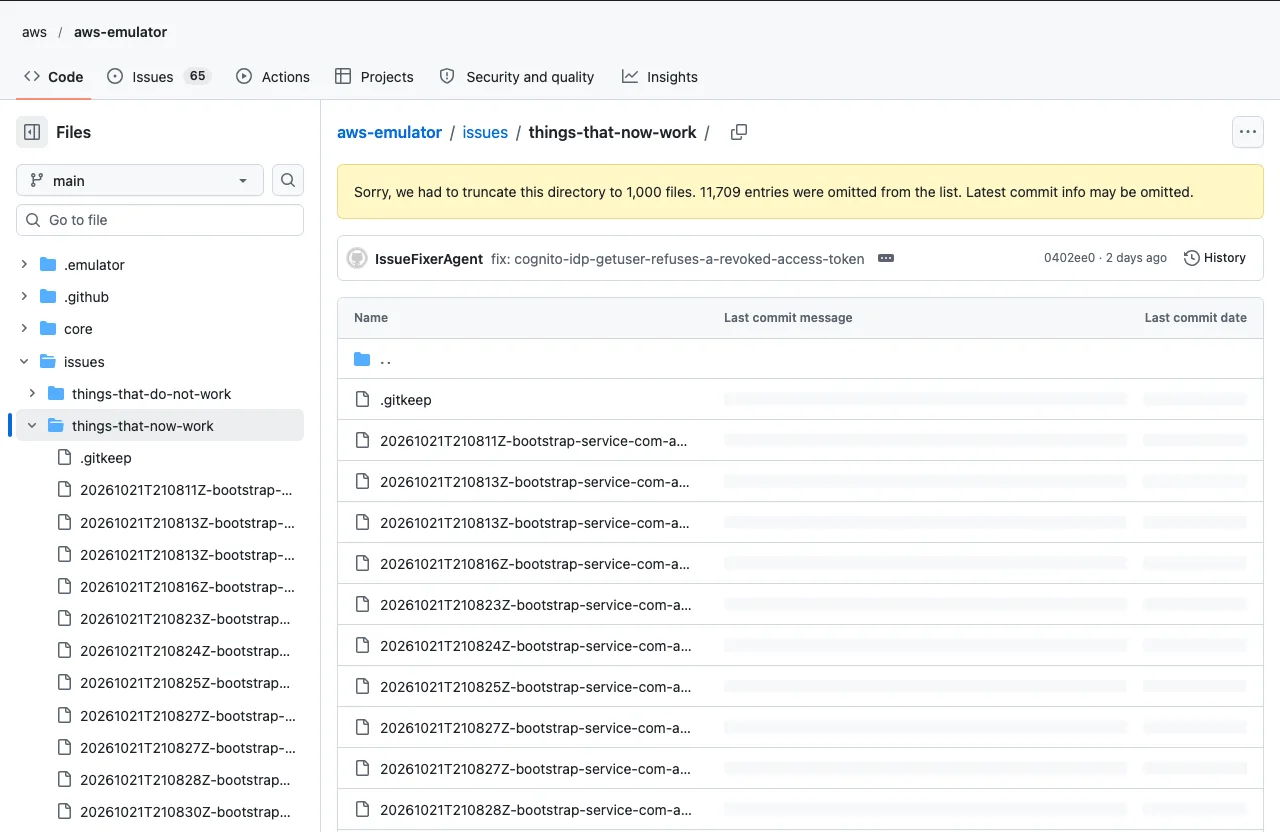
The repository doesn’t take pull requests. If you find a difference from AWS, you open an issue and the agents pick it up.
It worked because the agents had a spec, the API models, and a reference to compare against, AWS itself. The emulator gives your agent the second half of that for AWS code: something to run the code against that answers like AWS does.
Want me to talk about your product? You can sponsor this site.
Related posts about ai: