Turn an indented outline into a mind map, and back into an outline
By Flavio
Updated
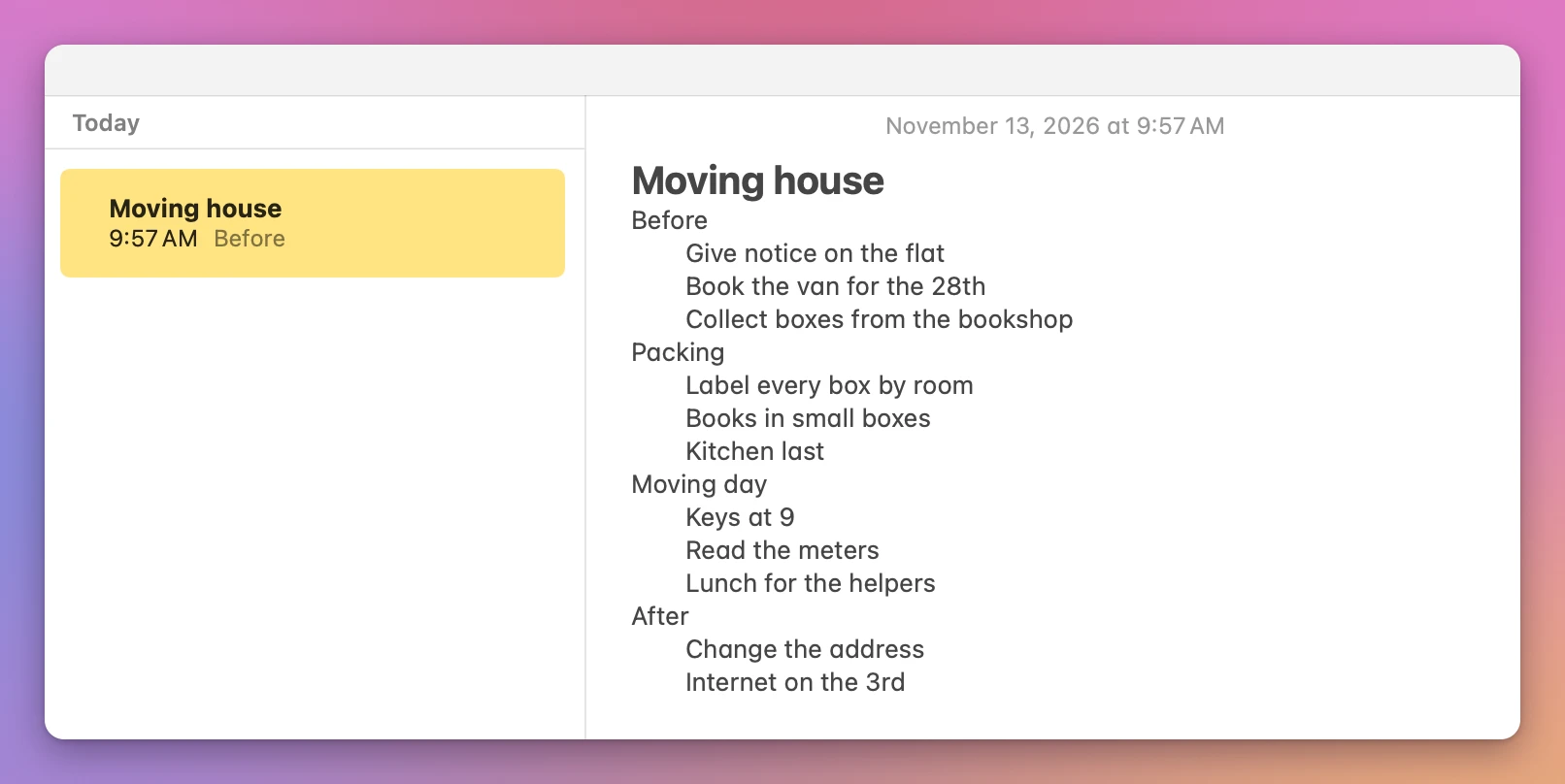
Write the list in Notes or TextEdit with Tab for each sub-item, copy it and paste it onto a new map in Mind Map. Document's Copy button turns the map back into a plain indented outline.
You have a list with sub-items, written in Notes or TextEdit, and you’d like to see it as a mind map. Then, after moving things around, you want the list back.
Notes and TextEdit keep it a list. Mind Map turns it into a map in one paste: write the sub-items with Tab in front of them, copy, and paste onto a new map. Its Document view gives you a plain outline back.
The list here is made up, a house move with four parts and two to four tasks in each. The screenshots come from a test Mac running macOS 15 Sequoia.
Can Notes or TextEdit turn a list into a map?
Both let you write an outline, but neither draws a map from it. In Notes, press Tab at the start of a line and the line moves in. Return starts the next line at the left again, so each sub-item gets its own Tab. TextEdit works the same way in a new document.
Freeform, which comes with the Mac, didn’t help either. This list pasted onto a board became one text box, every line centered and the indents gone. A map in Freeform means drawing each shape and line yourself.
Which kind of list pastes well?
Lines moved in with Tab, or with spaces. The obvious way to write a list in Notes is its bulleted list, and on the test Mac that one came in flat: all 15 items landed under one topic. The note’s title came along too, with two asterisks showing on each side of it. TextEdit’s own list moved a task to the wrong parent, changed the order, and put a dash in front of every sub-item.
| What you paste | What the map got |
|---|---|
| Notes or TextEdit, lines moved in with Tab | The same levels |
| Plain text moved in with spaces or tabs | The same levels |
Plain text with -, *, +, • or 1. in front | The same levels, without the marks |
| Blank lines between items | Skipped |
| A bulleted list made with Notes’ Format menu | Every item flat under one topic |
| A list made with TextEdit’s list button | A task under the wrong parent, and a dash in front of each sub-item |
So write the list with Tab, like the note above, and leave Notes’ bullets off.
How do I paste it onto a map?
Mind Map is a Mac app for mind maps. It costs $20, paid once, and maps save on their own as you work.
In Mind Map, press Command-N. The new map opens with its middle topic ready for typing. Type the name of the list, “Moving house”, and press Return to finish it.
Go back to the note and click in it. Command-Up Arrow takes the cursor to the top, and Down Arrow to the start of the first line under the title, “Before”. Shift-Command-Down Arrow selects from there to the end. Copy with Command-C.
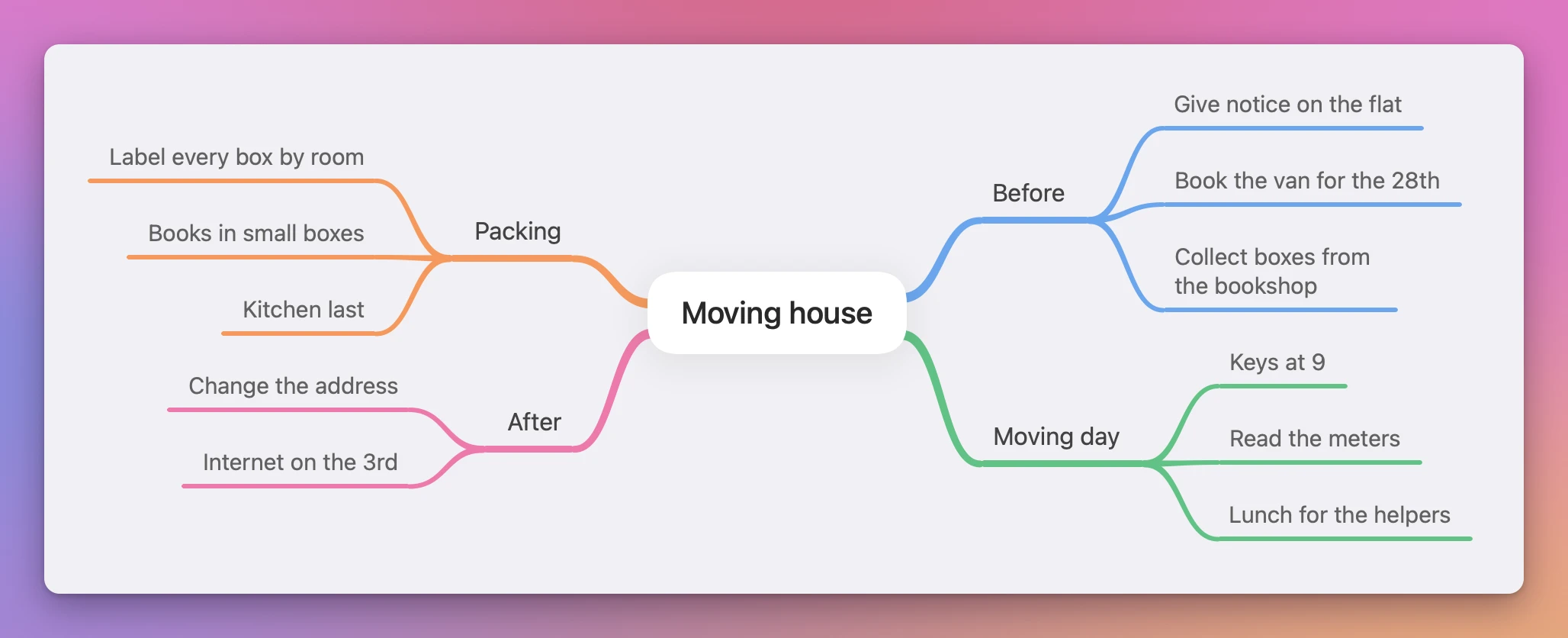
Back in Mind Map, press Command-V. Each line that sits at the left becomes a branch of the middle topic, and each line moved in becomes a topic under the line above it. The map put two branches on each side by itself, each in its own color:
Leave the note’s title out of the copy. Pasted with the rest, it becomes a fifth branch instead of the middle.
The whole paste is one undo step: Command-Z takes it all back. To add topics by hand after that, Tab and Return work as in the keyboard tutorial.
Can I move a branch before I copy it back?
Yes. Here “Collect boxes from the bookshop” felt more like packing than a task for before. Dragging it onto Packing moved it there, and it turned to face the left with Packing’s other tasks.
Dropping a topic between two others changes the order. A second drag put it right under “Label every box by room”. Command-Z undoes a drag, and Shift-Command-Z redoes it.
How do I get a plain outline back?
Press Command-2, which is the Document button in the toolbar. The map shows up as a list, which is the easiest place to check that every task is under the right parent.
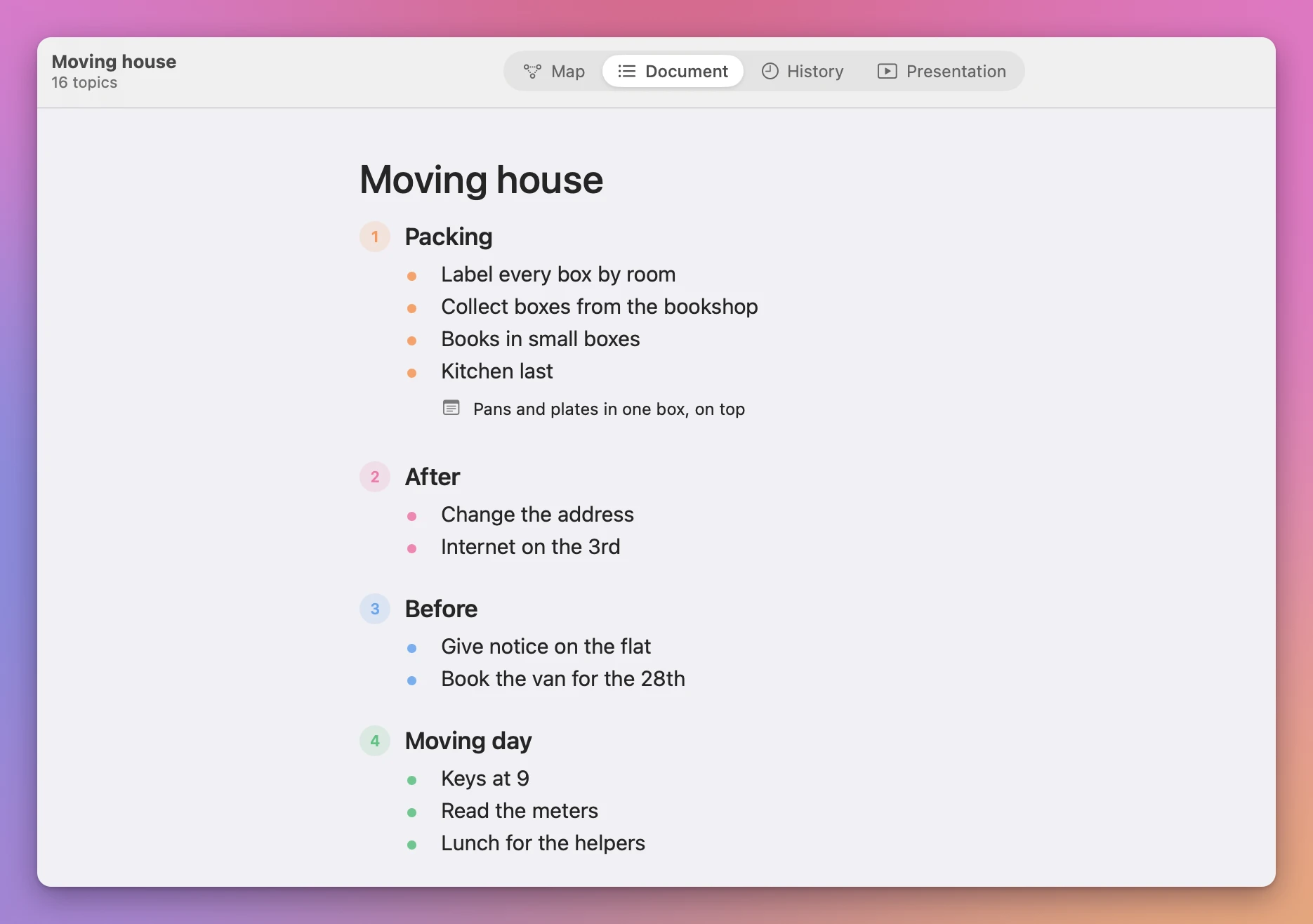
The list reads the left side of the map first, then the right. So it started with Packing and After here, not with Before as the note did.
Then click the Copy button at the top right of the Document view, the one with two pages. Its tooltip reads “Copy the document as an outline”. It copies the topics and their levels. It leaves out notes: “Kitchen last” has one here, added with Shift-Command-N, and the copy had only the two words. Mind Map doesn’t export a picture or a PDF of the map, so this outline is the way to take it somewhere else.
What does the outline look like when I paste it back?
A new note, then Command-V. The lines keep their levels, moved in with spaces, with no bullets. The first line is the middle topic, and Notes didn’t make it the title: it stayed as plain text like the rest.
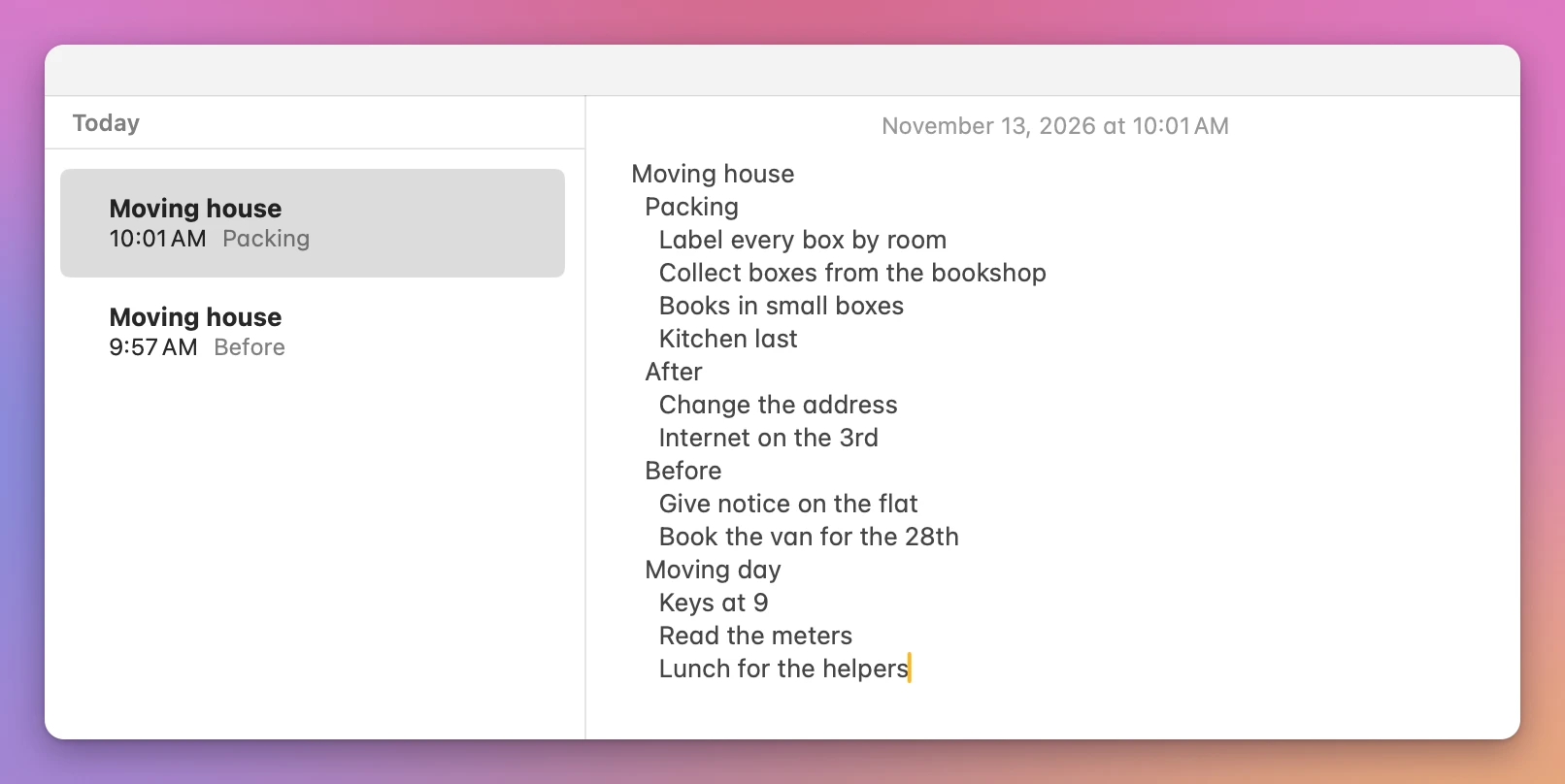
TextEdit showed the same. The indents are smaller than the Tab ones, but the levels are there, and “Collect boxes from the bookshop” now sits under Packing.
What if the paste doesn’t look right?
If everything is flat under one topic, the list was made with Notes’ bulleted list. Write the sub-items with Tab instead.
If a fifth branch shows up with the list’s name in it, the title line was in the copy. Command-Z, then copy again from the first line under the title.
If a bulleted line like ”- Keys at 9 - bring the spare set” splits in two, the app read the spaced dash as a heading and its explanation: “bring the spare set” became a topic under “Keys at 9”. Use a comma instead of the dash.
Get Mind Map
Map ideas with notes and images, edit an outline and present slides. A native Mac app with a companion CLI and full MIT source.
See Mind Map → · Read the docs · $20. See the app page for tax details, with full source code.
Want me to talk about your product? You can sponsor this site.