
An app by Flavio
Tranquillity Maker
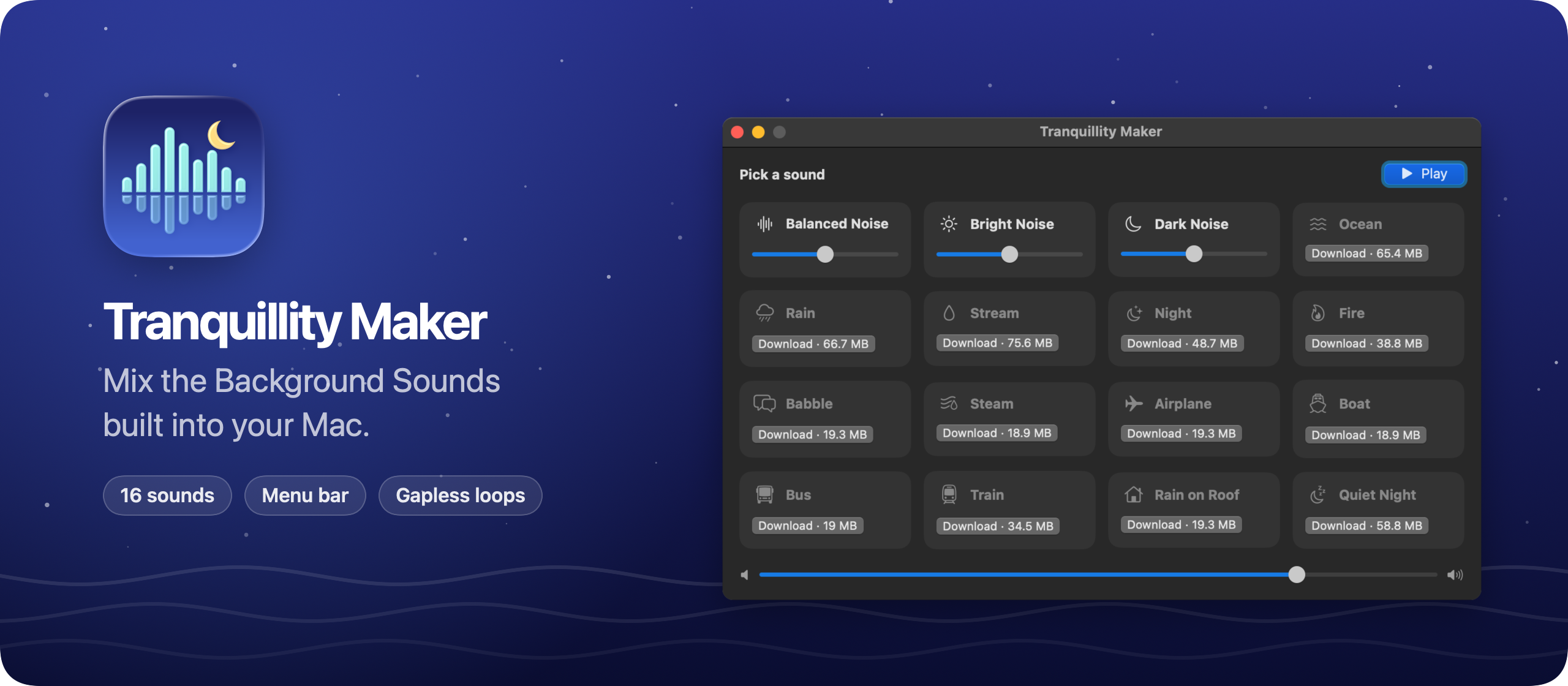
Play several macOS Background Sounds at once, like Rain under Fire, each with its own volume, and control the mix from the menu bar.
Buy Tranquillity Maker · $20One-time purchase. Tax included.
macOS 14 or later · Apple silicon and Intel
Latest version 1.8.0, released November 20, 2026
Rain alone gets boring after an hour
Your Mac already has good background noise. Open the Accessibility settings, turn on Background Sounds, pick Rain, and the street noise or the office chatter fades away.
Then you want a bit of Fire under the rain, or Ocean with some Dark Noise to cover the neighbor’s TV. macOS plays one sound at a time. You can switch from Rain to Fire, but you can’t have both.
Tranquillity Maker plays as many of Apple’s Background Sounds as you want, together, each at its own volume. It uses the same audio files macOS uses. It remembers your mix, so tomorrow it’s one click to get it back.
I also make Note Repo, a daily notes app for macOS.
Here’s the app in a little over a minute:
Apple’s sounds can’t go in a video, so the ones you hear are stand-ins I made. The app plays the real ones.
Who it’s for
- People working in a noisy place. You share an apartment, a coworking space or an open office. One noise on its own can feel thin or harsh. You want Rain for the texture and some Dark Noise underneath to fill the gaps between voices.
- Writers and students who need hours of focus. You sit down for a three-hour writing block or exam prep. You want a sound that doesn’t loop with a click every two minutes, and doesn’t need a browser tab with ads.
- Anyone who naps or reads near a busy street. Ocean plus a little Night masks traffic, and you can lower each one until the mix sits in the background.
- People who already use Background Sounds and want more. You like Apple’s sounds but always end up switching between two of them. Now you can keep both on and balance them.
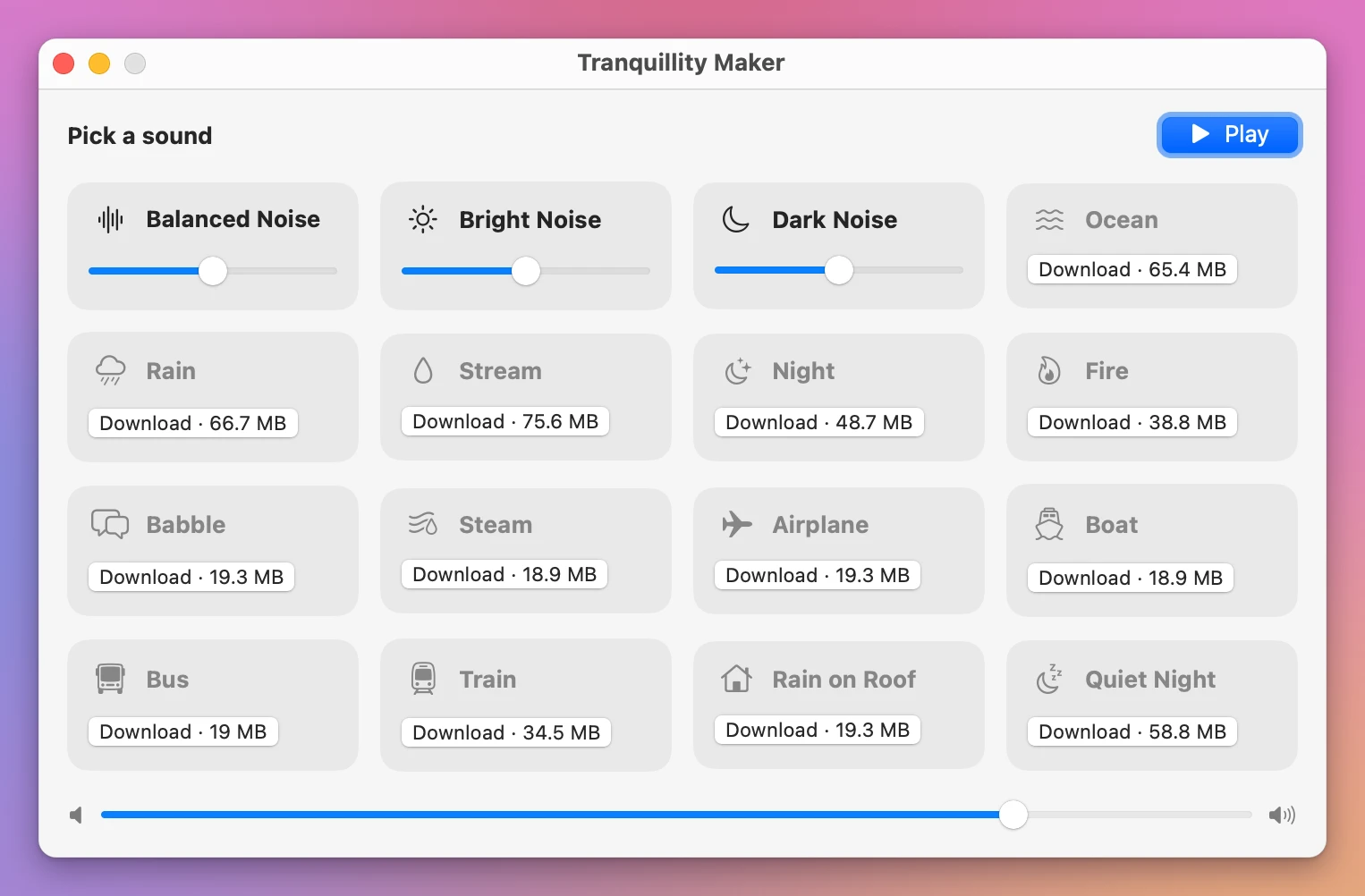
- People on macOS Sequoia. Tahoe added eight new sounds, like Airplane, Boat and Quiet Night. Tranquillity Maker shows them on Sequoia too and downloads each one from Apple with one click.
Your first mix in a minute
- Open Tranquillity Maker. Sounds already on your Mac can play right away. The others show their download size and a Download button.
- Turn on Rain. It fades in over a couple of seconds.
- Turn on Fire and drag its slider down until it sits behind the rain.
- Add a third sound if you like, say Dark Noise at a low level, to fill the gaps.
- Set the overall level with the master volume.
- Close the window. The mixer is still in the menu bar, and the icon fills in while something plays.
The next day, click Play and the same mix comes back with the same volumes. Press Space in the window or the menu bar panel to pause it when a call comes in, and again to bring it back.
The menu bar panel
The whole mixer also lives in the menu bar. You can turn sounds on and off and change each volume there, without opening the main window. Both places control the same mix.
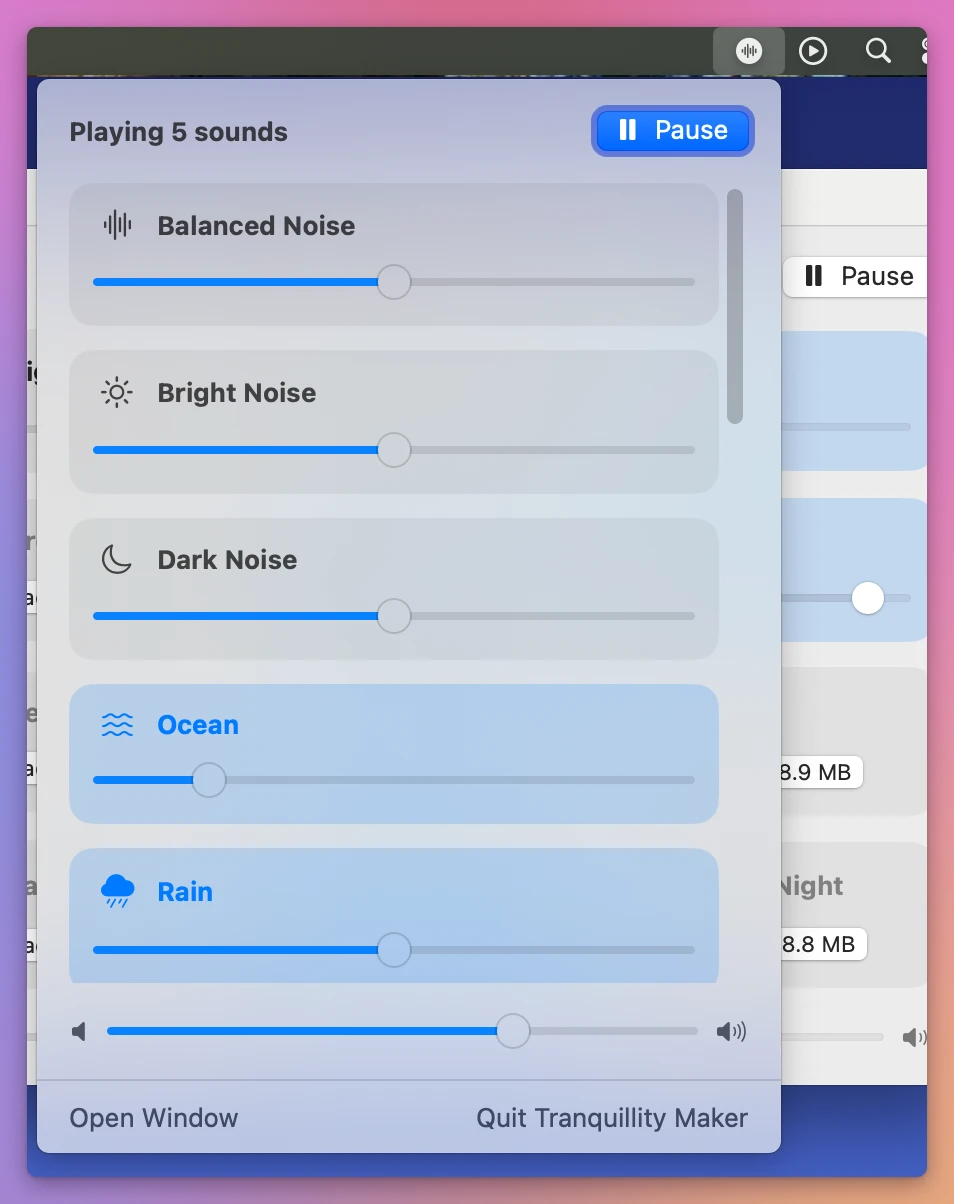
Since version 1.1, the play/pause key on your keyboard does the same from any app. macOS sends that key to the app that played last, so it reaches Tranquillity Maker until you start something else, like a video in Safari. Tranquillity Maker also shows up in Now Playing in Control Center, with the names of the sounds in your mix.
Loops you don’t hear
Apple ships most sounds as a set of audio files. Rain has 17 files between 70 and 169 seconds, and Night has 6 between 238 and 315 seconds. Others are a single file, like Boat (585 seconds) and Steam (600 seconds).
When a file ends, Tranquillity Maker picks another one at random and crossfades into it over 4 seconds. A single file crossfades into itself, so the sound never stops and restarts. Sounds fade in when you turn them on and fade out when you turn them off.
All 16 sounds, even on Sequoia
The full list: Balanced Noise, Bright Noise, Dark Noise, Ocean, Rain, Stream, Night, Fire, Babble, Steam, Airplane, Boat, Bus, Train, Rain on Roof and Quiet Night.
macOS Tahoe added eight new sounds. On Sequoia you can get them too. Tranquillity Maker shows each one’s size and downloads it from Apple with one click, with a progress bar. A download that stalls picks up where it stopped. One that can’t finish says Failed and offers Retry.
Downloaded sounds stay on your Mac, so they play offline after that. When you plug in headphones or switch the output device, the mix follows the system output.
Why not use Background Sounds in System Settings
For one sound, the built-in feature is enough. Turn it on in the Accessibility settings, pick Rain, set the volume, and you’re done. Don’t buy an app for that.
It gets limiting when you want a mix. macOS plays one sound at a time. You can’t put Fire under Rain or blend two noises at different levels. Switching sounds means going back to the settings or Control Center. And your Mac only lists the sounds its macOS version includes.
The other option is a white noise website or a long video. Those usually loop a short recording you start to notice, play ads, and need a browser tab open all day.
| Background Sounds in macOS | Tranquillity Maker | |
|---|---|---|
| Sounds at once | One | As many as you want |
| Volume | One slider | One per sound, plus a master volume |
| Where you control it | System Settings or Control Center | Window, menu bar panel, Space, play/pause key |
| Tahoe’s eight new sounds on Sequoia | Not available | One-click download from Apple |
| Your favorite mix | Pick the sound again | Remembered, Play brings it back |
What it doesn’t do
- It doesn’t include its own audio. It plays Apple’s Background Sounds and nothing else. You can’t import your own files or music.
- It doesn’t record or export your mix. The sounds belong to Apple, so you can’t use them in videos or podcasts.
- It doesn’t have a sleep timer or schedules. You pause the mix yourself.
- It doesn’t have an equalizer or effects. Each sound has one volume slider.
- It isn’t affiliated with Apple. The About panel says so, along with where the sounds come from.
Questions
Where do the sounds come from?
The app doesn’t include any audio. It plays the same files macOS uses for Background Sounds. Sounds your Mac already has play right away. The others download straight from Apple’s servers into ~/Library/Application Support/Soundscape/Sounds, never through a server of mine.
Does anything about me leave my Mac?
No. There are no accounts. The app reads Apple’s list of Background Sounds at launch, downloads the sounds you ask for from Apple, and checks for updates once a day. Nothing about you or your mix leaves your Mac.
Does it slow down my Mac?
It’s a small SwiftUI app with no dependencies. The audio runs through AVAudioEngine, macOS’s own audio engine, and the crossfades are scheduled on the audio clock.
Will my mix survive a restart?
Yes. The sounds you turned on and every volume are saved between launches. Click Play to bring them back.
Does it work on Intel Macs?
Yes. It runs on macOS 14 Sonoma or later, on Apple silicon and Intel.
The documentation covers downloads, offline listening and the play/pause key. The tutorial on mixing macOS Background Sounds builds a mix step by step.
What you get
Tranquillity Maker costs $20 including tax, paid once. The purchase includes the signed Mac app and automatic updates.
Download and install
After purchase, download the signed and notarized Mac app ZIP from your purchase page.
Unzip the Mac app and drag Tranquillity Maker to your Applications folder. It runs on macOS 14 Sonoma or later, on Apple silicon and Intel.
Tranquillity Maker is signed with my Apple Developer ID and notarized by Apple.
Tranquillity Maker checks for updates once a day. Choose Tranquillity Maker → Check for Updates… to check now and Install and Relaunch to install.