
An app by Flavio
Note Repo
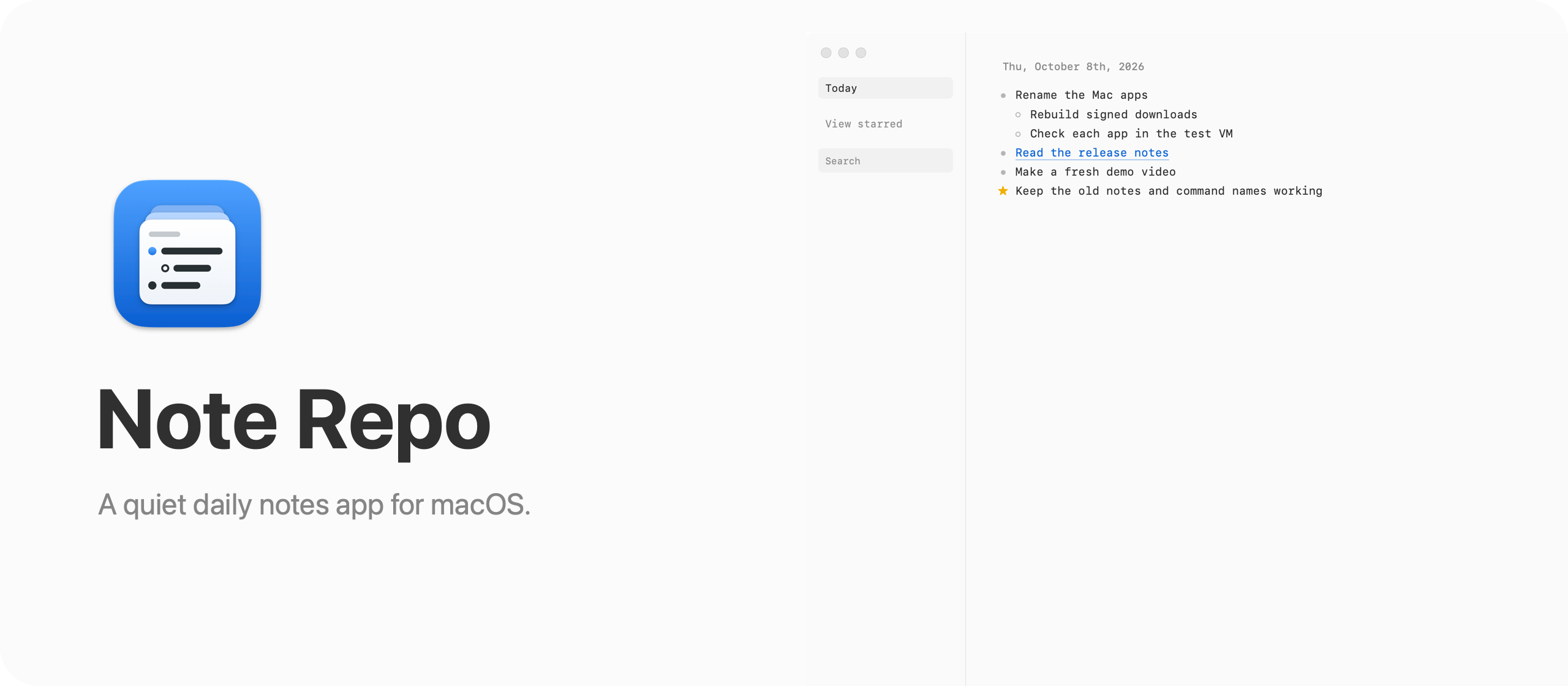
A quiet daily notes app for macOS. It opens on today, you write nested lists, and your notes stay in one file on your Mac.
Buy Note Repo · $20One-time purchase. Tax included.
macOS 14 or later · Apple silicon and Intel
Latest version 2.9.0, released November 20, 2026
You want somewhere to write down what happened today. A call, a link someone sent, the thing you promised to do by Friday. Most note apps start by asking where it goes: which folder, which notebook, what title.
So you end up with one giant note called “Notes”, or forty notes called “Untitled”. Two weeks later you can’t find the link, and you can’t remember which day you talked to the accountant.
Note Repo has one place for everything: today. Open it and the cursor is on a bullet under today’s date. Type. Earlier days sit above, but only the ones where you wrote something. There are no folders, no titles to invent and no empty pages to skip.
Here’s the app in a minute. The notes, the people and the sites in it are made up:
Who it’s for
- Freelancers who bill by the hour. At the end of the month you need to know what you did for each client. If every day has a few lines, the invoice is a search for the client’s name away.
- Managers with a day full of calls. You write two lines after each meeting, star the promise you made, and the next morning View starred shows everything still open across every day.
- People who collect links. Articles, YouTube videos, Reddit threads, posts on X. Paste them and you get the title instead of a long URL, filed under the day you found them.
- Anyone who wants notes without an account. No sign-in, no sync service, no AI. The notebook is one SQLite file in your Library folder, and you back it up by copying it.
- Developers who work with coding agents. The
noterepocommand lets an agent add what it did to today’s notes, read yesterday’s, or search the whole notebook, and the open window updates as it writes.
A day with it
Here’s how a normal day looks.
- In the morning, open Note Repo. It’s on today, with a bullet ready. Type
Call the bank about the cardand press Return. - Press
Tabto nest the next line under it:Ask about the second fee.Shift-Tabbrings you back to the top level. - Someone sends you a link. Paste it on its own line. Note Repo fetches the page title and shows it next to the domain.
- You take a screenshot of an error, or of a receipt. Paste it, or drop the file into the day, then drag its corner to make it smaller.
- Something needs doing later in the week. Click its bullet to star it.
- On Thursday, click View starred to see the starred items from every day. Click a star to take it off the list once it’s done, then click Today to go back.
- Next month you need that link again. Press
⌘F, type a word from the title, and pick the day from the list.
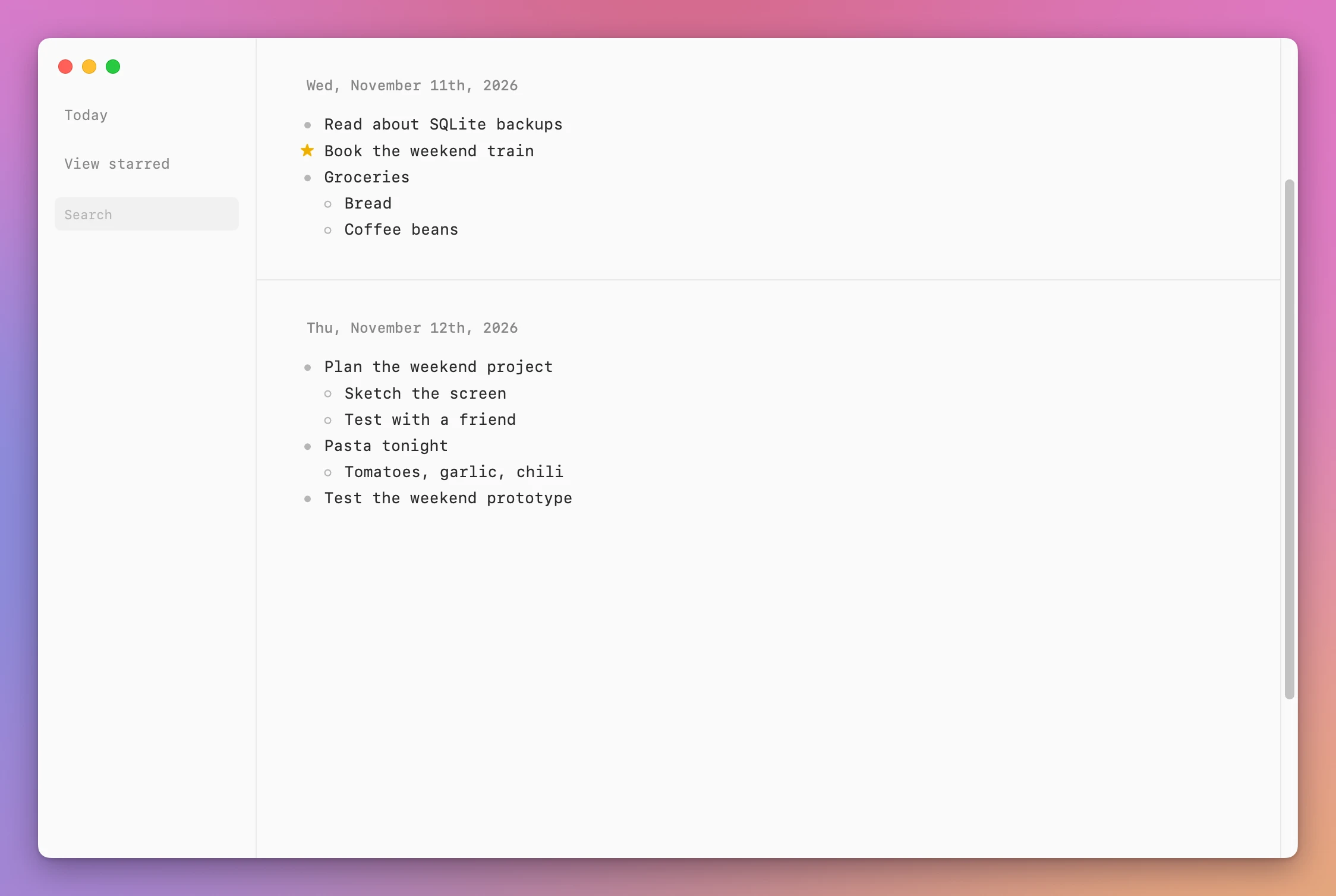
Note Repo saves as you type, so there’s no save button. ⌘D jumps back to today from wherever you scrolled, and Option-Up and Option-Down move a day at a time.
Notes, links, and screenshots
Every note is a list. Start a numbered list with 1. or a bulleted list with -. Option-Return adds a second line inside the same item, which is handy for an address or a short quote. ⌘B makes text bold.
When you paste a link, Note Repo shows the page title next to the domain. A YouTube link gets the video title, including Shorts and youtu.be links. A Reddit link gets the post title, and a link to a comment reads “Comment to” followed by the post title. An X post gets the first line of its text. Pasted text is cleaned of stray blank lines, trailing spaces and invisible characters.
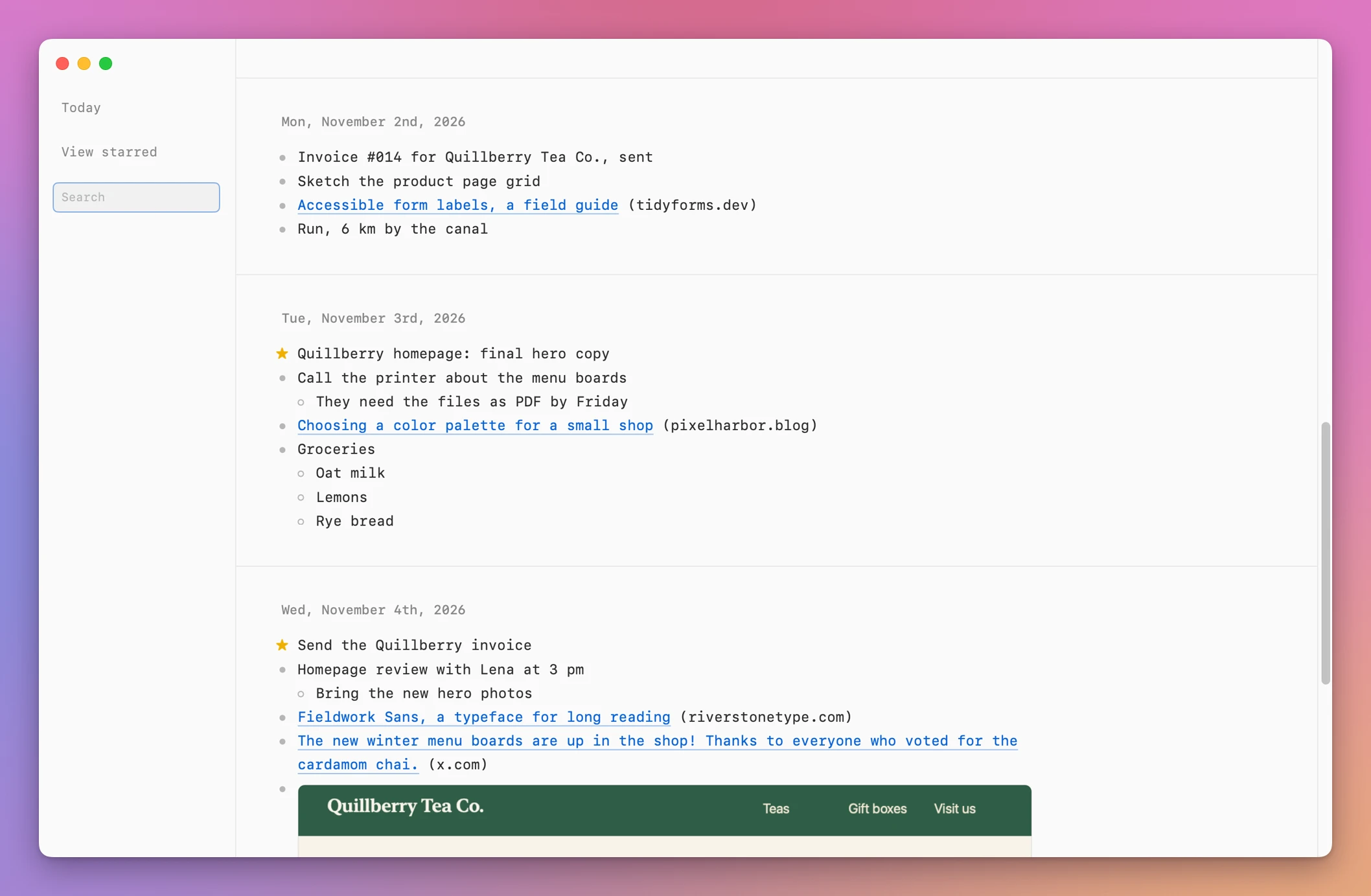
Images can be PNG, JPEG, GIF, WebP or SVG, up to 15 MB each. You can resize them by dragging the right edge, the bottom edge or the corner, and cut, paste or delete them like any other item.
Search
Press ⌘F or ⌘K and type. Search shows every day that has a match, newest first, with the line that matches:
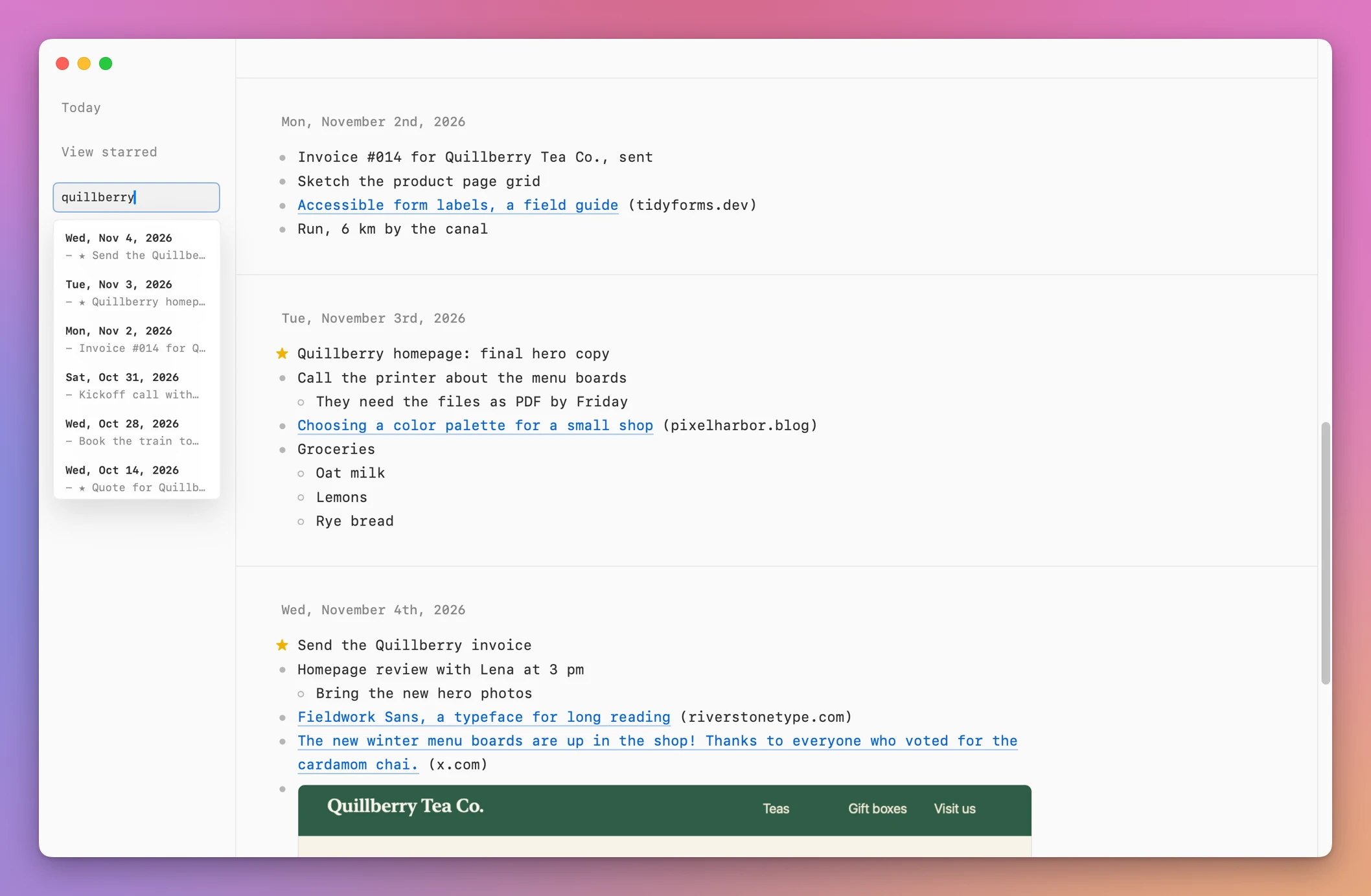
Click a result and Note Repo scrolls to that day. Because every note sits under its date, you also see what else happened around it.
The noterepo command
Note Repo comes with noterepo, a native command-line tool inside the app. Link it into a folder on your PATH and you can add items, links and images, show a day, list days, search, edit and move items, and back up the notebook. Every command prints JSON:
noterepo add "Test the weekend prototype"
noterepo show yesterday
noterepo search weekend
noterepo backup
It writes to the same file as the app. The app notices the change within a second and updates the open window. If you’re typing in the same day at that moment, your edits and the tool’s are merged instead of one replacing the other. noterepo capabilities --json describes the commands for a coding agent.
Your notes stay on your Mac
Your notes stay on your Mac, in a single SQLite file. The app has no sign-in or AI features. It goes online to read the title of a link you paste. For an X post, that title is the first line. Once a day it checks updates.flaviocopes.com for a newer app version. None of these requests contain your notes.
The notes and the requests for link titles take different paths:
The file lives at ~/Library/Application Support/NoteRepo/notes.sqlite3, with your images inside it. noterepo backup makes a complete copy and prints where it put it. noterepo restore puts a backup back, and saves the current notebook first.
Why not use Apple Notes
Apple Notes is free and already on your Mac, and you can keep a journal in it. Make a folder, press ⌘N each morning, type the date as the first line, and sort the folder by date created so edits don’t shuffle the days. That works fine.
The friction is small but it’s every day. You type the date yourself. Each day is a separate note, so reading last week means opening seven notes. Finding an old link means searching and then opening each result. A pasted link stays a long URL.
| Apple Notes | Note Repo | |
|---|---|---|
| Starting today’s note | New note, type the date | Open the app, start typing |
| Reading last week | Open each day’s note | Scroll up through one page |
| Things still to do | Pinned notes or a checklist per note | Star a line, View starred shows all |
| Pasted links | The URL | Page title and domain |
| Where notes live | iCloud or On My Mac | One SQLite file on your Mac |
| From the terminal | No | noterepo with JSON output |
If you already keep a journal in Notes and it works for you, keep it. Note Repo is for when you’d rather the app handled the dates for you.
What it doesn’t do
- It doesn’t sync. There’s no iPhone app and no cloud. Your notes are on one Mac. To move them, copy the file or use
noterepo backupandrestore. - It doesn’t have folders, tags or titles. Everything is organized by day. Search and stars are how you find things.
- It doesn’t have future days. You can’t write a note for next Tuesday. Star the item today instead.
- It doesn’t do rich formatting. Lists, bold, links and images. No tables, headings or colors.
- It has no AI features. Nothing reads or summarizes your notes.
Questions
Does anything get uploaded?
No. Notes and images stay in the file on your Mac. The app goes online only to read the title of a link you paste and to check for updates once a day, and neither request includes your notes.
Does it work offline?
Yes. Writing, search and the command-line tool all work without a connection. Only the link titles need the internet.
How do I back up my notes?
Run noterepo backup, or copy the NoteRepo folder in ~/Library/Application Support in the Finder. Keep a copy off the Mac if you want protection against a disk failure.
Does it work on Intel Macs?
Yes. Note Repo runs on Apple silicon and Intel Macs with macOS 14 or later.
Is it a native app?
Yes. Note Repo is written in Swift. SwiftUI draws the window, and each day is an AppKit text view. The whole download is about 1.6 MB.
The first versions ran the AHA stack (Astro, HTMX, and Alpine.js) inside Electron. Note Repo 2.0 replaced that with the Swift app, which looks the same, opens the same notes, and uses about a third of the memory.
I’d also like an iPhone app for Note Repo, and I wrote about how to sync a Mac app with its iPhone app while planning it.
The documentation covers every shortcut and the full command-line tool, and the tutorial on keeping a daily work log shows how stars and search fit together.
What you get
The $20 one-time purchase includes the signed Mac app, the noterepo command and automatic updates.
Downloading the app and updates
After buying, download the app zip from your purchase page, unzip it, and drag Note Repo to your Applications folder. It runs on Apple silicon and Intel Macs with macOS 14 or later.
Note Repo is signed with my Apple Developer ID and notarized by Apple, so it opens like any other app you download.
Note Repo checks for updates once a day. Choose Note Repo → Check for Updates… to check now and Install and Relaunch to install.