
How to use Safe Folder Flattener
Safe Folder Flattener
Copy nested files into one flat folder, preview duplicate-name handling, and keep a map back to the original paths.
Free to read. You can explore the guide before buying the app.
On this page
Install
Download the ZIP from the purchase page or your Creem receipt. Unzip it and move Safe Folder Flattener to Applications. The app is signed and notarized, and runs on macOS 14 Sonoma or later on Apple silicon and Intel.
The app checks for updates once a day. When a new version is ready, click Install and Relaunch. To check anytime, choose Safe Folder Flattener → Check for Updates….
If your copy still asks for a key, download the latest version from your purchase page and replace the old app in Applications.
Choose the nested folder
Choose the Nested folder, or drop it on the sidebar, and a Save in location outside it. Enter the name for the new flat folder under New output folder and click Preview. Until everything is set, the start screen shows the next step and a button for it.
The app gathers regular files from the source and its subfolders. The preview lists each file under its new name, with the folder it comes from below it. Symlinks, packages and special files get a grey Skipped pill and aren’t copied.
Review duplicate names
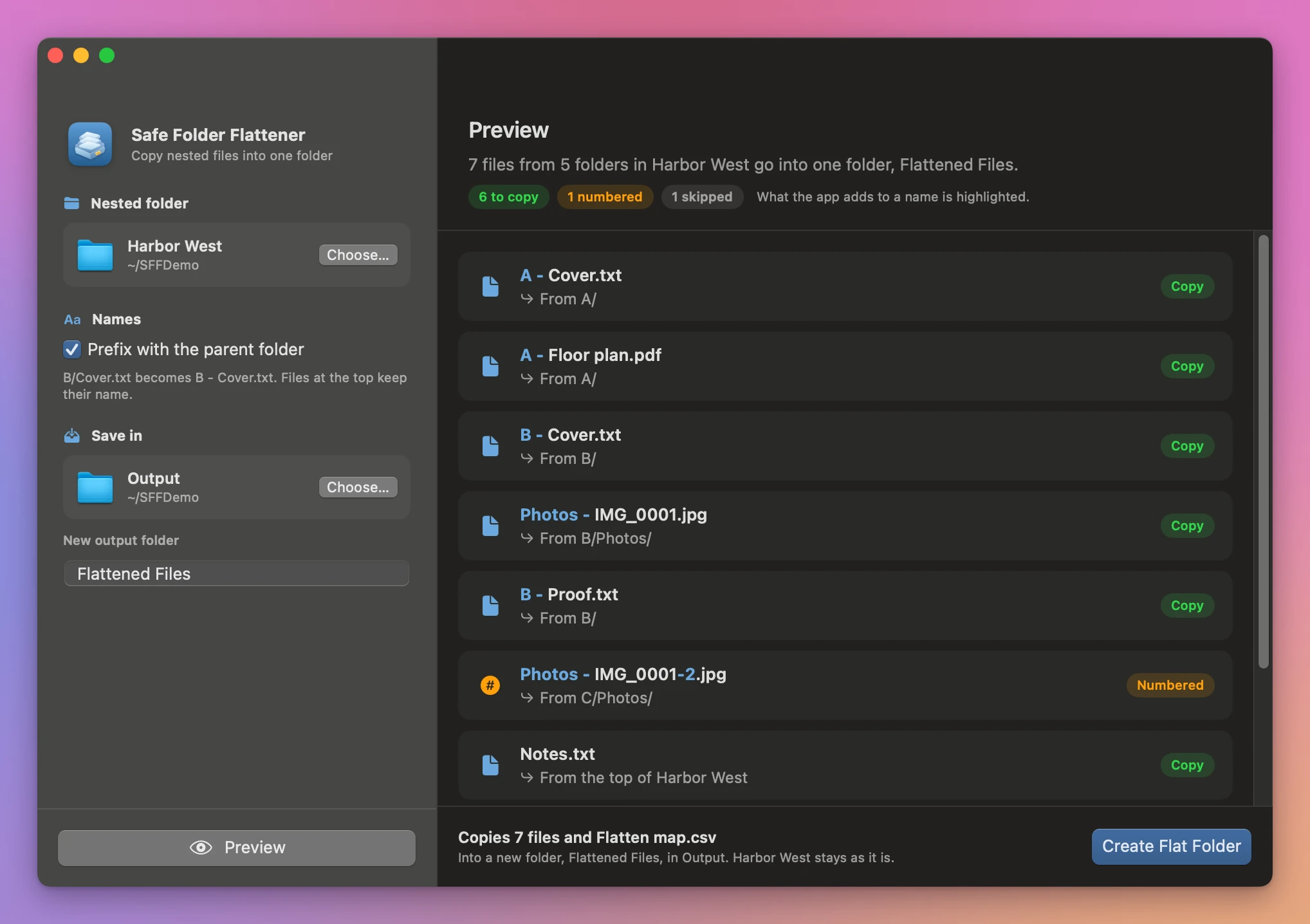
In the Harbor West example, A/Cover.txt becomes Cover.txt and B/Cover.txt becomes Cover-2.txt, with an orange Numbered pill. The pills at the top count the files to copy, numbered and skipped, and the part of a name the app added is highlighted.
Switch on Prefix with the parent folder and preview again to add the immediate parent folder to names from subfolders. B/Cover.txt becomes B - Cover.txt. Two IMG_0001.jpg files that both sit in a Photos folder still collide, so the second becomes Photos - IMG_0001-2.jpg.
Click Create Flat Folder. The done screen lists the files in the new folder and anything left out, then Show in Finder opens it, and Flatten Another takes you back. The folder contains the copies and Flatten map.csv. Look up any output filename in the map to find its original path.
If an output folder already exists, choose a different name or location and preview again. Changes to the inputs also require a new preview. Cancel stops the work before delivery.
See Safe Folder Flattener → · $20 including tax.