
An app by Flavio
Project Folder Kits
Create a project on Mac from a reusable folder template, with client and job values in file and folder names.
Buy Project Folder Kits · $20One-time purchase. Plus tax where it applies.
macOS 14 or later · Apple silicon and Intel
Every new client project starts with the same setup. Create the folders, copy in your starter files, then rename everything for the client and job. It’s easy to forget a folder or leave the previous client’s name in a filename.
With Project Folder Kits, you make that template folder once. Enter the client and job number each time you use it, and the app makes a new project with the starter files already inside.
Use it for the work you repeat
- Design projects. Start each client job with folders for the brief, brand assets, working files and final exports. Include your usual brief document so you can fill it in straight away.
- Photo shoots. Give each shoot folders for originals, selects, edits and delivery, named for the client and shoot date.
- Video projects. Set up footage, audio, project files and exports for each new video. Copy in your editing project template and production checklist.
- Consulting work. Start each engagement with a proposal template, meeting notes and folders for client documents and reports.
Keep a separate template for each kind of work. When the next project comes in, choose its template and fill in the new names.
Keep the template as a folder
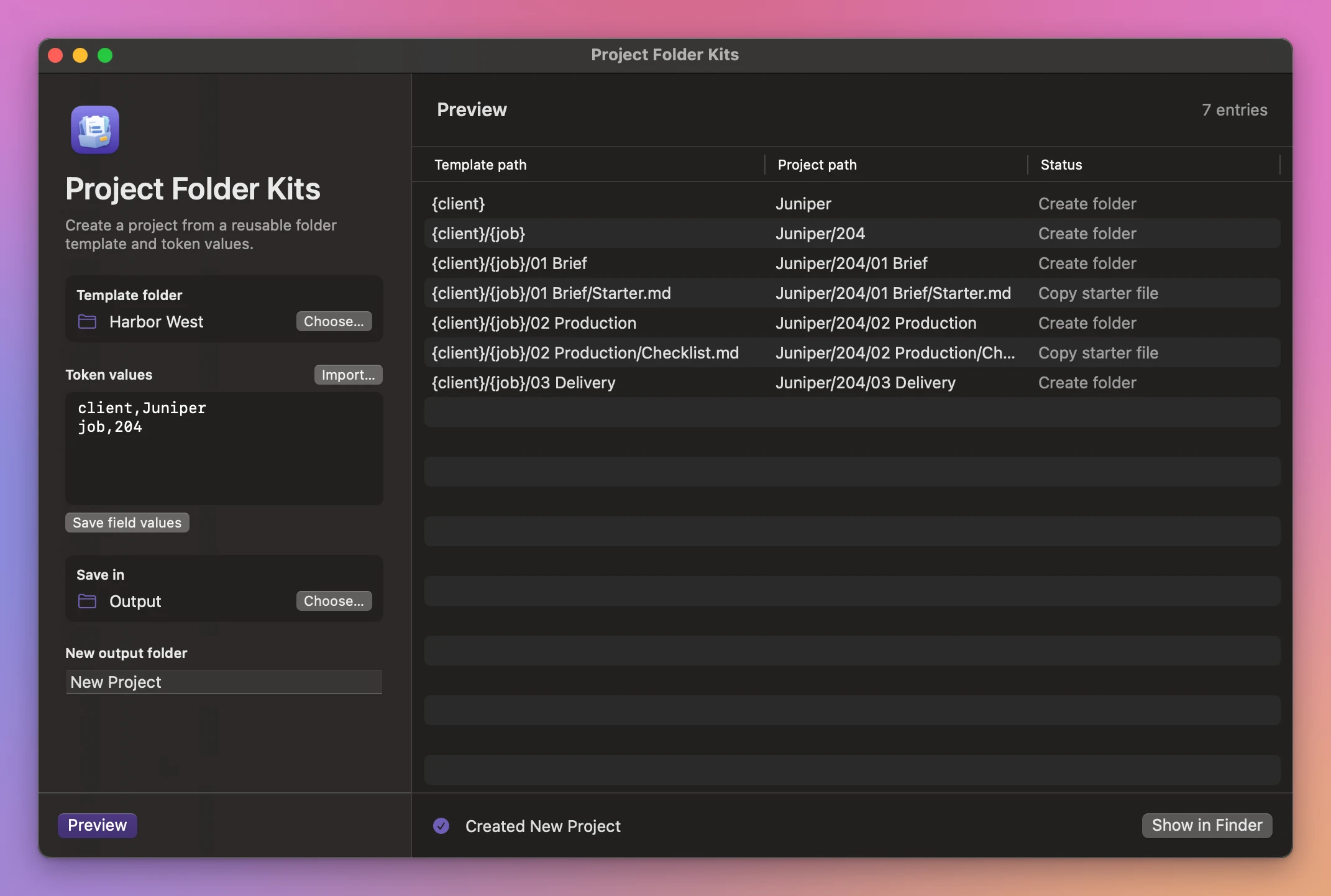
Put your usual folders and starter files in one place. Use names like {client}/{job}/01 Brief where a value should change. A date, project name or team identifier can be another token.
The template is a folder you can keep in Finder or share with a teammate. The app fills tokens in names and copies your starter files with their contents intact.
Preview the project paths
Enter the values, choose where the project should go and click Preview. The table shows the template and new paths side by side. If two paths would end up with the same name, fix the template or values before you create the project.
Buy Project Folder Kits
$20 plus tax where it applies, paid once. The purchase page shows the download and your license key. You’ll find them in your Creem receipt too.
Unzip the download and drag the app to Applications. It runs on macOS 14 Sonoma or later on Apple silicon and Intel Macs. File processing happens on your Mac.
Enter your key in Project Folder Kits → License… to turn on updates. One key works on three Macs.