
An app by Flavio
PDF Bookmark Splitter
Split PDFs at their existing bookmarks, preview the page ranges and filenames, and save separate PDFs without changing the originals.
Buy PDF Bookmark Splitter · $20One-time purchase. Plus tax where it applies.
macOS 14 or later · Apple silicon and Intel
A report arrives as one long PDF, with a bookmark for each chapter. You need a separate file for every chapter, named so the next person can find it.
PDF Bookmark Splitter reads those bookmarks and makes the files. Add your PDFs, choose which bookmark level to use, and review the filenames and page ranges before saving.
Who it’s for
- Teachers. You have a textbook or a workbook as one big PDF and want to give students one chapter at a time.
- Lawyers and paralegals. A court bundle or a due diligence binder arrives as one file with a bookmark per document. Split it into the separate exhibits.
- Accountants and office staff. A year of statements or invoices comes as one PDF, bookmarked by month. Save each month in its own file.
- Researchers and students. Download a long report or a thesis and keep only the chapters you need, or send one chapter to a colleague.
- Technical writers and support teams. Split a long manual into sections to attach to help articles or to send to a customer.
Why not split it in Preview
In Preview you’d find where each chapter starts, select its pages in the sidebar, drag them out, and rename the file. For a 300-page document with 15 chapters, that’s 15 rounds of counting pages, and it’s easy to cut one page early.
The PDF already knows where its chapters start. PDF Bookmark Splitter uses those bookmarks, names each file after its chapter, and shows you the page ranges before it saves anything.
Review the split first
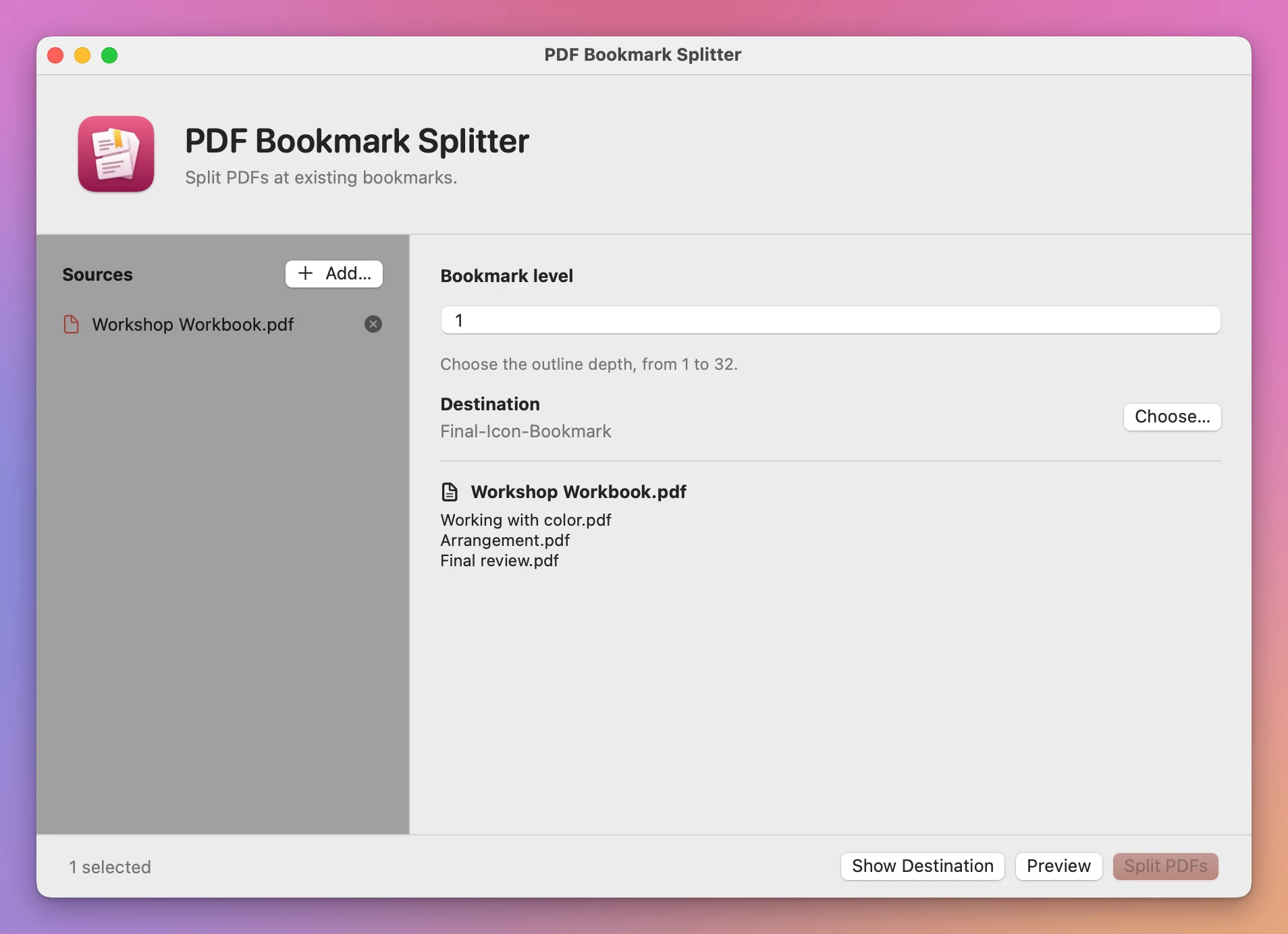
Choose Add…, or drop PDFs into the Sources list. Set Bookmark level to 1 for the top-level chapters. A higher number uses a deeper level of the PDF’s bookmark tree.
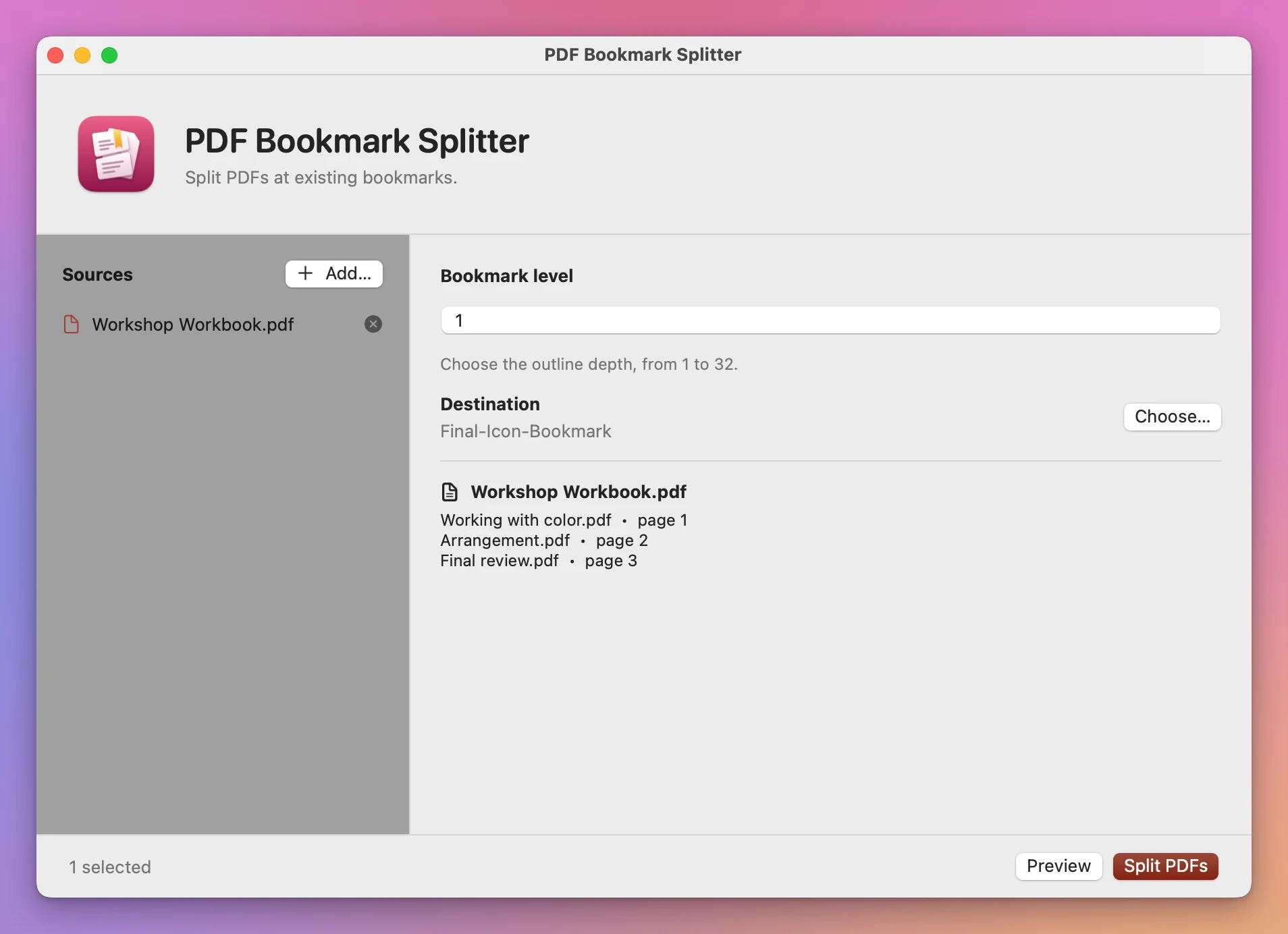
Click Preview. The app lists the proposed files and the pages each will contain. It reports a PDF without usable bookmarks instead of guessing where its chapters begin.
Keep the originals
Choose a destination, then click Split PDFs. The source PDFs stay where they are. Existing output files are kept, and repeated names get a numbered suffix.
If a document has pages before its first bookmark, those pages go into an Opening pages PDF. Bookmarks that start on the same page share one split point. The first title at that point names the file.
You can add several PDFs to the same batch. The result lists each source separately, with its output filenames or the reason it couldn’t be processed.
What it needs
PDF Bookmark Splitter runs on macOS 14 Sonoma or later, on Apple silicon and Intel Macs. Document processing happens on your Mac.
The PDF must already contain bookmarks. This app doesn’t create bookmarks from headings or recognize chapters in scans. Locked or unreadable PDFs need to be unlocked or repaired first.
Splits happen at page boundaries. Two bookmarks on the same page cannot produce two different pieces of that page. Review the resulting files before sending them, particularly documents with links between chapters.
Buy PDF Bookmark Splitter
$20 plus tax where it applies, paid once. There is no subscription.
After buying, download the app from the purchase page or your Creem receipt. Unzip the app and drag it to Applications. The download is signed with my Apple Developer ID and notarized by Apple.
The app checks for updates once a day. When a new version is ready, click Install and Relaunch. To check anytime, choose PDF Bookmark Splitter → Check for Updates….