
An app by Flavio
Folder to PDF Packets
Combine the PDFs and images in each folder into one PDF. Preview the order, then save one packet per folder.
Buy Folder to PDF Packets · $20One-time purchase. Plus tax where it applies.
macOS 14 or later · Apple silicon and Intel
A workshop folder has three PDF handouts, a seating plan saved as a PDF, and a photo. You want one PDF to send to the class. Another workshop has its own folder, and needs its own PDF.
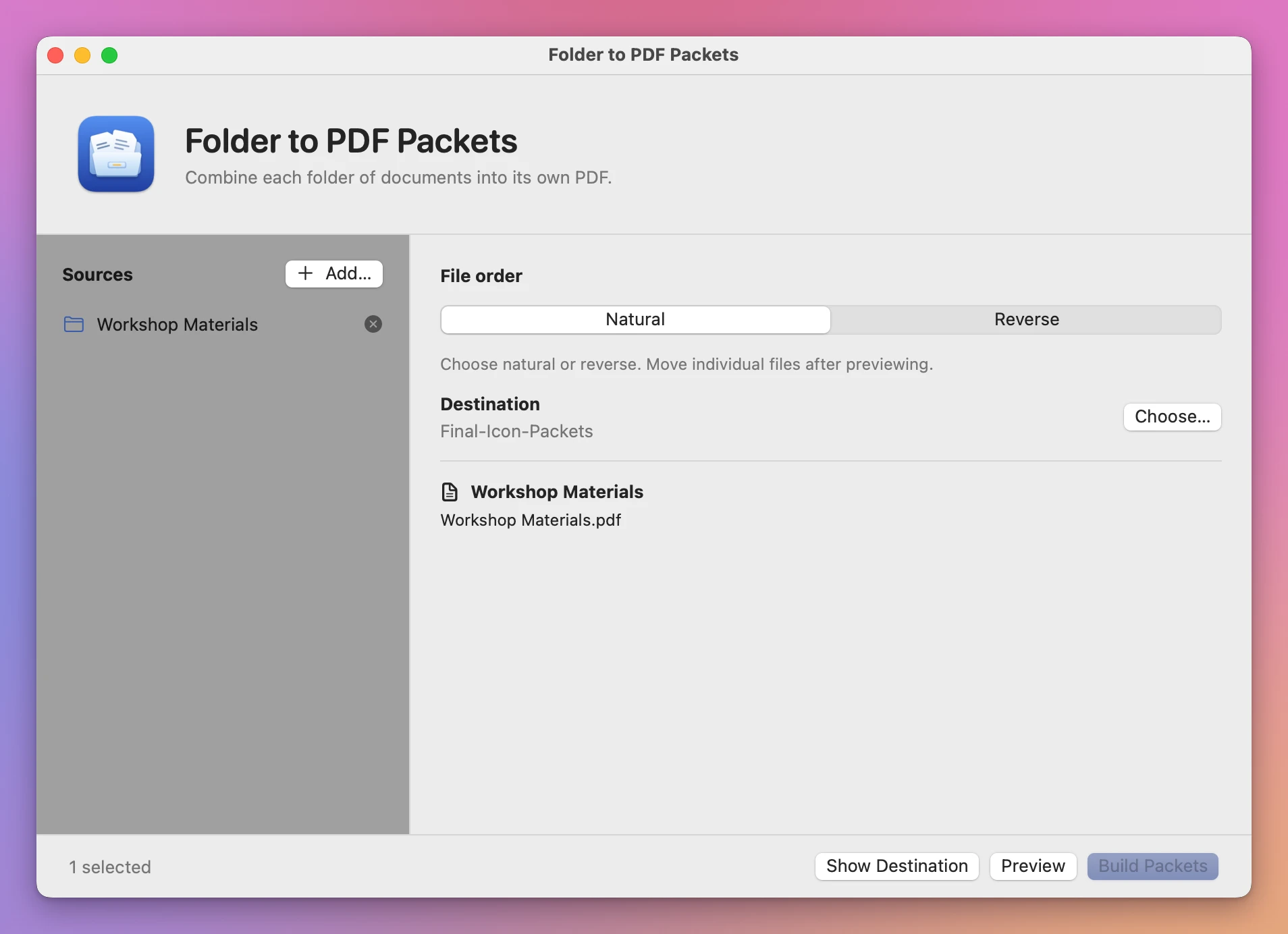
Add both folders to Folder to PDF Packets. It will make a separate packet for each one and name the PDFs after the folders.
Who it’s for
- Teachers and trainers. Each class or workshop has a folder of handouts. Send students one PDF instead of six attachments.
- Real estate agents. Every property has a folder with the listing sheet, floor plan, photos and disclosures. Make one packet per property for buyers.
- Landlords and property managers. Put together one PDF per tenant application, with the ID, pay stubs and references.
- Accountants and bookkeepers. Each client folder holds receipts as photos and statements as PDFs. Send each client one document to review.
- Job seekers and students. Combine a cover letter, CV, certificates and a portfolio into the single PDF an application form asks for.
Why not use Finder’s Create PDF
Finder can combine selected files into one PDF with the Create PDF quick action, one folder at a time. The order depends on how you selected the files, and you only see it once the PDF is made. With ten folders that’s ten rounds of select, combine, check and rename.
Folder to PDF Packets does every folder in one batch, shows you the order first, and names each PDF after its folder.
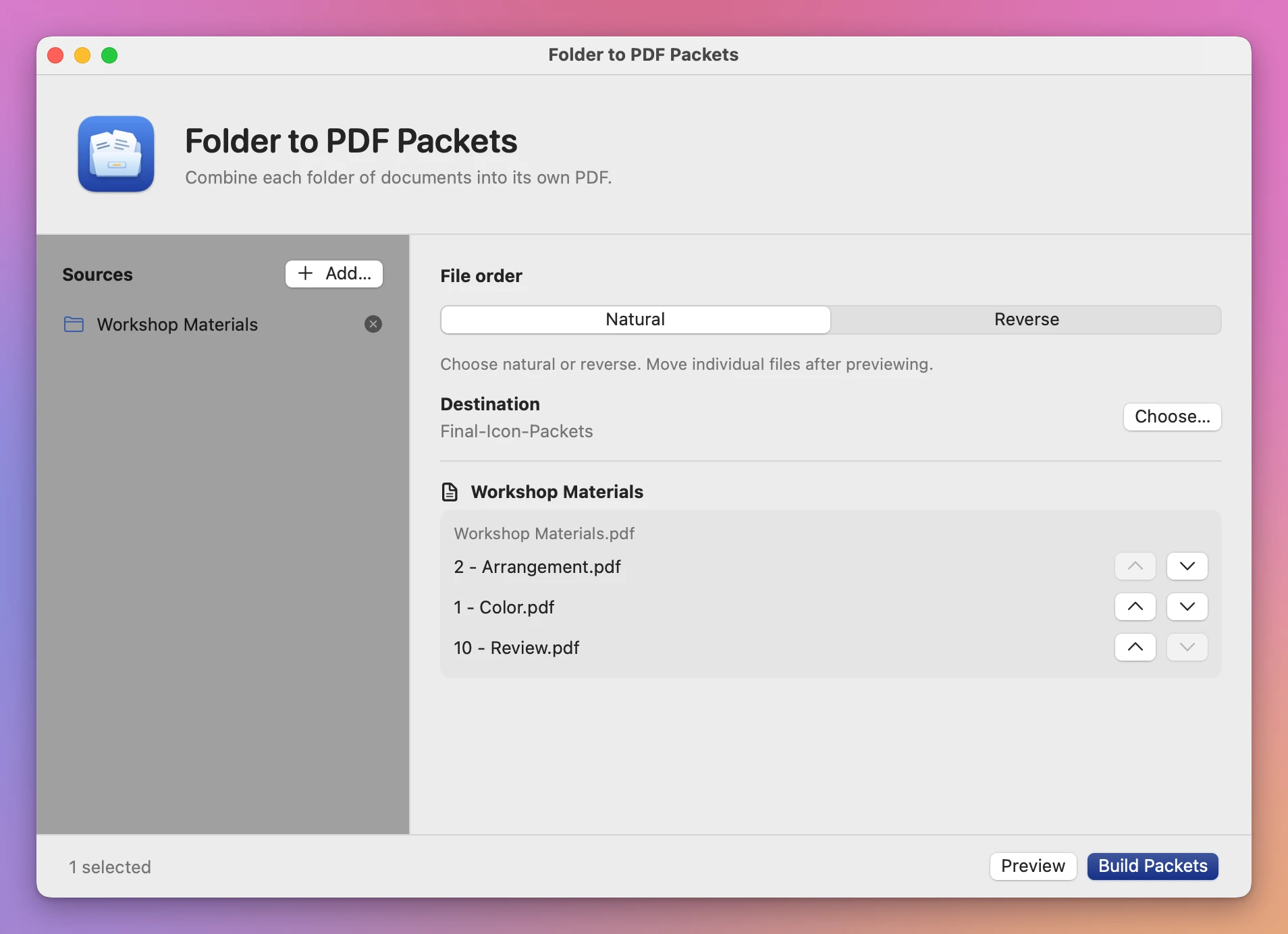
Change the order before you save
The app sorts numbered filenames in the order you’d expect. 2 - Arrangement.pdf comes before 10 - Review.pdf. Click Preview, then use the arrows next to a file to move it earlier or later within that packet.
A PDF contributes all its pages. An image contributes one page. Add a subfolder as another source if it needs its own packet.
Use it on your Mac
Folder to PDF Packets runs on macOS 14 Sonoma or later, on Apple silicon and Intel.
Processing happens on your Mac.
Buy Folder to PDF Packets
$20 plus tax where it applies, paid once.
Download the ZIP after checkout, unzip it and drag the app to Applications. The download is signed and notarized.
The app checks for updates once a day. When a new version is ready, click Install and Relaunch. To check anytime, choose Folder to PDF Packets → Check for Updates….