I built 37 terminal text effects in pure JavaScript
By Flavio
Tagged: JavaScript
I built tte.js, a dependency-free browser library that animates text and ASCII art with 37 Canvas effects.
I saw DHH share terminal text effects running on the Omarchy homepage, and I wanted to build a browser version. Text burned into view, and letters scattered, bounced, decrypted, and snapped back into place.
For that page, Christoffer Hallas ported ttfx (a Rust port maintained by 37signals and omacom) to WebAssembly. Everything goes back to TerminalTextEffects by ChrisBuilds, where all 37 effect names, concepts, and animation designs come from.
I wanted to see how far I could get with plain JavaScript, and the result is tte.js.
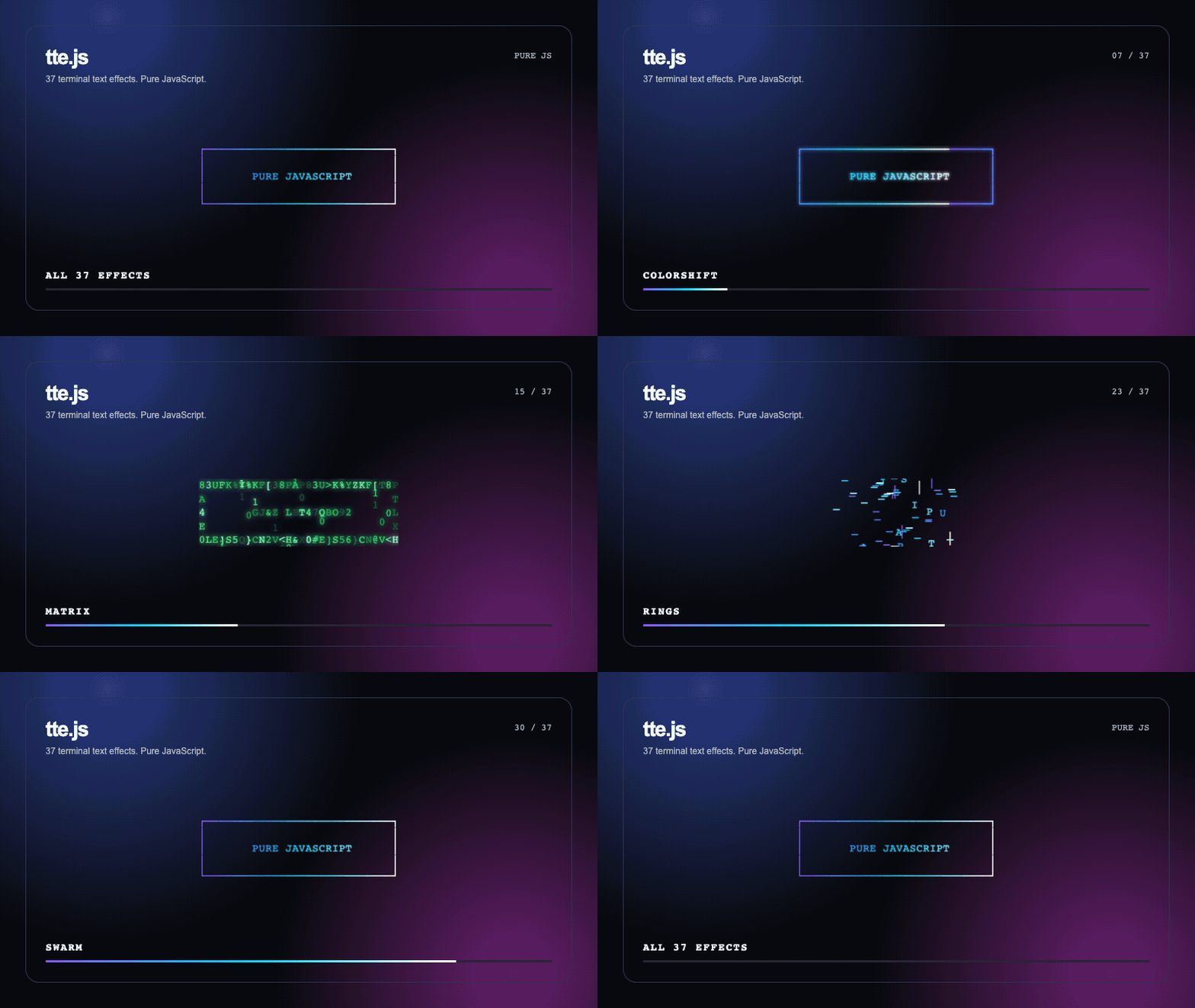
A browser-native version
tte.js doesn’t run a terminal inside the page. It reads the text from an HTML element, turns it into a character grid, and draws animated cells and particles on a Canvas placed over the original text.
The source element stays in the document, so it keeps controlling the font and layout, and screen readers can still read it. Canvas handles only the visual animation. There are no runtime dependencies either: it doesn’t load WebAssembly and doesn’t need a framework.
Using an effect
First, add the text you want to animate:
<pre id="title">WELCOME TO THE TERMINAL</pre>Then create the effect in JavaScript:
import { createTextEffect } from './tte.js/src/index.js'

createTextEffect('#title', {
  effect: 'laseretch',
  duration: 2400,
  colors: ['#8a5cff', '#00d1ff', '#ffffff'],
})
The returned object lets you play, stop, restart, replace, or destroy the animation. If you prefer HTML, you can also register the included <text-effect> custom element and configure an animation right in your markup.
The effect engine
Every effect receives the same character grid, which keeps the rendering code separate from each animation. On each frame, an effect returns the characters to draw along with their positions, colors, and opacity, plus optional particles for sparks, smoke, rain, bubbles, and other movement outside the text grid.
A seeded random function makes the results repeatable. Pass the same seed and you’ll get the same paths and character choices again, which helped while building the effects and makes recorded demos predictable.
All 37 effects
The first version only had three effects: laseretch, decrypt, and wipe. From there, I adapted the entire 37-effect catalog to the browser-native engine:
beams, binarypath, blackhole, bouncyballs, bubbles, burn, colorshift, crumble, decrypt, errorcorrect, expand, fireworks, highlight, laseretch, matrix, middleout, orbittingvolley, overflow, pour, print, rain, randomsequence, rings, scattered, slice, slide, smoke, spotlights, spray, swarm, sweep, synthgrid, thunderstorm, unstable, vhstape, waves, and wipe.
They all share one API, while each effect builds its own timing and movement. You can test every one of them in the live gallery, tweak the speed, palette, and random seed, and replay individual animations.
Building the GIF
I also wanted a single file that showed the whole library. The repository includes a capture page and a Node.js script where Playwright renders each effect at fixed progress points, saves the frames, and hands them to FFmpeg to stitch into the GIF above. The complete run takes 14 seconds.
Credits and license
All credit for the effect designs goes to the upstream projects. ChrisBuilds created TerminalTextEffects and its animation engine, the ttfx project translated that work to Rust (which helped me understand how each effect behaves), and Christoffer Hallas brought ttfx to the Omarchy homepage via WebAssembly.
tte.js reimplements the effects in JavaScript and Canvas, so it doesn’t include the ttfx WebAssembly build or any code from the Omarchy integration. Like TerminalTextEffects and ttfx, it’s released under the MIT License. The download keeps the copyright notices and original MIT license text from both projects, along with a third-party notice explaining where the work came from.
Publishing small things
This is the kind of project I want to publish more often. It doesn’t need a new domain, a business model, or a big launch. It can be a useful library, a demo, and a short explanation of how it works.
To give small experiments a permanent home without pretending every repository has to become a product, I added a Libraries section to my software catalog.
You can try every effect or get tte.js on GitHub. The repo includes the source, tests, demo, capture script, and docs, along with the MIT license, upstream licenses, and attribution notice.
Want me to talk about your product? You can sponsor this site.
Related posts about js: