
An app by Flavio
GSC CLI
Query Google Search Console performance, sitemaps and URL index status from your terminal or coding agent. Includes an agent skill and full MIT source.
Buy GSC CLI · $20One-time purchase. Tax included. Full source code.
macOS or Linux · Node.js 22+ · Google OAuth setup
GSC CLI gives your coding agents access to Google Search Console through a command-line tool.
Ask which pages lost clicks, which search terms bring people to a page, or whether Google indexed a URL. Your agent can fetch the data, compare it and explain what it found. You can run the same commands yourself in Terminal.
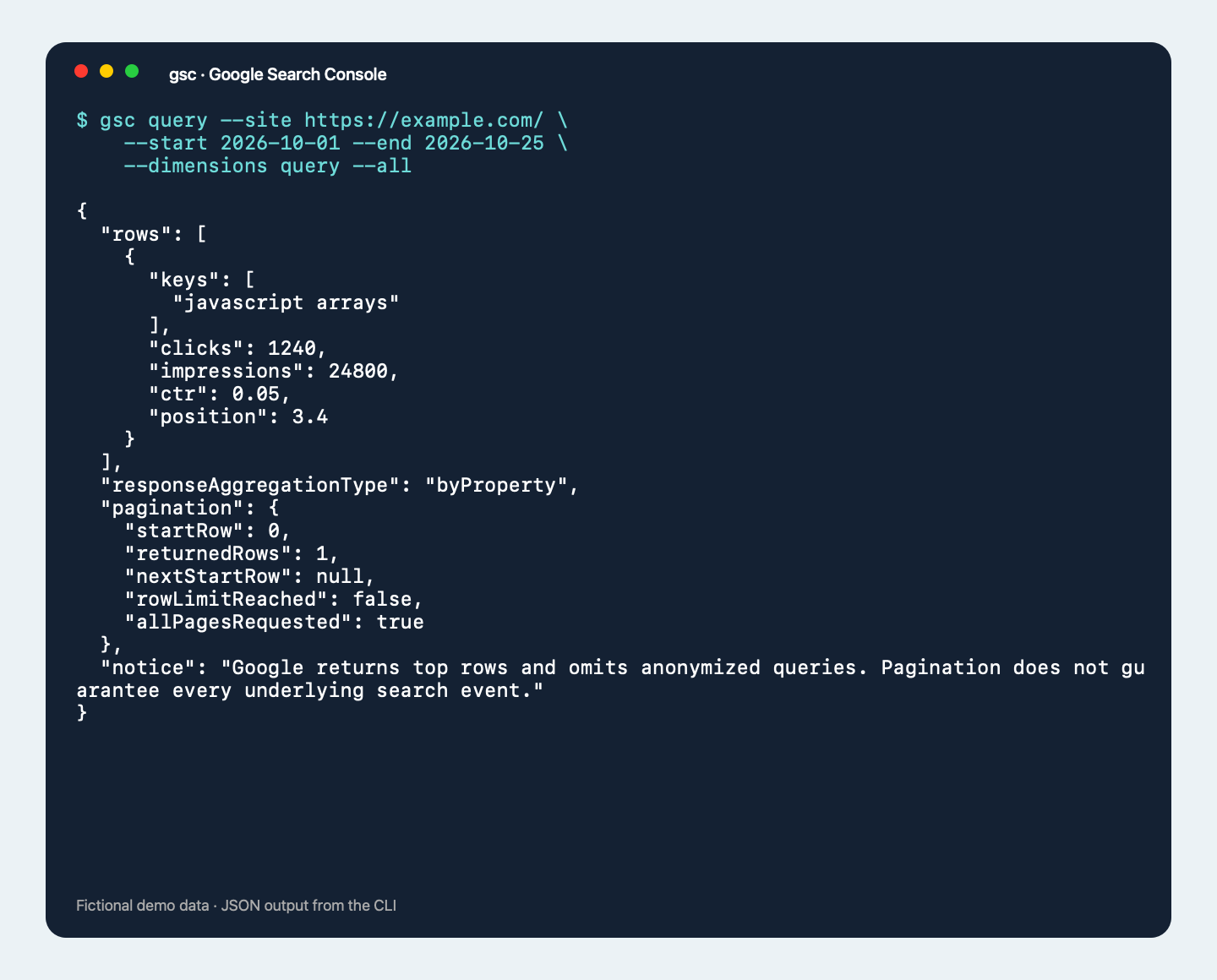
Terminal demo with fictional data.
Query your search data
The gsc query command returns clicks, impressions, click-through rate and average position. Group the results by search term, page, date, country, device or search appearance. Add filters and choose the dates you want to compare.
For example, this query groups performance by search term and page:
gsc query --site https://example.com/ \
  --start 2026-10-01 --end 2026-10-25 \
  --dimensions query,page --all
Replace the example property with one returned by gsc sites. The output is JSON, so an agent or script can read it without scraping a dashboard.
--all fetches successive pages up to the configured row limit. Every response includes pagination details so the agent can see whether more rows may exist. Google still limits the data it returns and omits anonymized search queries. Pagination cannot recover those omissions.
Check properties, sitemaps and individual URLs
GSC CLI lists the properties your Google account can access. It can also read submitted sitemaps, their warning and error counts, and the children of a sitemap index.
URL inspection returns the status of a page in Google’s index, including available crawl details and canonical URLs. It uses Google’s indexed version of the page. It does not run a live crawl or request indexing.
The tool uses read-only access. It does not change properties or submit sitemaps.
Install it and connect Google
You need macOS or Linux, a terminal, and Node.js 22 or later installed separately. The CLI has no npm dependencies.
Download the release from your private GitHub repository and unzip it. Open a terminal in that folder and run the installer:
./install.shThe installer copies GSC CLI into ~/.local/share/gsc/releases/<version> and links ~/.local/bin/gsc to that copy. It uses your existing Node.js installation, without npm link. You can delete the downloaded folder afterward. Make sure ~/.local/bin is on your PATH; the README covers this and uninstalling. For updates, download the new release and rerun its installer. Your saved Google connection stays in place.
Google setup takes a few steps before the first query. You provide your own Google Cloud project and OAuth client:
- Enable the Search Console API in your Google Cloud project.
- Configure the OAuth consent screen. If the app is in Testing, add the Google account you will use as a test user.
- Create an OAuth client with application type Desktop app and download its client JSON file.
- Make sure that Google account already has access to the Search Console properties you want to query.
Then sign in through your browser:
gsc login --client ~/Downloads/client.jsonAfter that, agents can query your properties without signing in for every command. Google can expire or revoke the connection; OAuth apps in Testing can receive refresh tokens that expire after seven days, so you may need to reconnect.
The included README walks through installation and authentication. Google’s desktop OAuth guide and Search Console prerequisites explain its setup requirements.
GSC CLI is independent. The first gsc login opens Google consent and saves its own credentials on your machine. Queries use only that saved login. Run gsc logout to remove the local connection.
Give your agent the skill
The purchase includes a skill that teaches an agent how to choose properties, build queries and interpret the results. It explains pagination, reporting dates and Google’s data limits.
Install it for Codex with:
gsc skill install --target codexUse --target claude for Claude Code or --target cursor for Cursor. Agents can also discover the commands through gsc capabilities --json.
Once connected, you can ask:
Compare the last two complete months for my site. Find pages that lost clicks, inspect their search terms, and explain what the data supports.
The skill helps the agent distinguish a change in traffic from a list cut short by a row limit. It also explains why query rows can add up to less than property totals.
Your connection stays on your machine
GSC CLI talks directly to Google’s API. There is no hosted service to connect or subscription to maintain. Credentials stay on your machine, and a coding agent uses the CLI without needing to print your tokens.
The CLI requires internet access and the accounts described above. Any costs for your coding agent or other third-party services are separate from this purchase.
What the API makes available
This tool covers Search Analytics, property details, sitemaps and URL Inspection. Google’s API does not provide every dashboard report. Backlinks, Core Web Vitals and the full page indexing report are outside this tool’s scope.
Google’s quotas, reporting delays and history limits still apply. Fresh performance data can change. Read the API reference and usage limits when planning large exports.
What you get
The $20 one-time purchase includes tax, the CLI, its installer, the agent skill, documentation and full source code under the MIT license. You can read the code, modify it and build your own version.
After buying through Polar, connect your GitHub account and accept the invitation to the private GSC CLI repository. A GitHub account is required for delivery. Download the package from its Releases page, or clone the repository once you have access.
Updates are available as manual downloads from the same private GitHub repository. The purchase has no recurring charge.