Keep a timeline of what your coding agents did today
By Flavio
Updated
Have coding agents report finished work with factorylog, try it on a scratch log first, and read how Work Tracebook turns the reports into a timeline and an estimate of the hours.
By the evening the agent chats are closed, and the commit list only has what landed in Git. I keep that commit list in a plain text file, written by a Git hook, as I explained in how I log every Git commit to a plain text file and the same hook for Codex and ChatGPT.
This is the other record. Each time an agent finishes something, it writes a one-line report with factorylog, and Work Tracebook turns the reports into a timeline of the day, with an estimate of the hours per project. It only stores the reports, it never reads your code, diffs or terminal.
Connect your agents
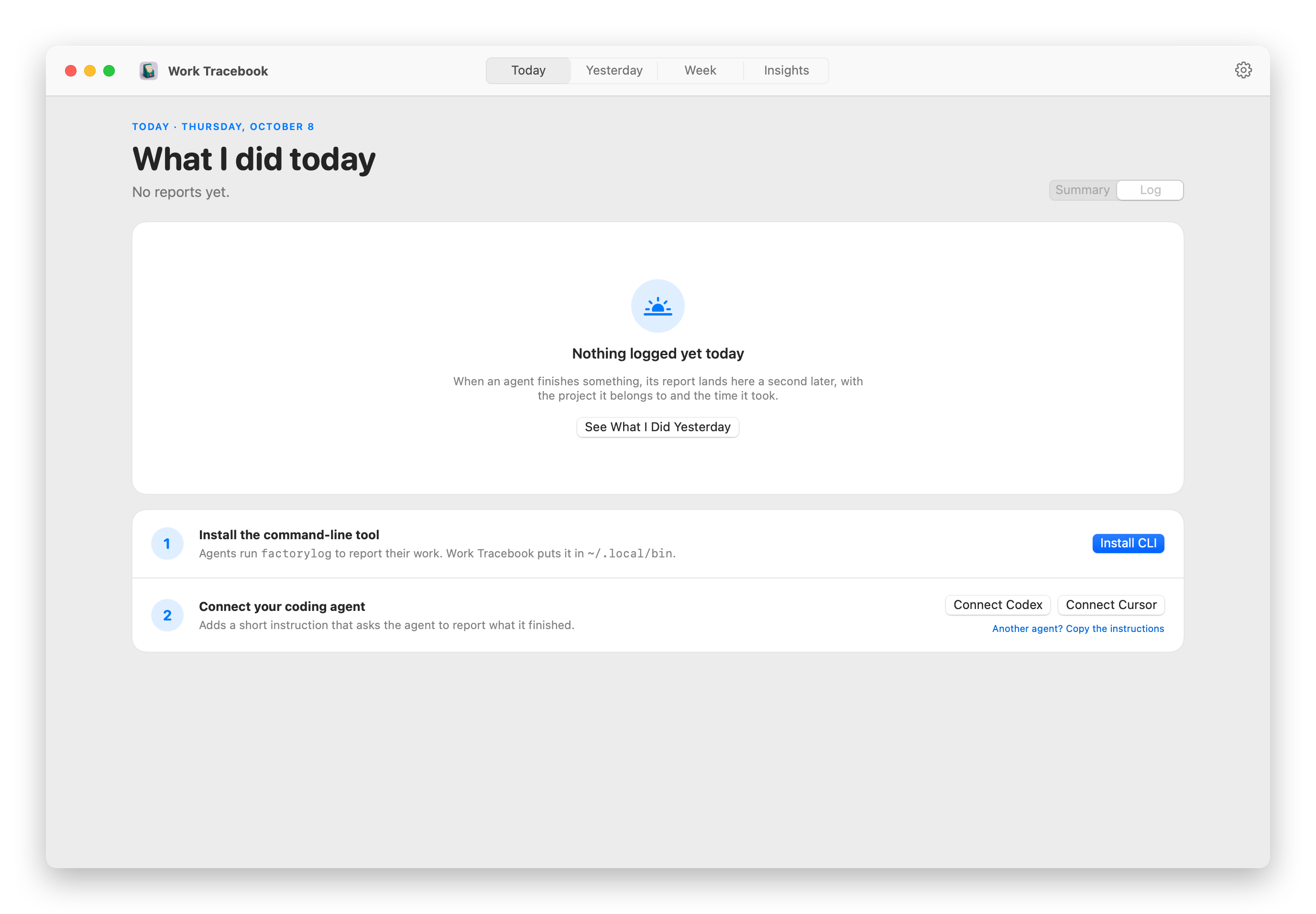
The first time you open Work Tracebook, it walks you through the setup. One click installs factorylog in ~/.local/bin. Then you connect an agent:
- Codex gets the instructions in
~/.codex/AGENTS.md, and the log folder is added towritable_rootsin~/.codex/config.toml, so the Codex sandbox can write to it. - Cursor gets a rule in
~/.cursor/rules/factory-log.mdc. - Any other agent: Copy the instructions and paste them into its instructions file, like
~/.claude/CLAUDE.mdfor Claude Code.
The same controls are in Settings → Integrations. Start a new chat afterwards, an existing one won’t have read the instructions.
Try it on a scratch log
Every command takes --store, the file to write to. Point it at a scratch file and you can try the commands without anything showing up in your real timeline.
A task starts with a title and a summary. The project is the current folder, unless you pass --project-path. --timestamp sets the time of the report. I use it here for the example further down:
cd ~/www/flaviocopes.com
factorylog start --title "Rewrite the App Drawer tutorial" --summary "Started checking the tutorial against the app source." --source claude --store "$TMPDIR/scratch.jsonl" --timestamp 2026-11-07T09:00:00+01:00
It prints one line of JSON:
{"event":{"id":"53156356-ff9d-4e4e-abc3-525c6e6fff34","kind":"task.started","project":{"name":"flaviocopes.com","path":"\/Users\/flaviocopes\/www\/flaviocopes.com"},"schemaVersion":1,"source":{"tool":"claude"},"summary":"Started checking the tutorial against the app source.","taskID":"task_1b11f19d405e4018ae8872de7146e39d","taskTitle":"Rewrite the App Drawer tutorial","timestamp":"2026-11-07T08:00:00Z"},"ok":true,"storePath":"\/tmp\/claude-501\/scratch.jsonl"}The part to keep is taskID. Every later command for the same work uses it. In a script, or in an agent’s shell, you can capture it as the task starts:
task=$(factorylog start --title "Rewrite the App Drawer tutorial" --summary "Started checking the tutorial against the app source." --store "$TMPDIR/scratch.jsonl" | jq -r .event.taskID)
echo $tasktask_a46596093d8644b3873e5571f04cc3edreport adds a milestone, archive closes the task:
factorylog report --task-id "$task" --summary "Replaced the guessed scan rules with the ones in AppScanner.swift." --store "$TMPDIR/scratch.jsonl"
factorylog archive --task-id "$task" --summary "Published the rewrite with real appdrawer output." --store "$TMPDIR/scratch.jsonl"
The summary is all Work Tracebook knows about the work, so write the outcome there, like “Replaced the guessed scan rules”, not “Working on it”.
Leave --store out and the reports go to the real log, ~/Library/Application Support/Factory Log/events.jsonl, one JSON line per report. Before writing, factorylog takes a lock on events.jsonl.lock next to it and checks the report against the task’s history, so several agents can report at the same time.
Read the day
⌘1 opens Today, ⌘2 Yesterday. The app watches the log, so a report shows up about a second after the agent writes it.
The projects and tasks in the screenshots are made up. At the top is the active time, then a lane per project with a bar for every work session. Hover a bar to see which tasks filled it. Under that, every task is listed once, with the latest summary the agent wrote. Open tasks say Doing, and you can close one from the app with a final outcome.
Where the hours come from
Agents report outcomes, not hours, so Work Tracebook estimates the time from when the reports arrive. The rules are in FactoryLogActiveTime.swift:
- Within one project, reports at most 45 minutes apart are one session.
- The first report of a session counts 5 minutes for the work before it.
That’s why harbor-bakery in the screenshot has 5 minutes: one report so far.
My scratch task, with --timestamp placing its three reports at 9:00, 9:20 and 10:10, comes out like this:
| Report | Gap from the previous one | Counted |
|---|---|---|
| start at 9:00 | first report | 5 min |
| report at 9:20 | 20 min | 20 min |
| archive at 10:10 | 50 min, so a new session | 5 min |
30 minutes in two sessions, 8:55 to 9:20 and 10:05 to 10:10. Each project is measured on its own, so two agents working on two projects at the same time both get the time.
Applying the same two rules to my own log for the last 30 days gives 156 hours from 2,098 reports, and 42% of that time went to this site.
Tasks left open
When the app loads the log, it closes every task that’s been Doing for 24 hours, with the summary “Automatically marked Done 24 hours after the task started.”. That archive doesn’t count toward the time. So a blocked task doesn’t stay Doing for days: have the agent report what it’s waiting for, and start a new task when the work picks up again.
The week and beyond
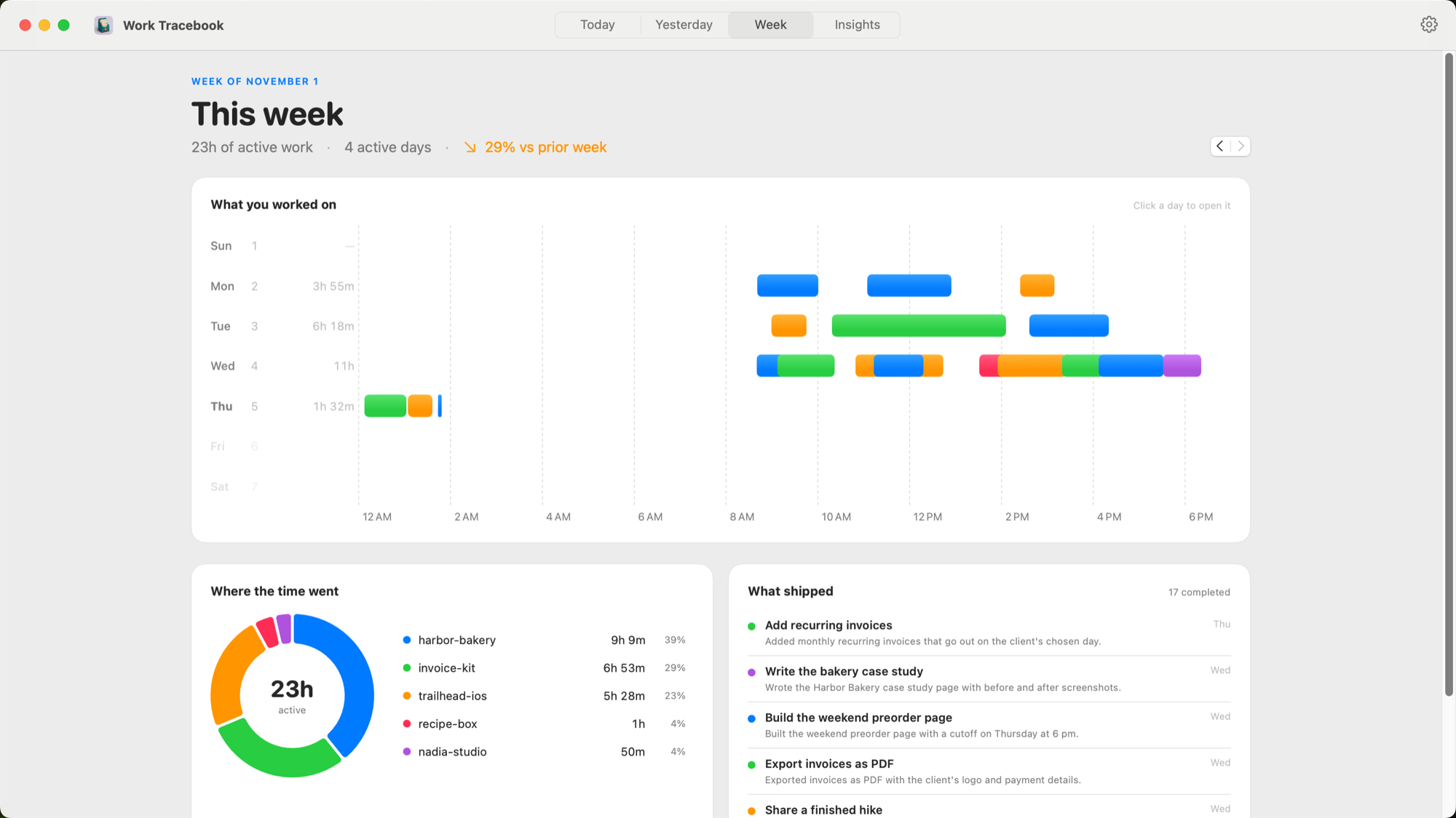
⌘3 opens Week: a row per day with the sessions colored by project, where the time went, and what shipped. The arrows go to earlier weeks.
⌘4 opens Insights, with time by project over 7, 30 or 90 days, a 26-week heatmap and the busiest projects. Click a project for its time, its daily rhythm and every task in it.
If Ollama is running, a finished day also gets one sentence per project. Work Tracebook asks http://127.0.0.1:11434 for the gemma3:4b model. Without Ollama you still get the task titles.
The log only grows, unless you purge older detail in Settings. Purging keeps the daily and project totals, and the start and final outcome of every finished task.
If something looks wrong
factorylog answers errors with JSON on stderr and exit code 2. The two you’ll see most:
{"error":{"code":"invalid_state","message":"Task 'task_d762b10a330f4cb8817175e1ef9b8ac4' is already archived."},"ok":false}
{"error":{"code":"invalid_state","message":"Task 'task_nope' has not been started."},"ok":false}
The first comes from reporting on a task the agent, or the 24-hour rule, already closed. Start a new task. The second is a task ID the agent made up or lost. Give the agent the ID from the start output, instead of letting it start a second task for the same work, which shows up as two Doing items.
If the shell says zsh: command not found: factorylog, ~/.local/bin isn’t on your PATH. Open a new Terminal window after setup.
If Codex never reports, its sandbox can’t write the log. Setup says so: “Codex’s sandbox can’t write the log yet”, and asks you to add the folder to writable_roots under [sandbox_workspace_write] in ~/.codex/config.toml.
Get Work Tracebook
Turn coding agents’ one-line reports into daily timelines, weekly views, and time estimates for every project on your Mac.
See Work Tracebook → · Read the docs · $20 including tax, with full source code.
Want me to talk about your product? You can sponsor this site.