Why are my scanned photos dated today in Photos?
By Flavio
A scanned photo has no date inside, so Photos files it under the day the file was made. Here's how to set the right date in Photos, what that changes and what it doesn't, and how to put the date in the scan itself.
You scanned a box of old prints, imported them into Photos, and they all sit on the same day: the day you scanned them. Your 1987 summer is filed next to last week’s groceries.
A scanner makes a new picture file, and that file has no “date taken” inside it, because the scanner can’t know when the print was taken. When there’s no date inside, Photos uses the file’s own date. You can fix it inside Photos with Image › Adjust Date and Time…, or you can put the date in the scans themselves before you import them, which is what Photo Date Fixer does.
The photos here are drawings made for this tutorial: three made-up scans, two TIFF files and one JPEG, all with a file date of February 10, 2024 at 10:00 AM. The screenshots are from macOS 15 Sequoia.
Where does Photos get the date from?
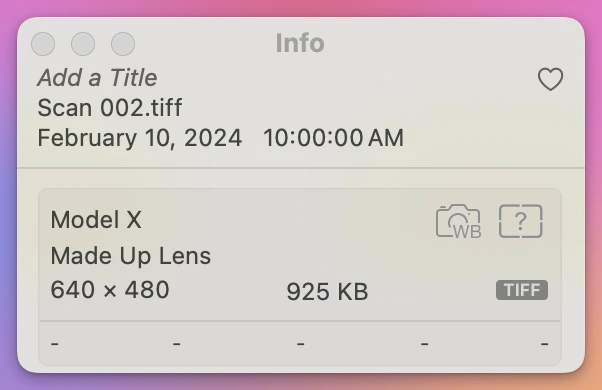
A photo from a phone or a camera carries the moment it was taken inside the file. A scan doesn’t. Imported as they were, the three scans all landed on February 10, 2024 at 10:00 AM, the date on the files:
How do I fix the date in Photos?
Photos has its own way, for free:
- Select the scans. Click the first, then Shift-click the last.
- Choose Image › Adjust Date and Time….
- In Adjusted, type the date. Here, 7/1/1987.
- Click Adjust.
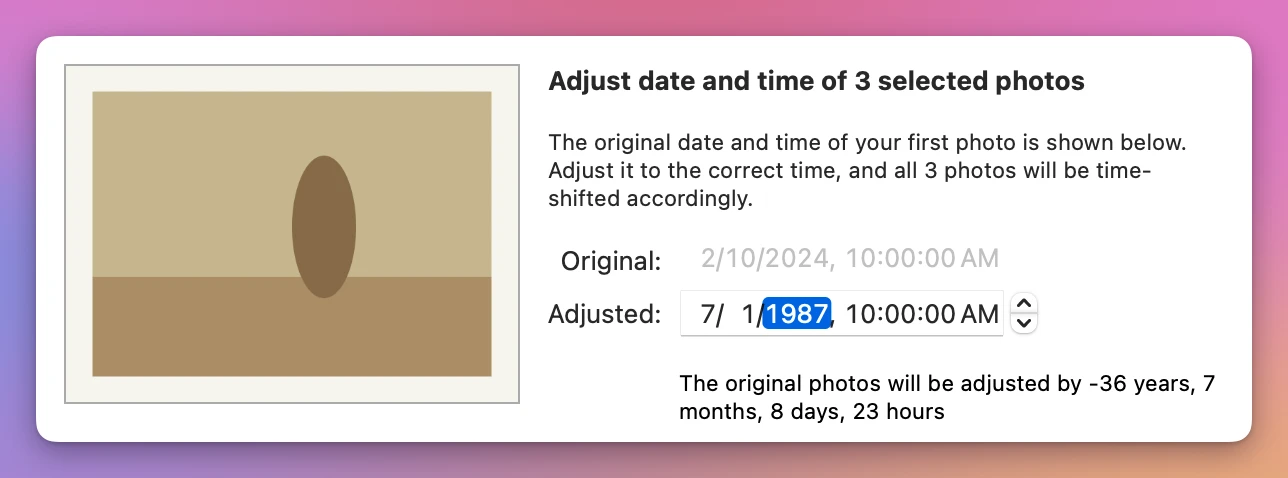
Read the window’s sentence: you set the date of the first photo, and “all 3 photos will be time-shifted accordingly.” Photos moves every selected photo by the same amount, here minus 36 years and some months. It doesn’t give them all the date you typed.
With scans that works out, because they all had the same file date. All three ended up on July 1, 1987 at 10:00:00 AM. That’s also the catch: they now share the same second, so nothing keeps them in the order you scanned them. If your scans were made on different days, each one moves by the same amount and they spread out over different days of 1987. In that case, do them one at a time or one batch per scanning day, four steps each.
What does Adjust Date and Time change?
Only Photos. Here’s what happened to the scans, measured after the change:
| Where you look | Before | After Adjust Date and Time |
|---|---|---|
| Photos | February 10, 2024 | July 1, 1987 |
| The scan file in the Finder | February 10, 2024 | February 10, 2024 |
| A JPEG exported from Photos | July 1, 1987 inside, today’s date as Date Modified | |
| Export Unmodified Original | No date inside, February 10, 2024 on the file |
The files you scanned keep their old date. A JPEG exported from Photos carries the new date inside, so another photo app reads it, but the Finder’s Date Modified column shows the day of the export. The unmodified original has no date at all. Send that one to a relative and their Photos files it under February 10, 2024 again.
Put the date in the scan itself
Photo Date Fixer is a Mac app I made that writes the date into the photo file and onto the file’s dates, so Photos and the Finder both put it on the right day. It costs $20, paid once. It isn’t made by, affiliated with or endorsed by Apple.
- Click Choose Photos… and pick the scans. The Date Taken column says None for each one.
- Select them, and from the menu under the list choose A date I type.
- Type a date like “July 1987”. With Keep this order: each next photo is one minute later ticked, the scans keep the order of the list.
- Click Use This Date. Nothing changes yet: the New Date column shows what each scan will get.
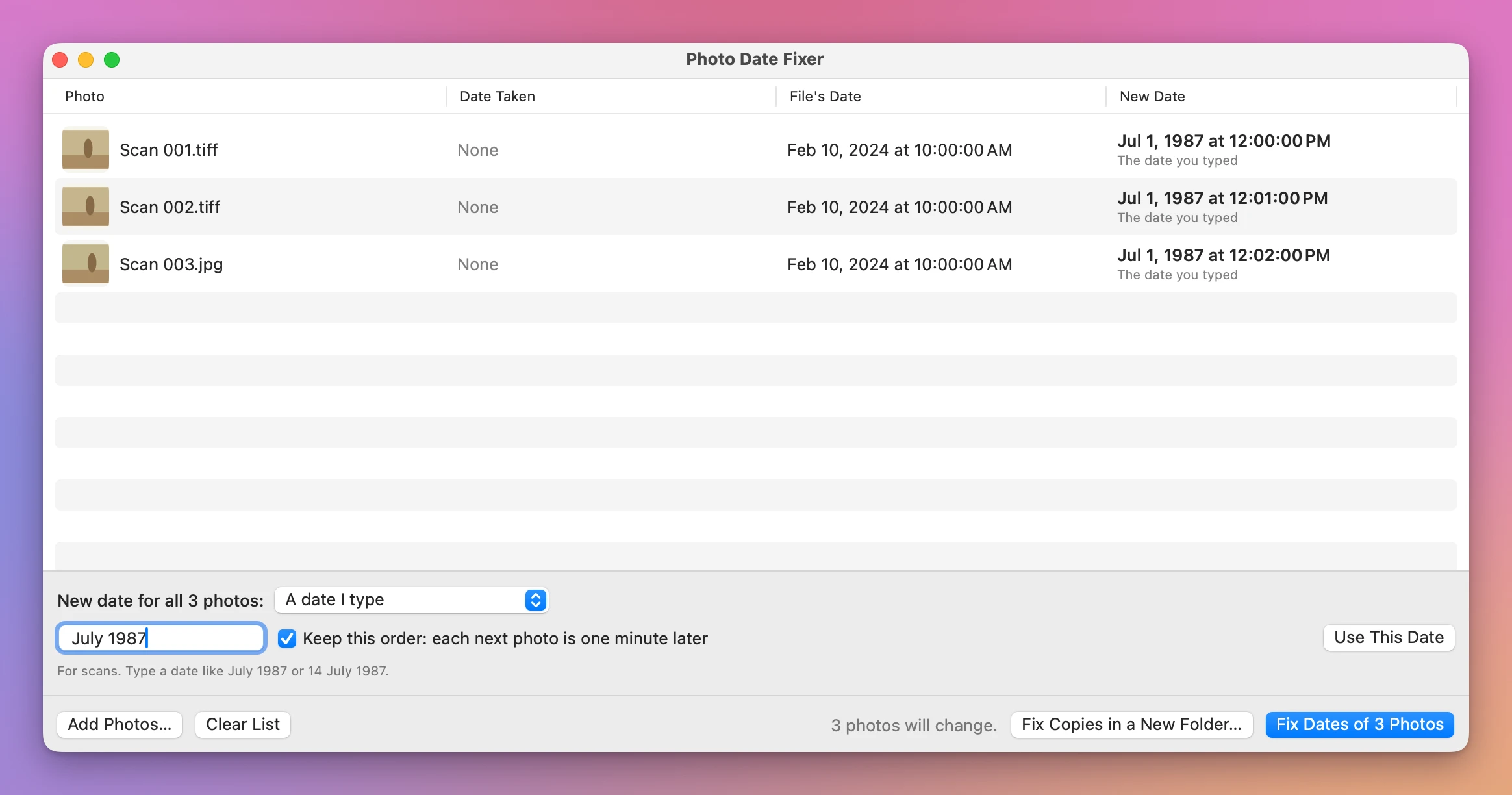
A month with no day becomes the first of the month, at noon. Then click Fix Dates of 3 Photos. The app asks first, saying “3 get the new date inside the photo and on the file.” After Fix Dates, the Finder shows the new dates on the files:
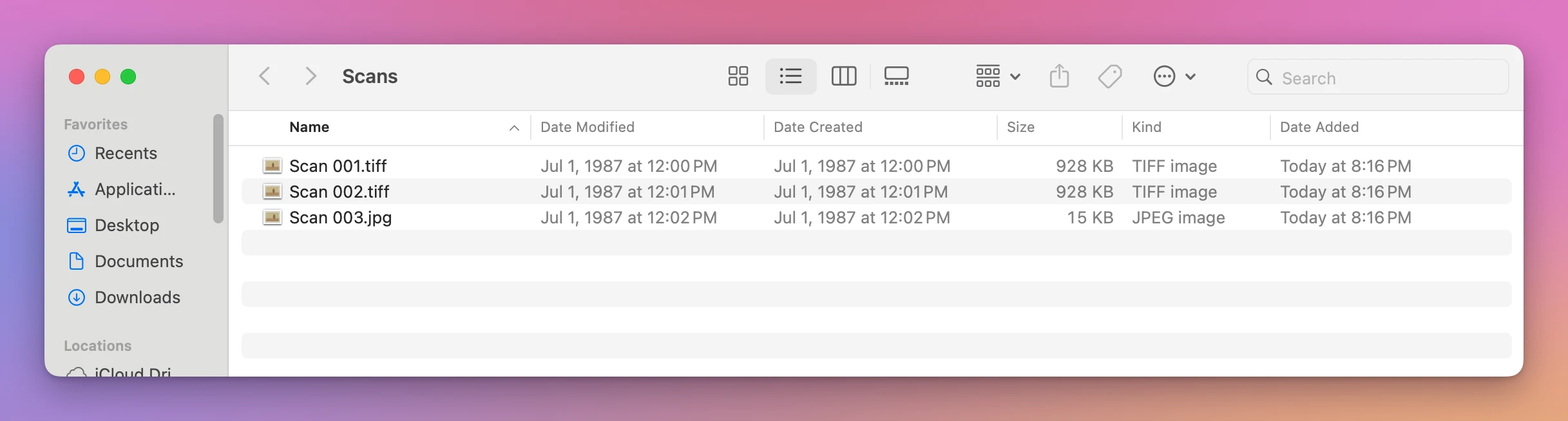
Notice Date Added: it became the time of the fix. The app writes each scan as a new file and puts it in place of the old one, so the Finder sees it as just added. Date Created and Date Modified are the ones the Finder sorts by, and they have the new date.
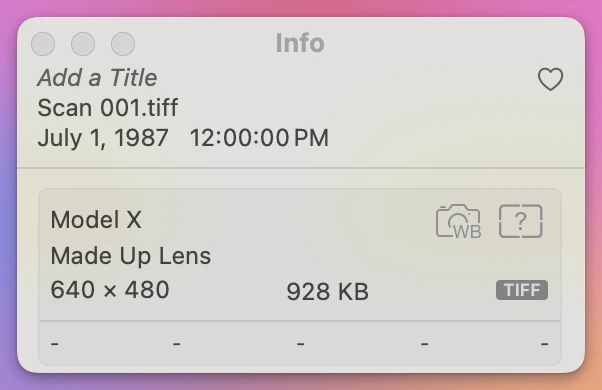
Imported into Photos, the three scans landed on July 1, 1987 at 12:00, 12:01 and 12:02 PM, in order:
Fix the scans before you import them. The app never changes anything inside your Photos library, and the Open window greys out the library so you can’t pick it. For scans already in Photos, use Adjust Date and Time there, or export them, fix the files and import them again.
Changed your mind? Put the Old Dates Back puts back the dates from before the last fix.
Get Photo Date Fixer
Give scans, photos saved from WhatsApp and photos from a camera with the wrong clock their real date, inside the photo and on the file, so they sort on the right day in Photos and in the Finder. The picture is never re-compressed, and one click puts the old dates back.
See Photo Date Fixer → · Read the docs · $20. See the app page for tax details.
Want me to talk about your product? You can sponsor this site.