How to save a ChatGPT answer on your Mac
By Flavio
Copy the answer and paste it into a new note in Notes: headings, lists, bold text and even tables come with it. Here's what Notes, TextEdit and a PDF from Safari each keep, and what goes wrong.
ChatGPT gave you a good answer, a trip plan or a comparison of three things you might buy, and you want to keep it on your Mac, not only in the chat history.
The quickest free way: click the copy button under the answer, open Notes, make a new note and press Command-V. The headings, lists, bold text and tables come with it. TextEdit and a PDF from Safari work too, with a few differences. Answer Keeper is a small app I made for when you keep a lot of answers and want to mark the important parts.
The chat in these screenshots is made up: a plain page with a question and an answer about standing desks, opened in Safari on a test Mac with macOS 15 Sequoia. It has a heading, a paragraph, a table, a list with bold words and a closing paragraph, like many real answers.
How do I copy the answer?
Two ways, and both copy the formatting, not just the words:
- Click the copy button under the answer.
- Or select the part you want with the mouse and press Command-C. This is the way to keep only a piece of a long answer.
Then paste it in one of the places below.
Save it in Notes
- Open Notes.
- Press Command-N for a new note.
- Press Command-V.
The note takes its name from the first line of the answer, here “Three standing desks under $600, compared”.
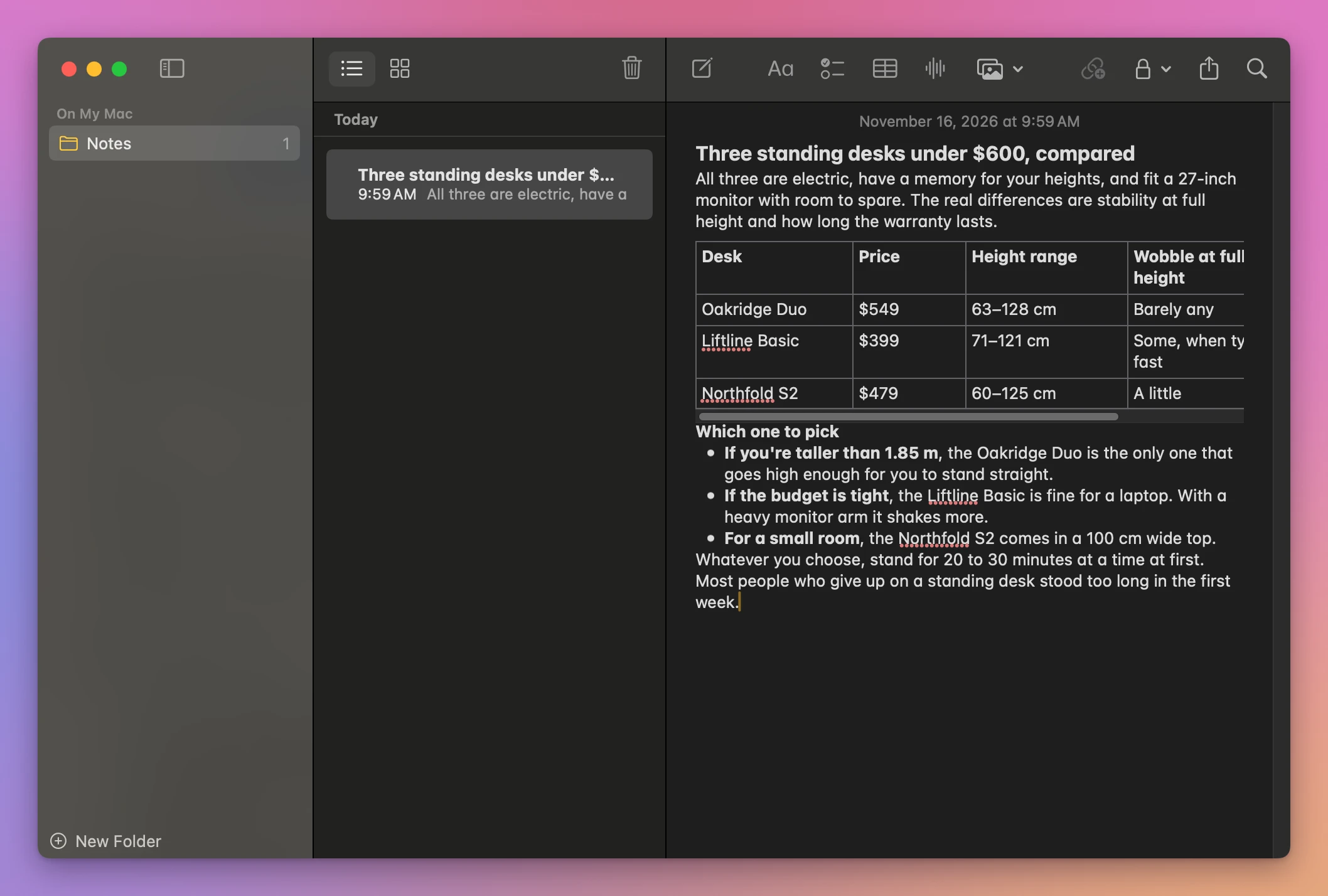
Everything came through: the heading, the table, the bullets and the bold words. Two things changed. The space between paragraphs is gone, so the answer looks more crowded. And the table is narrower than the note, so its last column is cut off and you scroll sideways inside the table to see it.
The note is also an ordinary note you can type in. Click in it and press a key by mistake, and the answer changes.
Save it in TextEdit
- Open TextEdit on a new, empty document.
- Press Command-V.
- Press Command-S, type a name, and click Save.
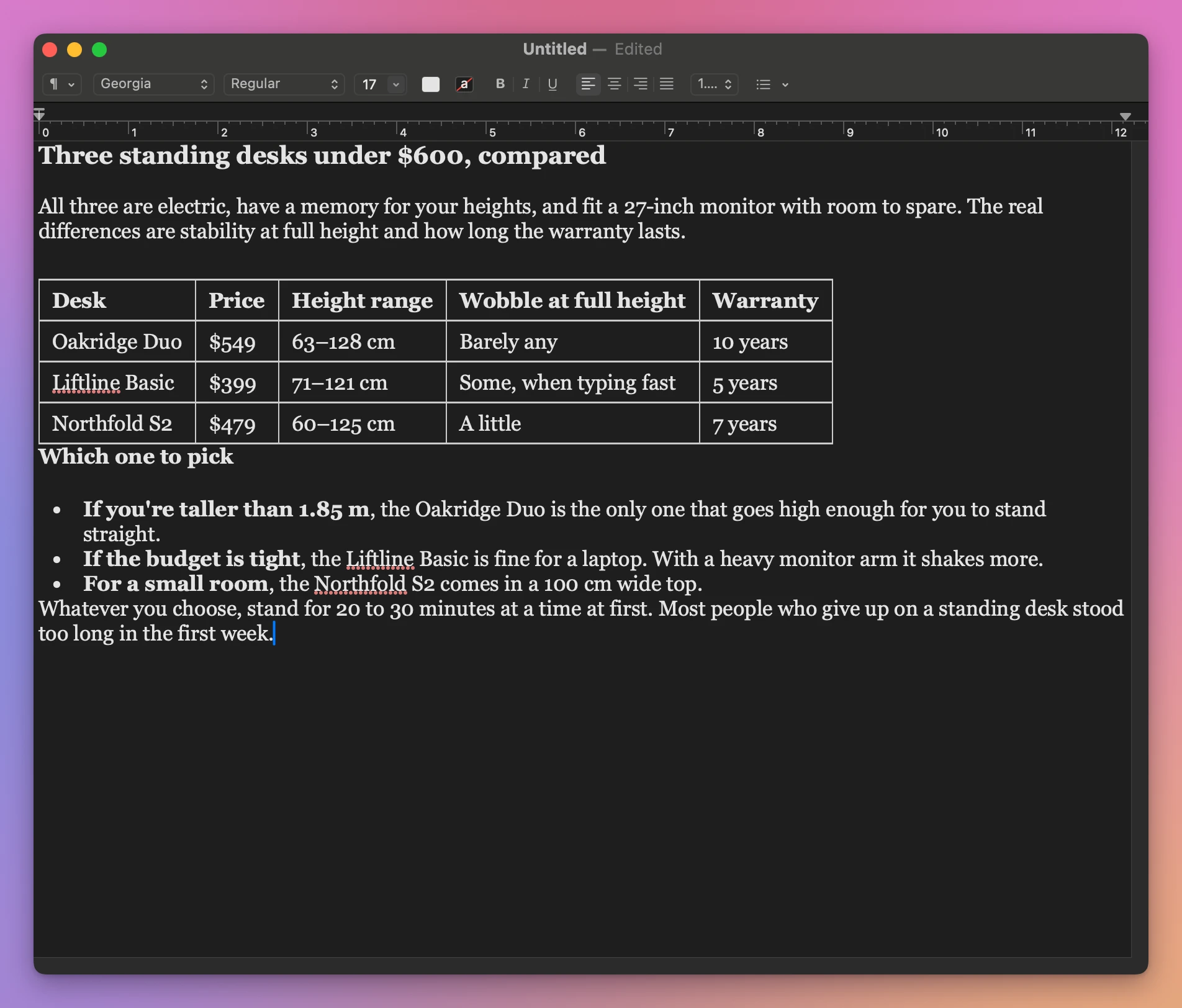
TextEdit kept the most: the table fits in the window with all five columns, the font is the one from the page, and the spacing is close to the original. The save window offered Rich Text Document as the format and the Documents folder, and the result was a small file of about 9 KB.
The catch is that every answer becomes its own file, and you name it and choose the folder each time. After twenty answers you have twenty files in Documents.
Save it as a PDF from Safari
In Safari, choose File › Export as PDF…, keep the name or type a new one, and click Save.
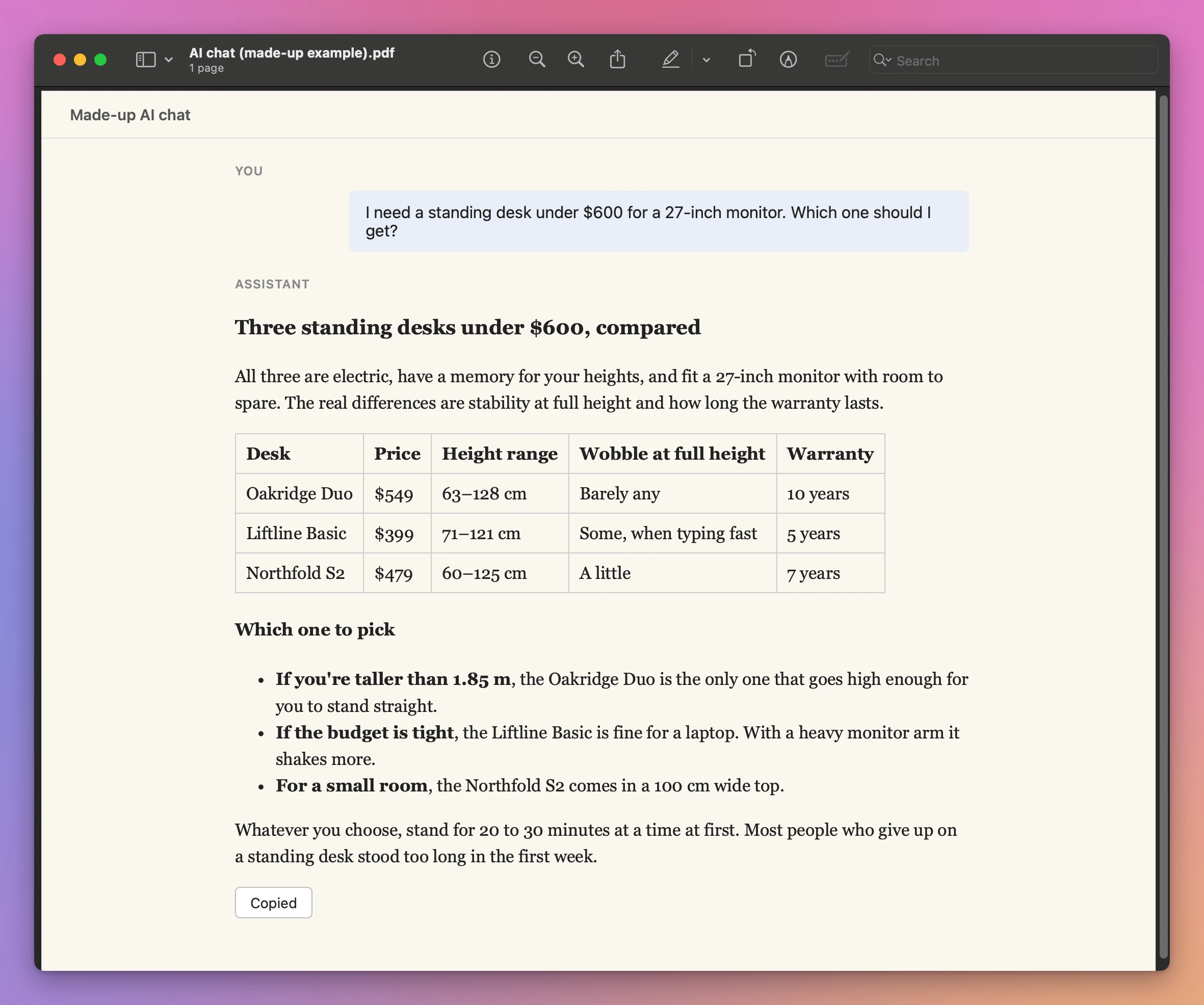
The PDF looks exactly like the page, because it is the page. That’s also the problem: it has the question, the answer and everything else on the page, buttons included. Preview showed it as one long page. To keep only one answer from a long chat, you’d have to copy it somewhere else anyway.
Which way should I use?
| Way | Headings and bold | The table | Can it change by mistake? | Where it ends up |
|---|---|---|---|---|
| Notes | Kept | Kept, last column scrolls sideways | Yes, it’s an editable note | One note per answer, in Notes |
| TextEdit | Kept, with the page’s font | Kept, all columns visible | Yes, it’s an editable document | One file per answer, you pick the folder |
| Export as PDF in Safari | Kept | Kept | No | The whole page, one file per chat |
| Answer Keeper | Kept | Kept | No, pasted text is read-only | One list of answers, in the app |
For one answer now and then, Notes is the easiest: two shortcuts and it’s saved, and the search box in Notes finds words inside the notes later.
Save it with Answer Keeper
If you save answers often, they pile up in Notes between your shopping lists, or in Documents as loose files. Answer Keeper is a Mac app that only keeps chat answers. It costs $20, paid once.
- Copy the answer, with the copy button or Command-C.
- Open Answer Keeper and press Command-V, or click Paste.
The answer becomes a page in the list on the left, named after its first line, with the date you saved it.
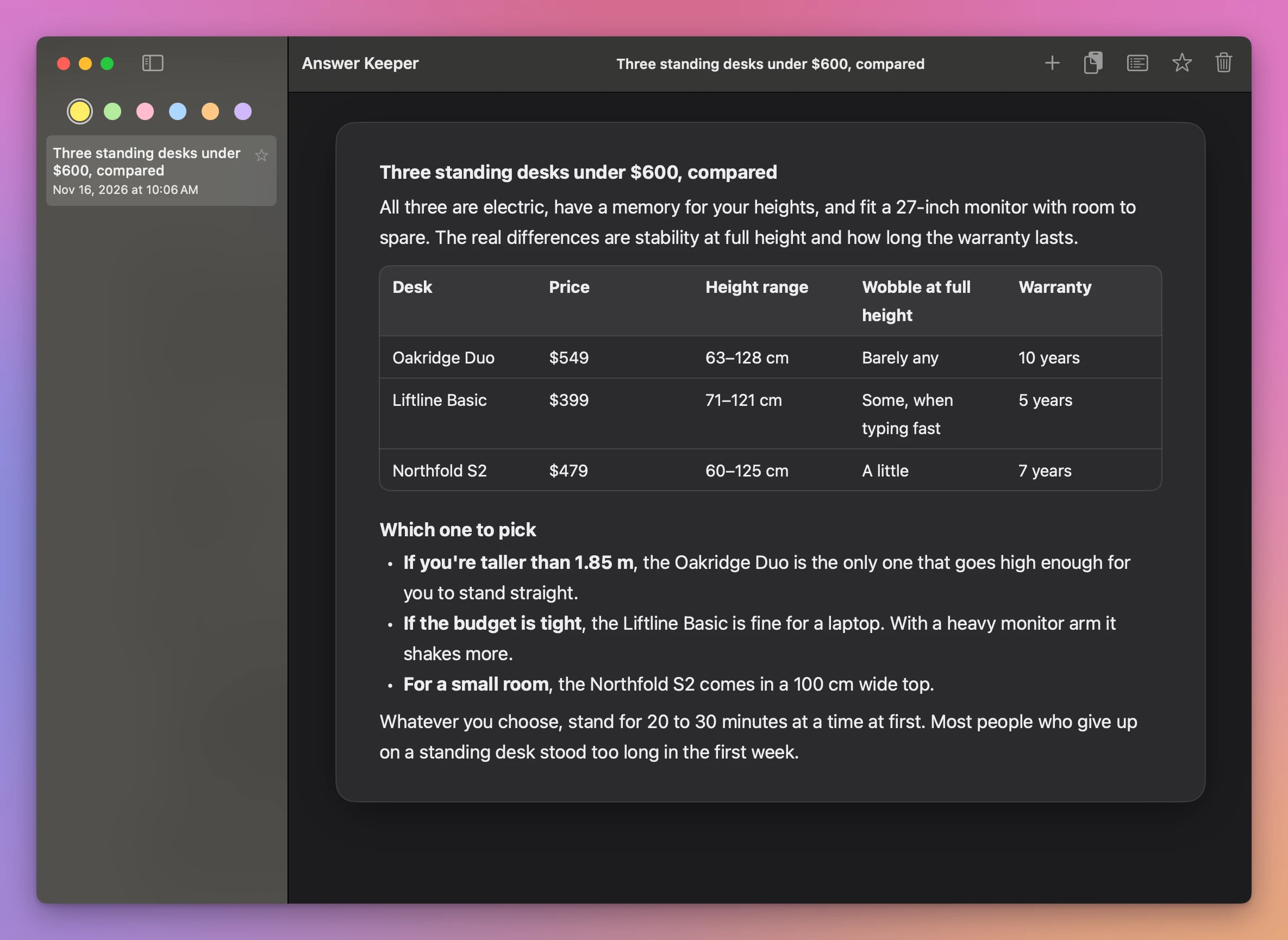
The table fits, with all five columns, and the paragraphs keep their spacing. The pasted text is read-only: here, clicking in the answer and typing changed nothing.
The answers stay on your Mac, in the app’s own folder. Answer Keeper doesn’t sign in to anything and doesn’t read your account. It goes online only to check the license key and look for updates.
Get Answer Keeper
Keep the ChatGPT answers worth keeping on your Mac. Paste a reply and it keeps its headings, lists, tables and links. Highlight what matters with six pastel pens, see only your highlights, star the chats you come back to, and drag one onto another to keep them together.
See Answer Keeper → · Read the docs · $20. See the app page for tax details.
Want me to talk about your product? You can sponsor this site.