The folders on a dashcam's card explained: normal, event and parking
By Flavio
A dashcam keeps its normal recordings, the clips it locked after a bump, and the clips from parking mode in separate folders. Here's what each folder holds, how to read the file names, and why a minute can be missing from the normal folder.
Open a dashcam’s card on your Mac and the videos are usually split between a few folders. One holds the normal recording. The others hold the clips the camera decided to keep: after a bump, after you pressed its button, or while the car was parked.
The camera treats them differently. Normal clips get recorded over when the card is full, which is called loop recording. The clips in the other folders are protected, so they stay until you delete them or format the card.
The folder names change from camera to camera. Names like Normal, Event, RO, Locked, Protected, Parking or Manual are common, and some cameras put everything in one folder and mark the kept clips with a letter in the file name. Look at your own card.
What’s on my stand-in card
I used a stand-in card: a disk image formatted like a dashcam’s card, called DASHCAM, with made-up clips named the way a dashcam names them. It has a DCIM folder with three folders inside. The pictures are a drawn road with a clock, and the files are much smaller than a real camera’s.
In the Finder, choose View > as List in DCIM and click the triangles next to the folders to see what’s inside without opening them:
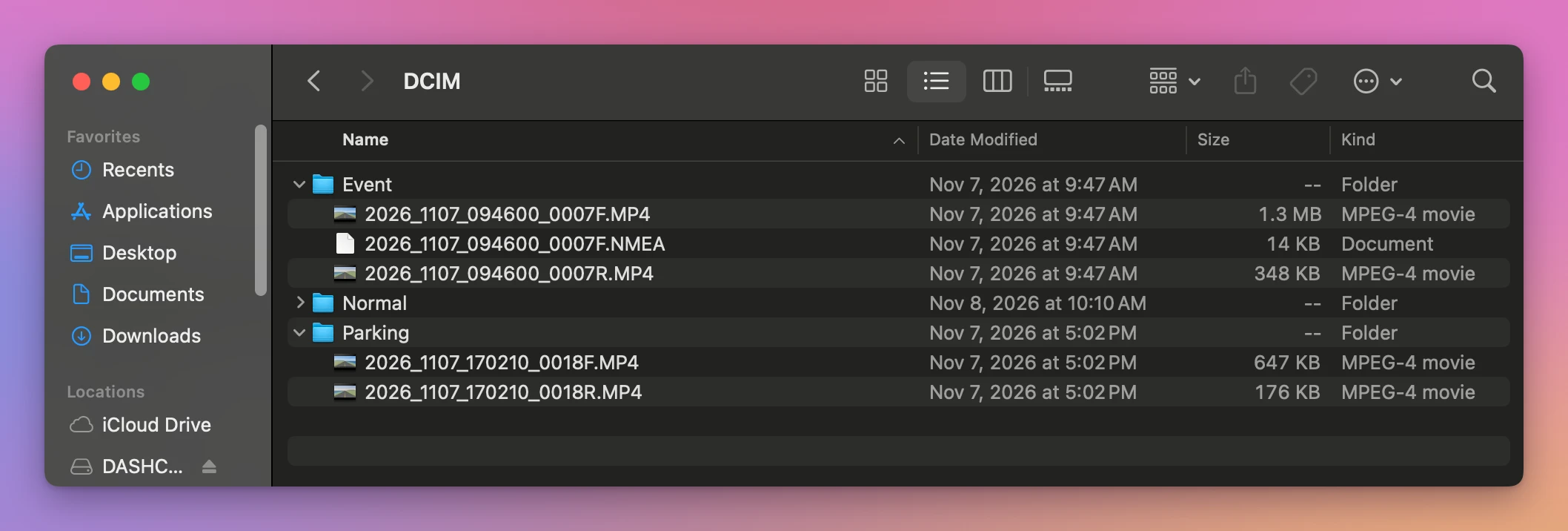
| Folder on my card | What’s in it | Files | Recorded over when the card is full? |
|---|---|---|---|
Normal | Every minute of driving: front, rear and a GPS file | 22 front, 22 rear, 17 GPS | Yes, the oldest first |
Event | The minute of the 9:46 AM bump | 1 front, 1 rear, 1 GPS | No |
Parking | 30 seconds recorded at 5:02 PM with the car parked | 1 front, 1 rear | No |
What locks a clip
You can’t see the reason in the Finder, only the folder the clip ended up in. In general, a camera keeps a clip apart for one of three reasons:
- An impact or an event. Some dashcams measure the car’s acceleration and braking forces, and a sudden jolt makes them lock the clip being recorded.
- The button. Some cameras have a button that locks the current clip by hand.
- Parking mode. With the car off, some cameras watch for motion or a bump and record a short clip when something happens.
Cameras differ in what they lock and for how long, and the camera’s manual is where to check yours.
Read the file name
Every name on my card has the same parts. Take 2026_1107_094600_0007F.MP4:
| Part | Means |
|---|---|
2026_1107 | The date: November 7, 2026 |
094600 | The time the clip started: 9:46:00, by the camera’s clock |
0007 | A number that goes up by one with every clip |
F | The front camera. R is the rear camera |
.MP4 | A video. The .NMEA file with the same name holds its GPS positions |
Other cameras put the same information in another order, or use other letters.
Why a minute is missing from the normal folder
Look at the Normal folder of my card in time order: 094500_0006 is followed by 094700_0008. The camera moved the 9:46 minute to Event when it locked it, so it’s still on the card, in another folder.
So when you look for what happened at a time, check the other folders too. And when you copy the card to your Mac, copy all of DCIM, not only the normal folder.
See every clip in its place
Trips for Dashcam is a Mac app I made that reads all the folders of the card at once and puts every clip back in its trip. It’s my own app, not made by, affiliated with or endorsed by any dashcam maker. It costs $20, paid once.
It knows the kept clips by their folder, or by a letter in their name, and lists them under Locked Clips with the reason: “Impact or event”, “Saved with the button” or “Parking mode”. On my stand-in card it found the 9:46 AM event and the 5:02 PM parking clip. The event plays inside the morning trip as clip 7 of 12, and the parking clip is a short trip of its own:
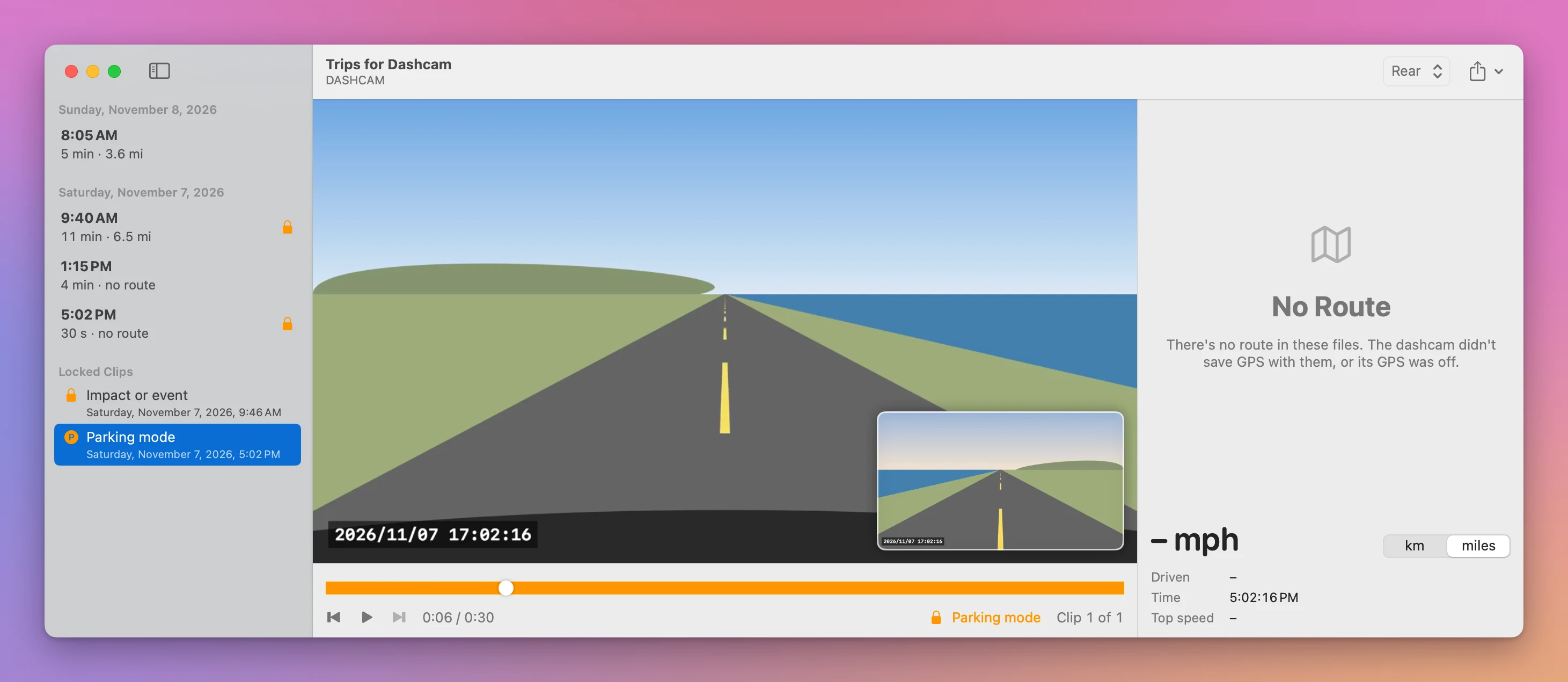
My stand-in parking clip is drawn like the others, so the road moves. A real one shows whatever the camera saw while the car stood still. The app only reads the card, so the folders stay as the camera made them.
Get Trips for Dashcam
Watch your dashcam's memory card as trips instead of hundreds of short files, with the rear camera in a corner and the route on a map. Save a stretch of video without losing quality, the route or a picture. Nothing on the card is changed.
See Trips for Dashcam → · Read the docs · $20. See the app page for tax details.
Want me to talk about your product? You can sponsor this site.