How to combine several ChatGPT answers into one page
By Flavio
Paste them one after the other into the same note in Notes, or drag one saved answer onto another in Answer Keeper. Here's how both work on a Mac, and what each one does with the boundary between answers.
You asked ChatGPT to plan a trip, then asked what to pack, then where to eat. Three good answers, and you want them on one page you can open before you leave.
The free way is to paste them one after the other into the same note in Notes. It works, but the answers run into each other and Notes can’t join two notes you already saved. Answer Keeper is a small app I made that keeps answers on your Mac: you drag one saved answer onto another and it’s added at the bottom, in its own box.
The chat in these screenshots is made up: a plain page with two questions about a trip to Lisbon and two answers, a four-day plan and a packing list, opened in Safari on a test Mac with macOS 15 Sequoia.
How do I put two answers in one note?
- Click the copy button under the first answer (or select it and press Command-C).
- Open Notes, press Command-N for a new note, and press Command-V.
- Go back to the chat and copy the second answer.
- In the note, click at the very end, press Return, and press Command-V again.
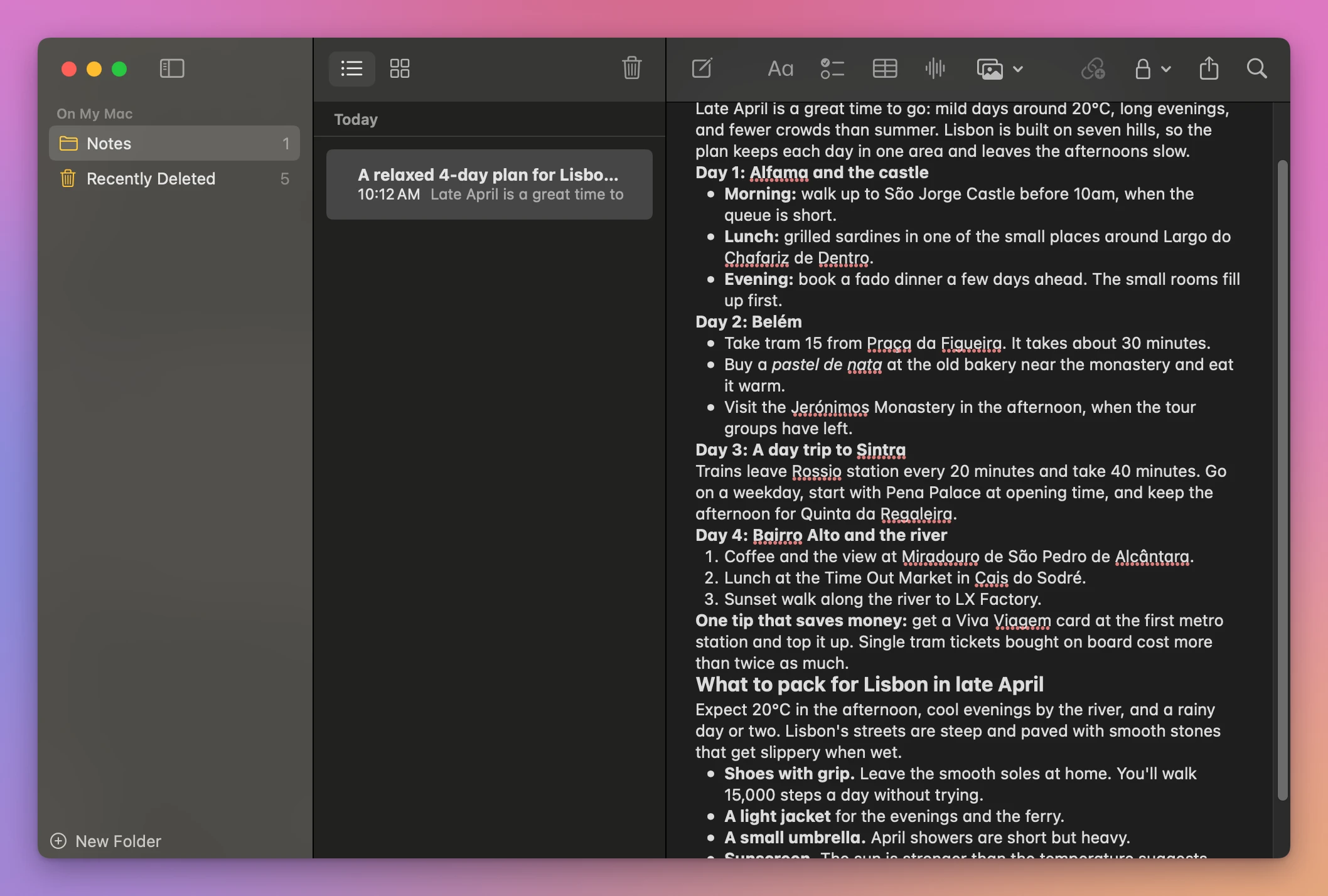
Both answers keep their headings, lists and bold words. What’s missing is the boundary: the packing list starts on the line right after the plan’s last sentence. In a short note the heading is enough to spot it. In a note with five answers, you scroll and look for headings.
The note takes its name from the first line, here “A relaxed 4-day plan for Lisbo…”, so it’s named after the first answer only. You rename it by changing that first line, which changes the answer itself.
Can Notes join two notes I already saved?
No. On the test Mac, neither Notes’ File menu nor a note’s right-click menu (Open Note in New Window, Pin Note, Lock Note, New Note, Duplicate Note, Share Note, Move to, Delete) has anything to combine notes. For answers that are already separate notes, it’s copy and paste again.
Which way should I use?
| One note in Notes | Answer Keeper | |
|---|---|---|
| How you add an answer | Copy it, click at the end of the note, paste | Drag one saved answer onto another |
| Answers you already saved | Copy and paste by hand | Drag works on any two saved answers |
| Where one answer ends | Nothing marks it, only the next heading | Each answer is its own box |
| The page’s name | The first line of the note | Any name, without changing the answer |
| Can the text change by mistake? | Yes, it’s an editable note | No, pasted text is read-only |
For two answers you’re pasting right now, the note is quick and fine.
Combine them with Answer Keeper
Answer Keeper keeps the answers you paste into it as pages, in a list on the left. It costs $20, paid once.
- Copy the first answer and press Command-V in Answer Keeper. Do the same with the second. Each one becomes a page, named after its first line.
- In the list, drag the page you want at the bottom onto the other page, and let go.
The dragged page leaves the list. Its answer is now at the bottom of the other page, in a box of its own.
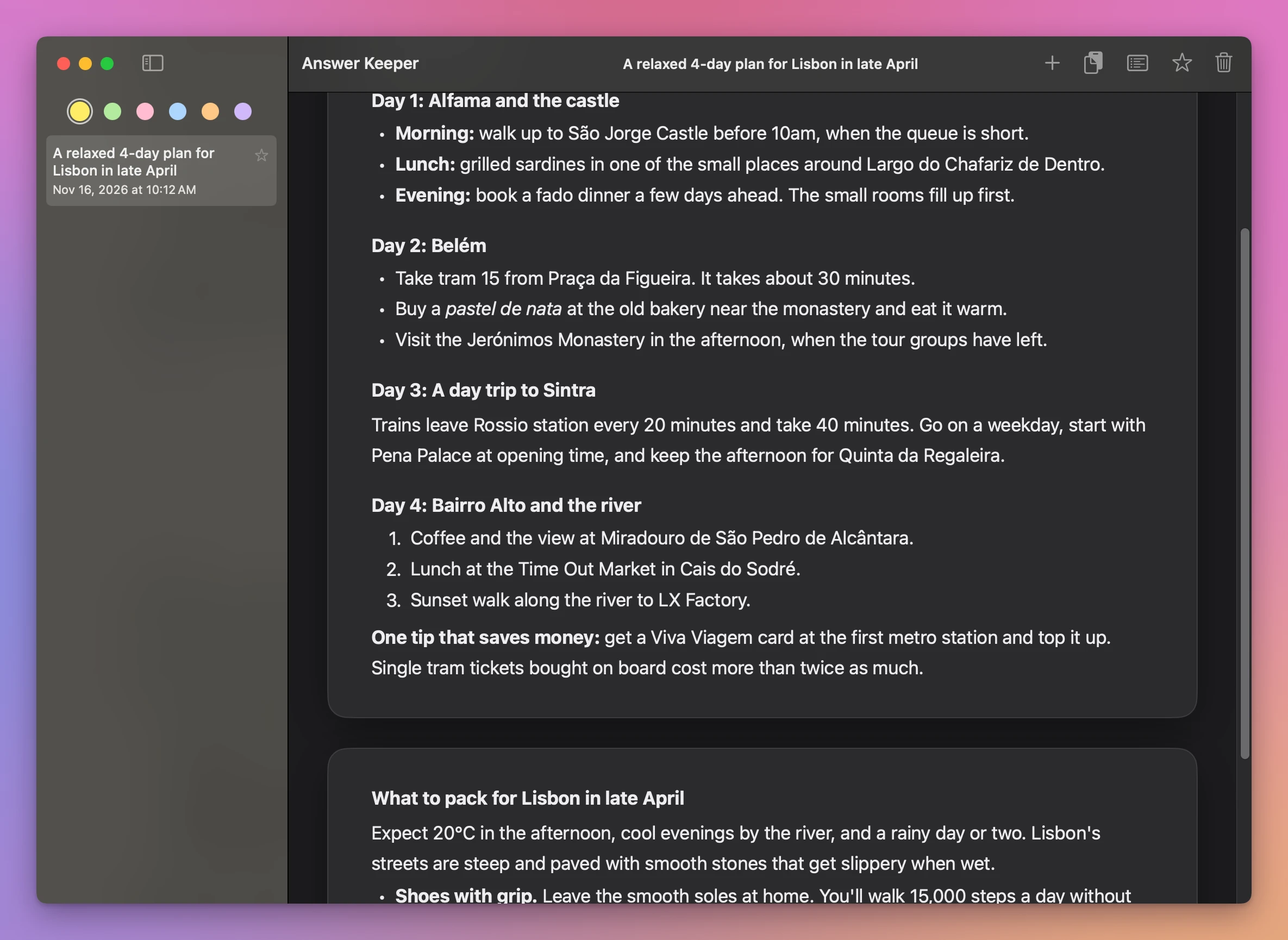
Pick the order before you drag: the page you drag goes to the bottom. If you drop it on the wrong page, press Command-Z and both pages are back as they were.
How do I rename the combined page?
The page still has the first answer’s name, “A relaxed 4-day plan for Lisbon in late April”. Double-click the name in the list, type a new one, and press Return. Double-clicking the name at the top of the window does the same.
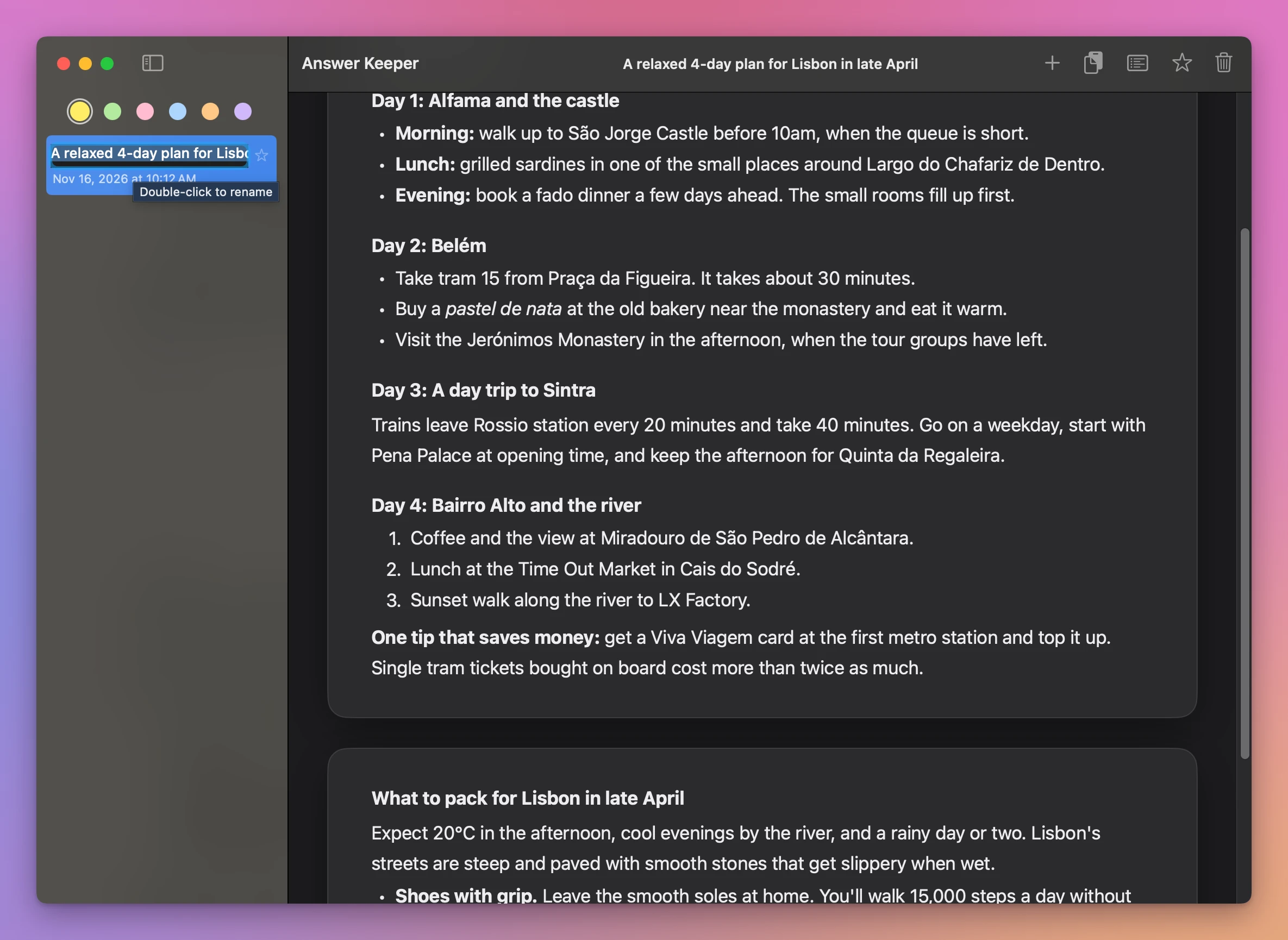
Here it became “Lisbon trip, late April”. Only the name in the list and at the top changes. The answer inside keeps its own heading.
How do I keep it at the top of the list?
Click the star next to its name. Starred pages move to the top of the list, under Starred, and newer answers you paste go below them, under Other answers.
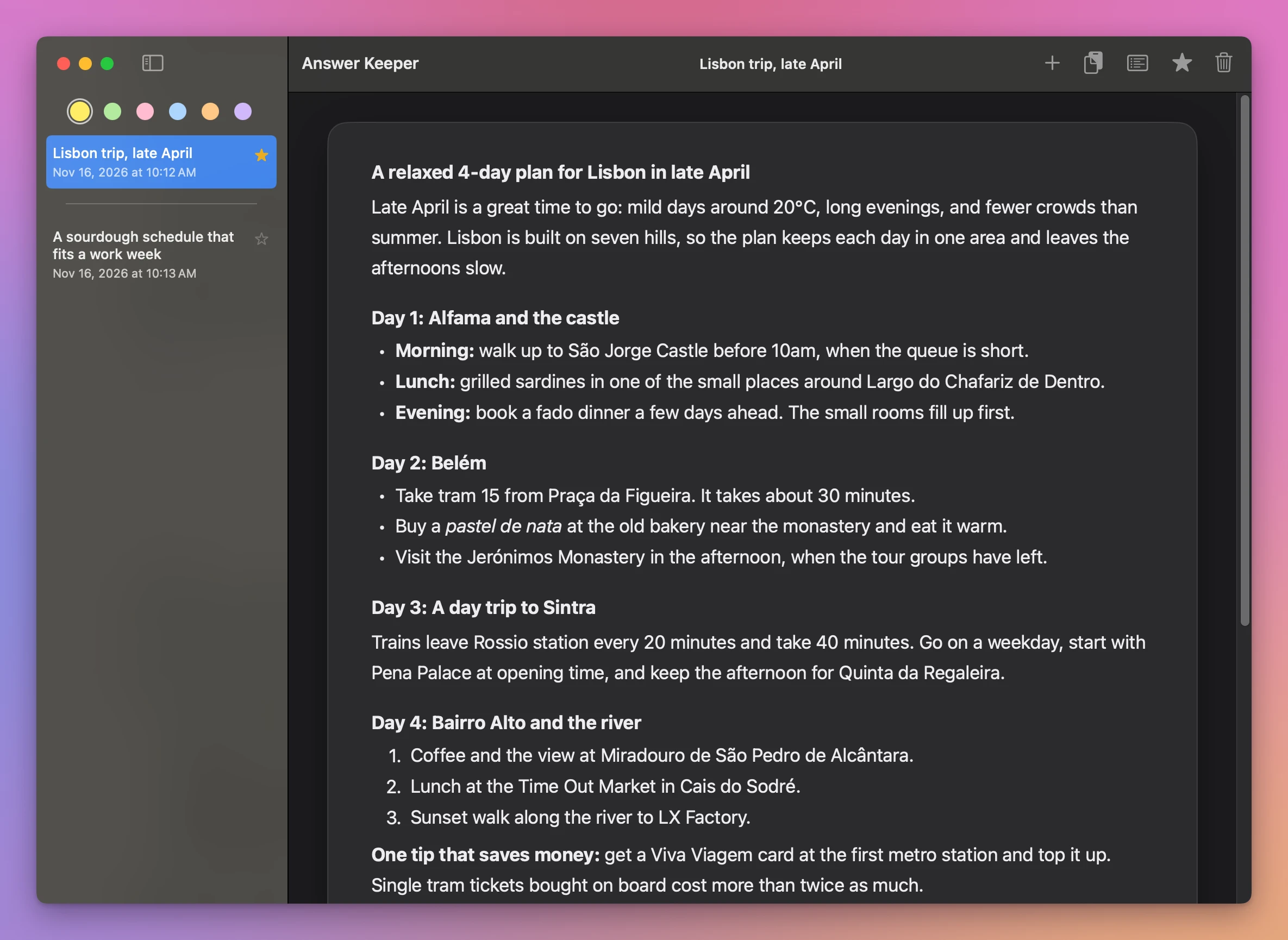
On the test Mac, an answer about sourdough pasted after the trip page went to the top of the list. Once the trip page had its star, it went back above it, and stayed there.
Get Answer Keeper
Keep the ChatGPT answers worth keeping on your Mac. Paste a reply and it keeps its headings, lists, tables and links. Highlight what matters with six pastel pens, see only your highlights, star the chats you come back to, and drag one onto another to keep them together.
See Answer Keeper → · Read the docs · $20. See the app page for tax details.
Want me to talk about your product? You can sponsor this site.