How to combine AVI files on a Mac without losing quality
By Flavio
Join several AVI videos into one on your Mac without the picture getting worse: why copying the frames as they are keeps the quality, the traps to watch for, and an app that does it in seconds.
You have a folder of AVI files and you want one video, without the picture getting worse and without waiting for a conversion.
The frames can be copied into one file as they are, which keeps the quality and takes seconds. Save the result as a .mov instead of a new AVI. Clip Joiner is a Mac app I made to do exactly this.
QuickTime Player can join AVI clips too. In my test it compressed the picture and the sound again, so the joined file wasn’t the camera’s frames anymore.
My trail camera saves a one-minute 4K AVI every time something walks past, about 260 MB each. Seven clips, 1.8 GB, became one 7-minute .mov in under 5 seconds.
Will I lose quality?
No, as long as the videos are joined as they are. A video file holds pictures that are already compressed. Joining can copy them into the new file untouched, byte for byte, together with the sound.
Quality is lost when an app compresses the video again: it opens every frame and squeezes it a second time, which throws away detail.
To show the difference, I made five AVI clips, IMAG0012.AVI to IMAG0016.AVI, built like my camera’s. They’re 30 seconds each at 1080p, 409.8 MB apiece, 2.05 GB in all. Then I joined them twice:
| Copying the frames as they are | An app that compresses the video again | |
|---|---|---|
| Time on the five clips | 0.74 seconds | 2 minutes 41 seconds |
| Size of the joined file | 2.05 GB | 1.50 GB |
| The picture | The camera’s own frames | Every frame compressed a second time |
| The sound | The camera’s own | Compressed |
| Same as the clips | Yes, identical | No |
The second file is smaller because it threw detail away to save space. It also took longer than the video itself lasts.
Why not keep it as an AVI?
AVI is an old format. Files past 2 to 4 GB get unreliable, and eight of my camera’s one-minute clips already pass 2 GB.
Macs read some AVI files and not others, depending on what’s inside. A .mov holds the same frames and the same sound, and it’s the format Mac apps handle best. One of my camera’s clips, copied as it is into a .mov, plays in QuickTime Player.
The joined file from the test above has 5 times the frames of one clip and lasts 5 times 30 seconds, with the same kind of picture inside.
What can go wrong?
Copying frames is simple. The traps are in what you join.
The order
Clips go into the joined file in the order you give them. File names don’t always follow the recording order, because the camera’s numbers can start again from IMAG0001. Sorted by name, IMAG0001.AVI comes before IMAG0098.AVI even if it was recorded later.
Sort by the file’s date in the Finder instead. Use that date, and not the one written inside the video: my camera writes June 29, 2010 inside every file, so anything that reads that date sees all of them as recorded on the same day.
Clips with different settings
Copying frames as they are only works when every clip has the same picture size, the same number of frames a second and the same kind of sound. Not every tool checks that for you.
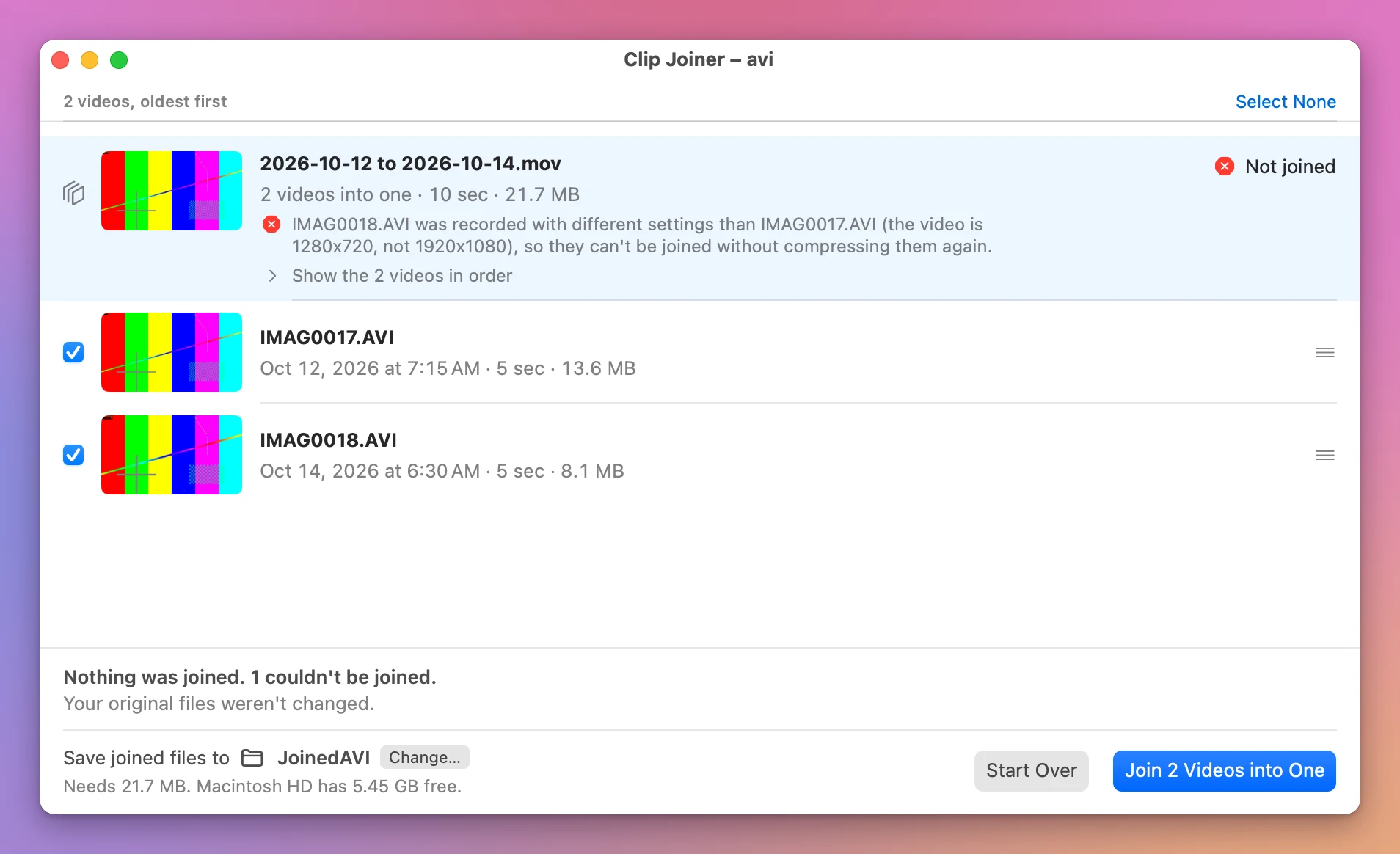
I joined a 1920x1080 clip, IMAG0017.AVI, with a 1280x720 one, IMAG0018.AVI, with a tool that copies frames without checking them. It gave no warning and said it worked. The file says it’s 1920x1080, but half of its frames are a different size.
A different frame rate is worse. Joining a 30 frames a second clip with a 25 frames a second one, the second clip got squeezed into a few thousandths of a second. The video lasted 8.33 seconds and the sound 10.
The frame rate a camera claims
My camera’s files say 30 frames a second and really store about 12.5. The file repeats each picture two or three times to fill the gaps. Copying the frames handles this fine. It only confuses you if you count frames to check a join, because frames that look missing were never there.
How do I check the joined file?
The joined video should last as long as the clips added up, and its size should be close to theirs added up. Then open it and play a few seconds on each side of every join.
Those checks pass for a broken join too. The file with a 1080p clip and a 720p clip lasts exactly as long as the two together. Make sure the clips match before you join them.
How do I join them with Clip Joiner?
Clip Joiner is a Mac app that copies the frames as they are. It costs $20, paid once. It reads the AVI files trail cameras record and joins them into a .mov with the camera’s own frames.
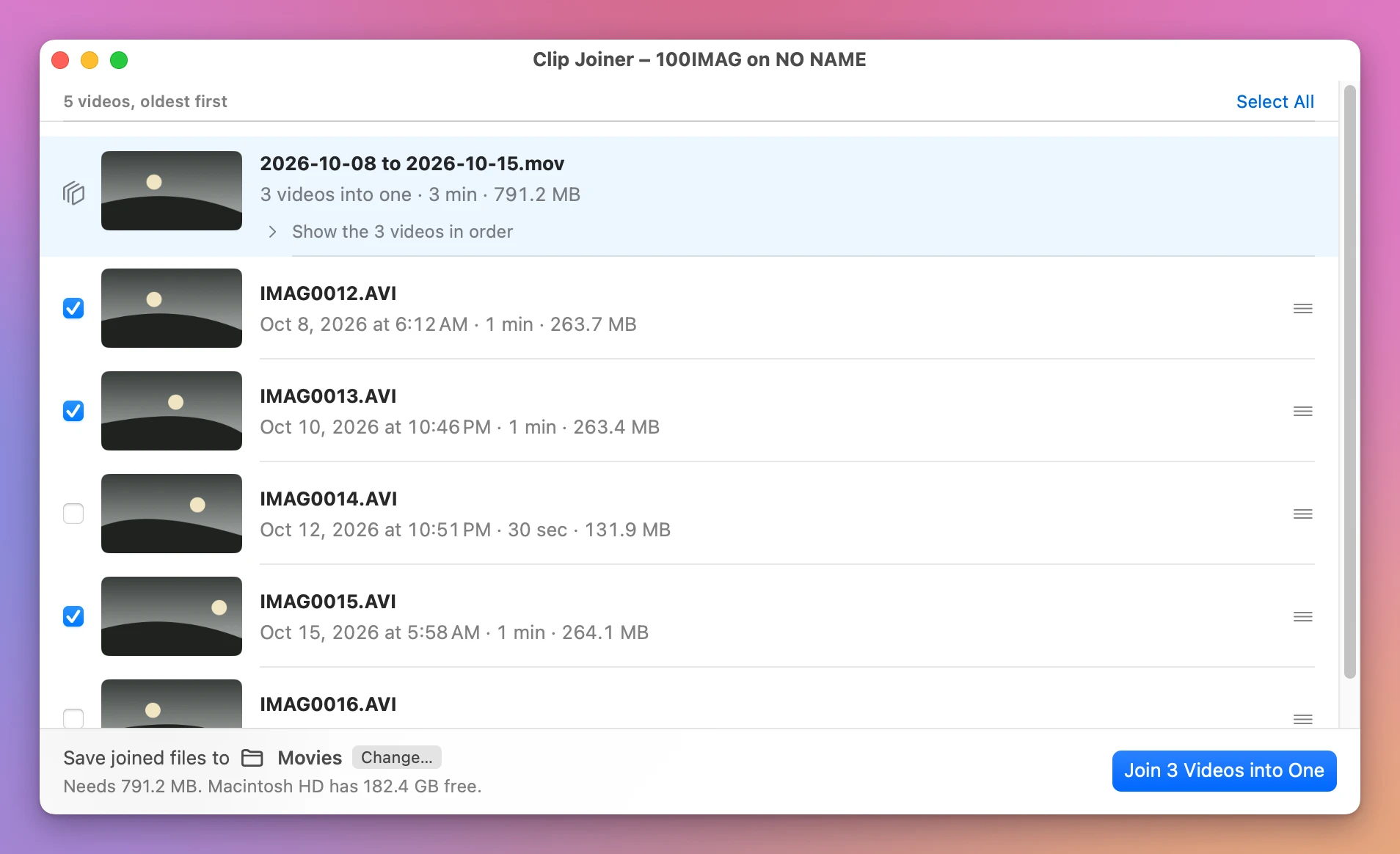
Open the folder or the card, and the clips are listed by their file date, oldest first. Tick the ones you want, and the file they’ll become shows at the top, named by the days they were recorded, like 2026-10-08 to 2026-10-15.mov. Click Join 3 Videos into One.
Clips with different settings are refused before anything is written, and the sentence names the odd one out:
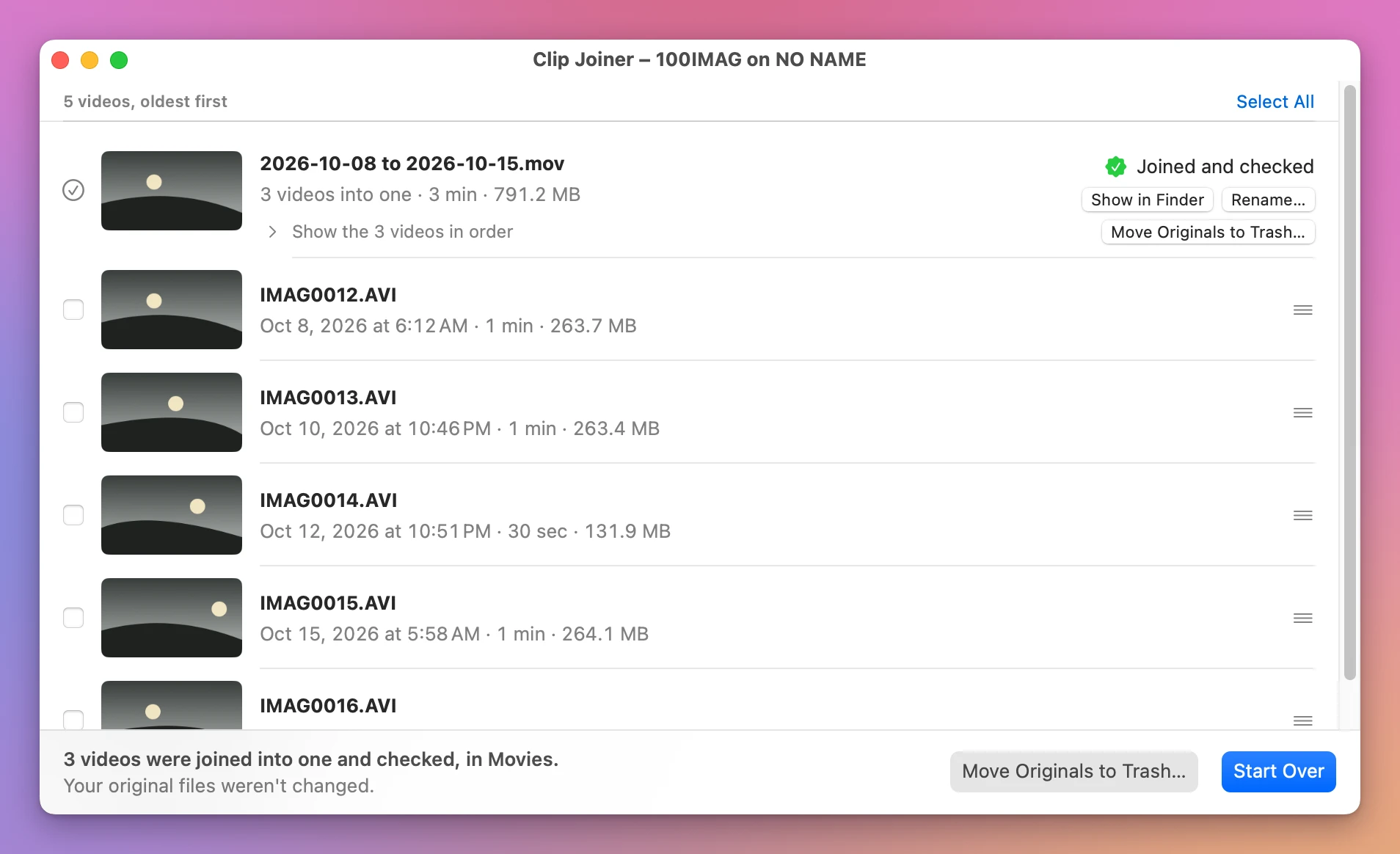
Before it says it’s done, the app reads the clips and the joined file again from disk and compares every frame and every piece of sound. Then macOS has to open the video, and it has to last as long as the clips together. Only then does the row say Joined and checked.
It also puts back recordings a GoPro or a drone split into several files.
Get Clip Joiner
Join the videos on a memory card into one file on your Mac, straight from the card. Nothing loses quality, and every join is checked before your originals go.
See Clip Joiner → · Read the docs · $20. See the app page for tax details.
Want me to talk about your product? You can sponsor this site.