# How to use SCSS with Vue.js 2 Single File Components
> Learn how to use SCSS in your Vue.js 2 single file components, enabling it through the Vue CLI or by installing node-sass and writing style lang scss blocks.
Author: [Flavio Copes](https://flaviocopes.com/about/) | Published: 2018-06-25 | Topics: [Vue.js](https://flaviocopes.com/tags/vue/) | Canonical: https://flaviocopes.com/vue-using-scss/
Using the [Vue CLI](https://flaviocopes.com/vue-cli/) you can enable "CSS Preprocessors" and you can choose which one to enable:
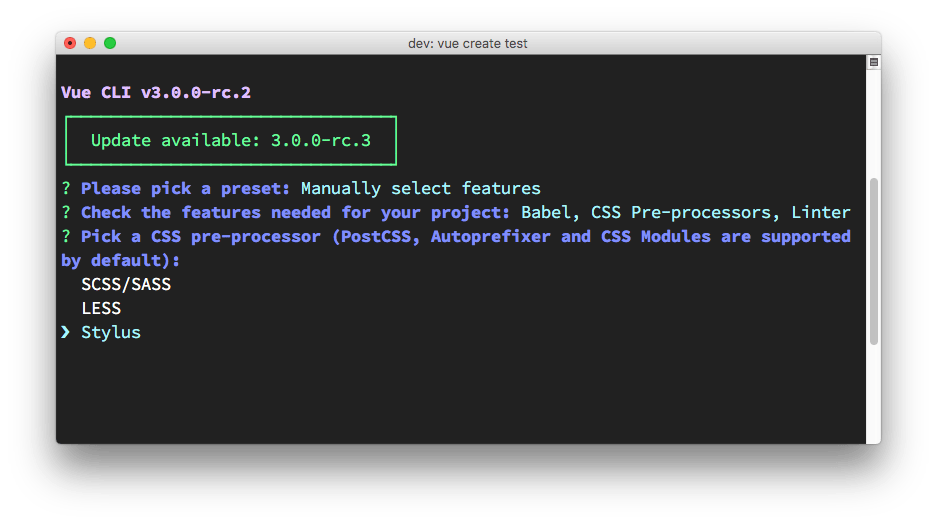
If you're using a project not based upon [Vue](https://flaviocopes.com/vue-introduction/) CLI, or a project that was initialized using Vue CLI but you didn't add the CSS preprocessor support, you can add it later on using:
```bash
npm install --save-dev node-sass sass-loader
```
Inside your application components then you can use
```html
```
and add your SCSS code in there.
If you want to keep your SCSS code in an external file, you can do that, and just import it in the script part of your component:
```js
```