# How to rerender a Svelte component on demand
> How to rerender a Svelte component on demand and in particular how to rerender it when I want to run a function prop again
Author: [Flavio Copes](https://flaviocopes.com/about/) | Published: 2019-10-06 | Topics: [Svelte](https://flaviocopes.com/tags/svelte/) | Canonical: https://flaviocopes.com/svelte-rerender-on-demand/
Yesterday I had this problem: I was using a Datepicker Svelte component - 2 instances of it.
Just to give you more context, I want to set a starting date, and an ending date:

When you clicked the starting date, the date picker showed up:
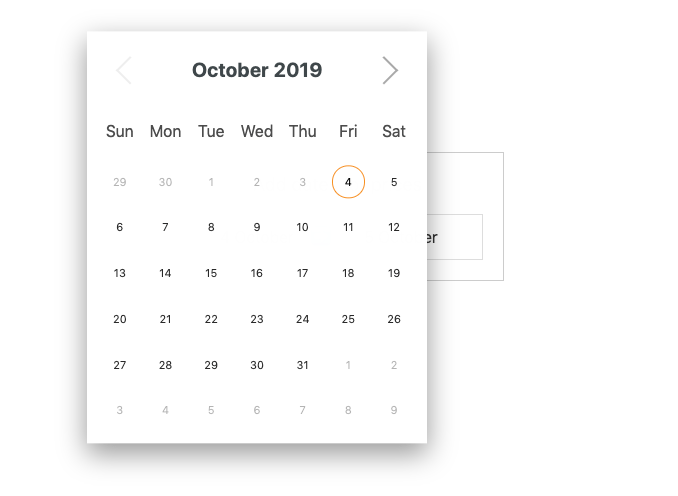
When you clicked the ending date, the second date picker showed up:
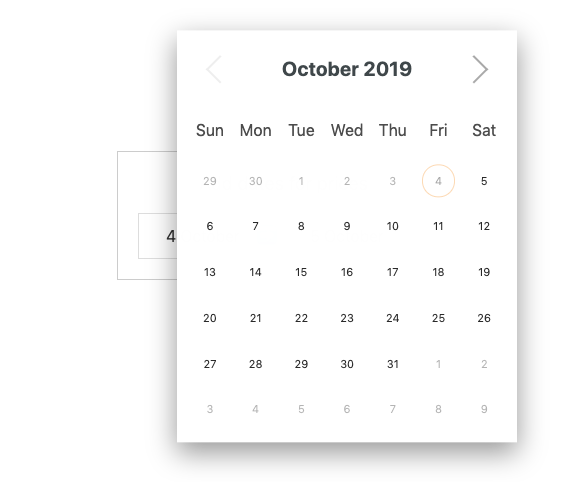
Now the problem was that based on the starting date, the end date had some constrains. For example, a logical one was that you can't set an end date that's prior to the starting date.
The date picker component exposed a `selectableCallback` function prop, called when the component is first rendered, running for all the dates in the calendar, allowing me to return false on some dates to disable them.
```html
```
Sounds great!
Except this function only ran when the component was rendered the first time.
I needed a way to re-run that function when the _other_ component changed its value. So I could remove all dates prior to the starting date selected. Also, it had to run multiple times as the user could change idea.
So.. when selecting a date on the other component, I used the `on:dateSelected` event to just reassign the function I assigned to `selectableCallback`, called `endDateSelectableCallback`, to itself.
```html
{
endDateSelectableCallback=endDateSelectableCallback;
}}>
selectableCallback={endDateSelectableCallback
}>
```
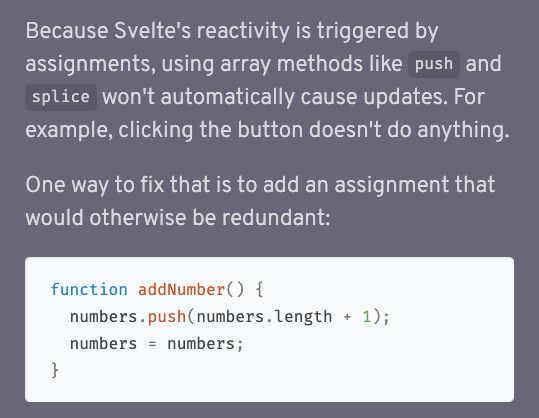
This might not be the most idiomatic Svelte code and I could probably add a `refresh={refreshComponent}` prop instead. But maybe it is idiomatic, since the Svelte docs also mention adding a redundant assignment to trigger a re-render when we update a value:
I think that this is a very specific pattern that might not be very common. I haven't encountered this problem before, as far as I remember, so I'm happy with this solution so far - it works.