# React DOM events on components
> Learn how to handle DOM events like onMouseEnter on a React component by passing them as props and attaching the handlers to a real DOM element inside it.
Author: [Flavio Copes](https://flaviocopes.com/about/) | Published: 2021-07-16 | Topics: [React](https://flaviocopes.com/tags/react/) | Canonical: https://flaviocopes.com/react-dom-events-components/
I wanted to show or hide a little panel based on the mouse hover status.
When I hovered a link, the panel would show up.
Then I could enter this panel with the mouse, and when I moved the mouse away, the panel would hide.
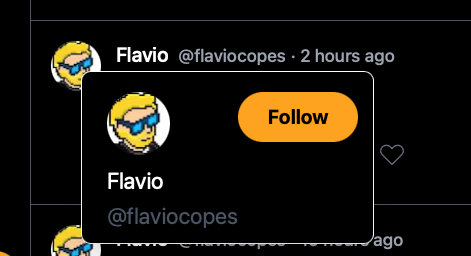
Like the Twitter profile that shows when you move the mouse upon the name of a person:
on the `` element that triggered the panel to show up, I added the event `onMouseEnter`:
```jsx
{
setShowCard(true)
}}
>flavio
```
so the panel would show when I hovered it with the mouse, because it was shown depending on the `showCard` state variable I had set before:
```js
const [showCard, setShowCard] = useState(false)
```
Then I had the `ProfileCard` component but I couldn't just do:
```jsx
{
setShowCard(true)
}}
onMouseLeave={() => {
setShowCard(false)
}}
/>
```
because it didn't work. `ProfileCard` is not a DOM element, so it didn't get the events fired to respond to.
What I had to do was to pass `onMouseEnter` and `onMouseLeave` as props to the `ProfileCard` component, then identify the correct DOM element inside it that could receive those events, and attach the event handler there. In this case, I used the container `div`:
```jsx
const ProfileCard = ({
onMouseEnter,
onMouseLeave
}) => (
...
```
Now leaving the panel would hide it.