Regular Expressions in Python
By Flavio
Published · Updated
Tagged: Python
An introduction to regular expressions in Python using the re module. Learn re.match() and re.search(), pattern syntax, capturing groups, and flags.
Regular expressions let us find content inside strings matching a particular format.
By formulating a regular expression with a special syntax, you can
- search text a string
- replace substrings in a string
- extract information from a string
The re Python standard library module gives us a set of tools to work with regular expressions.
Tip: you can experiment with patterns in my regex tester. It runs on the JavaScript engine, but the core syntax is the same.
Import it first:
import reIn particular, among others it offers us the following functions:
re.match()checks for a match at the beginning of the stringre.search()checks for a match anywhere in the string
Both take 3 parameters: the pattern, the string to search into, and the flags.
On Python 3.15+ you can write re.prefixmatch() instead of re.match(). Same behavior, a clearer name. Keep re.match() if your code must run on older versions. re.fullmatch() is the other useful one: the whole string must match.
Before talking about how to use them, let’s introduce the basics of a regular expression pattern.
Pattern syntax
The pattern is usually a raw string, written as r''. That way backslashes reach the regex engine untouched. In a normal string, \b is a backspace character, and your pattern silently breaks.
Inside it, we can use some special combinations of characters to capture the values we want.
For example:
.matches a single character (except the new line character)\wmatches any Unicode word character (letters with accents, other scripts, digits, underscore). With there.ASCIIflag it is[a-zA-Z0-9_].\dand\swork the same way: Unicode by default, ASCII only withre.A.\Wmatches any non-alphanumeric character\dmatches any digit\Dmatches anything that’s not a digit\smatches whitespace\Smatches anything that’s not whitespace
Square brackets can contain multiple characters matches: [\d\sa] matches digits and whitespaces, and the character a. [a-z] matches characters from a to z.
\ can be used to escape, for example to match the dot ., you should use \. in your pattern.
| means or
Then we have anchors:
^matches the beginning of the string, or the beginning of each line with there.MULTILINE(re.M) flag$matches the end of the string, or the end of each line withre.M
Then we have quantity modifiers:
?means “zero or one” occurrences*means “zero or more” occurrences+means “one or more” occurrences{n}means “exactlyn” occurrences{n,}means “at leastn” occurrences{n,m}means “at leastnand at mostm” occurrences (no spaces)
* and + are greedy. They take as much as they can. '<.*>' on '<b>Hey</b>' matches the whole string, not just '<b>'. Use ? after the quantifier ('<.*?>') when you want the shortest match.
Parentheses, (<expression>), create a group. Groups are interesting because we can capture the content of a group.
match and search
Those 2 examples match the whole string:
import re

re.match('^.*Roger', 'My dog name is Roger')
re.match('.*', 'My dog name is Roger')
Printing one of those statements will result in a string like this:
<re.Match object; span=(0, 20), match='My dog name is Roger'>If you assign the result to a result variable and call group() on it, you will see the match:
result = re.match('^.*Roger', 'My dog name is Roger')
print(result.group())
# My dog name is Roger
re.match() only looks at the start of the string. re.search() looks anywhere. That’s why the second function is the one you want when the text you care about sits in the middle.
Let’s try to get the name of the dog, if you don’t know what is going to be the name of the dog, you can look for “name is ” and then add a group, like this:
result = re.search('name is (.*)', 'My dog name is Roger')result.group() will print “name is Roger”, and result.group(1) will print the content of the group, “Roger”:
print(result.group())  # name is Roger
print(result.group(1)) # Roger
If nothing matches, both functions return None. Calling group() on that crashes:
result = re.search('cat', 'My dog name is Roger')
print(result)
# None
Check the result first:
if result:
    print(result.group())
I mentioned re.search() and re.match() take flags as the 3rd parameter. We have a few possible flags, the most used is re.I to perform a case-insensitive match.
Replace and extract
re.sub() replaces the parts that match. The first argument is the pattern, the second is the replacement, the third is the string:
re.sub('dog', 'cat', 'My dog name is Roger')
# My cat name is Roger
re.findall() returns every match as a list of strings. Handy when you want the values, not a match object:
re.findall(r'\d+', 'Room 12, floor 3')
# ['12', '3']
If the pattern has a group, findall() returns the group contents, not the whole match.
This is just an introduction to regular expressions, starting from this there’s a lot of rabbit holes you can go into.
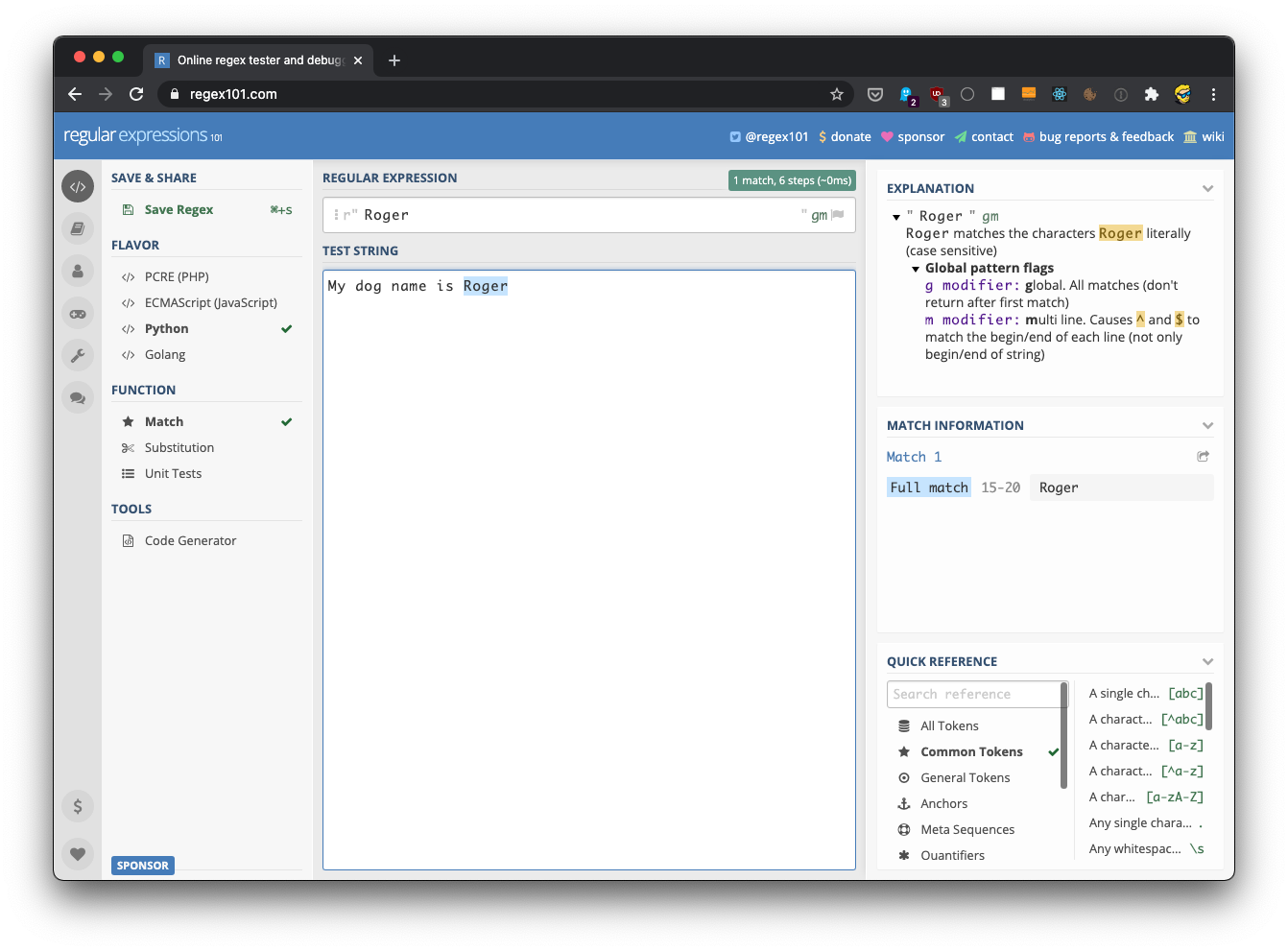
I recommend trying your regular expressions on https://regex101.com for correctness. Make sure you choose the Python flavor in the sidebar.
Want me to talk about your product? You can sponsor this site.
Related posts about python: