# Feed data to a Next.js component using getInitialProps
> Learn how to feed data to a Next.js component with getInitialProps, which supplies props up front and makes server-side rendering work for dynamic routes.
Author: Flavio Copes | Published: 2019-11-13 | Canonical: https://flaviocopes.com/nextjs-getinitialprops/
When I talked about [adding dynamic content to Next.js](https://flaviocopes.com/nextjs-dynamic-content/) we had an issue with dynamically generating the post page, because the component required some data up front, and when we tried to get the data from the [JSON](https://flaviocopes.com/json/) file:
```js
import { useRouter } from 'next/router'
import posts from '../../posts.json'
export default () => {
const router = useRouter()
const post = posts[router.query.id]
return (
<>
{post.title}
{post.content}
)
}
```
we got this error:
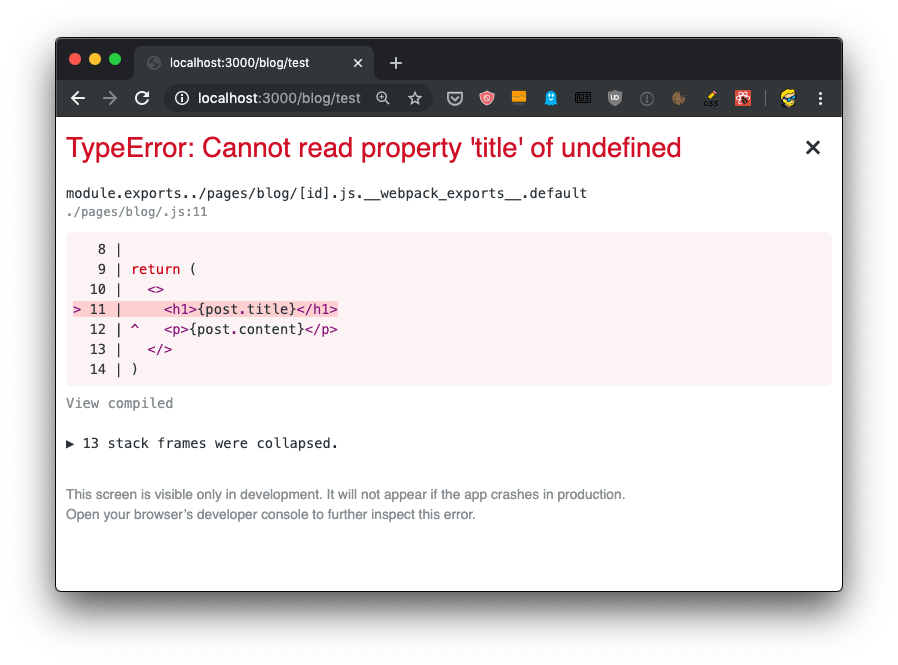
How do we solve this? And how do we make SSR work for dynamic routes?
We must provide the component with props, using a special function called `getInitialProps()` which is attached to the component.
To do so, first we name the component:
```js
const Post = () => {
//...
}
export default Post
```
then we add the function to it:
```js
const Post = () => {
//...
}
Post.getInitialProps = () => {
//...
}
export default Post
```
This function gets an object as its argument, which contains several properties. In particular, the thing we are interested into now is that we get the `query` object, the one we used previously to get the post id.
So we can get it using the _object destructuring_ syntax:
```js
Post.getInitialProps = ({ query }) => {
//...
}
```
Now we can return the post from this function:
```js
Post.getInitialProps = ({ query }) => {
return {
post: posts[query.id]
}
}
```
And we can also remove the import of `useRouter`, and we get the post from the `props` property passed to the `Post` component:
```js
import posts from '../../posts.json'
const Post = props => {
return (
{props.post.title}
{props.post.content}
)
}
Post.getInitialProps = ({ query }) => {
return {
post: posts[query.id]
}
}
export default Post
```
Now there will be no error, and SSR will be working as expected, as you can see checking view source:
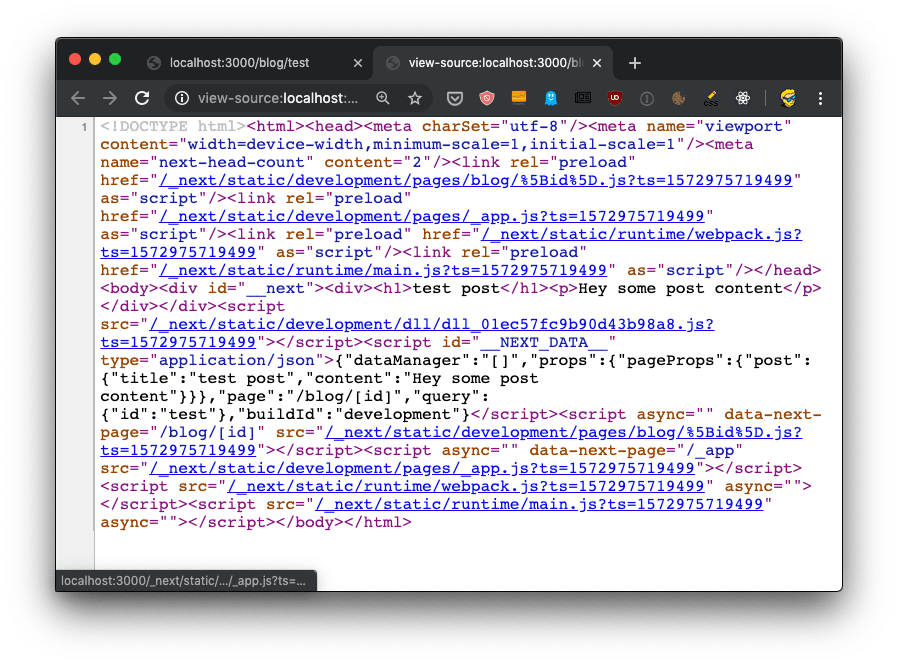
The `getInitialProps` function will be executed on the server side, but also on the client side, when we navigate to a new page using the `Link` component as we did.
It's important to note that `getInitialProps` gets, in the context object it receives, in addition to the `query` object these other properties:
* `pathname`: the `path` section of URL
* `asPath` - String of the actual path (including the query) shows in the browser
which in the case of calling `http://localhost:3000/blog/test` will respectively result to:
- `/blog/[id]`
- `/blog/test`
And in the case of server side rendering, it will also receive:
* `req`: the HTTP request object
* `res`: the HTTP response object
* `err`: an error object
`req` and `res` will be familiar to you if you've done any [Node.js](https://flaviocopes.com/nodejs/) coding.
By the way, if you're unsure whether a page should be rendered statically, with ISR, on the server or on the client, my free [Next.js rendering chooser](https://flaviocopes.com/tools/nextjs-rendering/) can help.