# How to have an image show up when sharing links to your site
> Learn how to make an image show up when your links are shared on social media by adding Open Graph meta tags like og:image, og:title and og:description.
Author: Flavio Copes | Published: 2021-11-22 | Canonical: https://flaviocopes.com/html-open-graph/
I was asked this question on Twitter:
> How to get an image to show up when sharing a link to a website I made?
To share images you need to use the Open Graph meta tags, also called OG tags.
Take a look at this blog post: [How to set GitHub credentials for macOS](https://flaviocopes.com/setup-github-credentials-macos/). On Chrome, right click in the page and press `View Source`. Or on Safari, from the Develop menu click `Show Page Source` (got to have the Develop menu activated in the settings).
You can find those tags in the `` part of the HTML:
```html
```
The important part for the image is the `og:image` tag, but all contribute to creating a way to make it easier for other software to show our site nicely.
To generate all these tags (with a live preview of how the shared link will look), try my free [meta tags generator](https://flaviocopes.com/tools/meta-tags/).
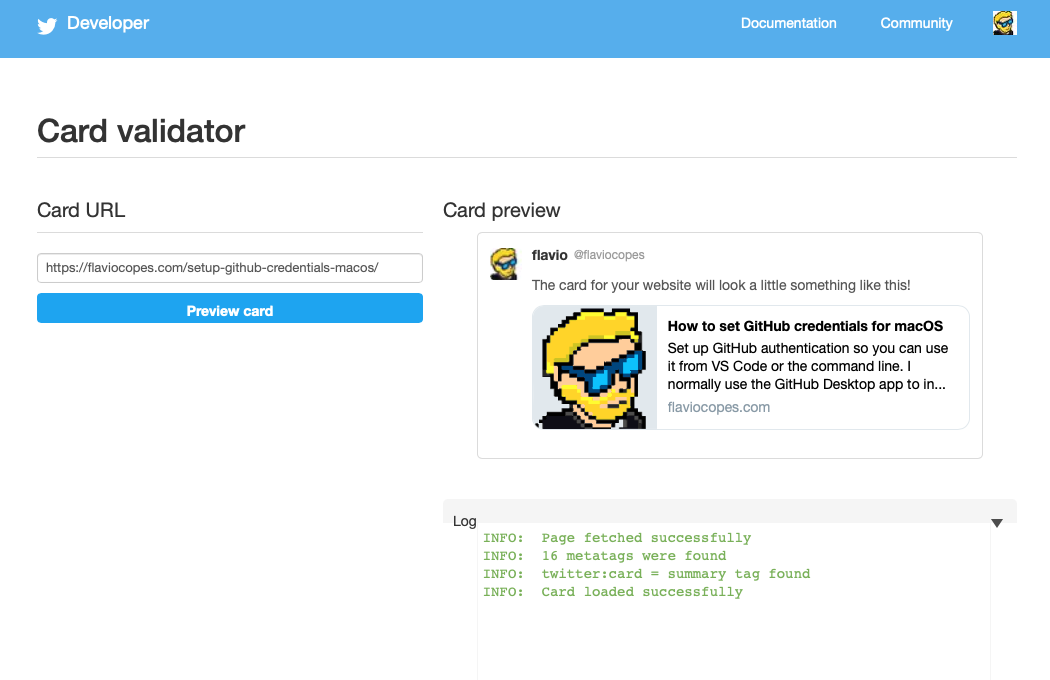
Any time you do any change, check the [Twitter Card Validator](https://cards-dev.twitter.com/validator) website and paste the URL of the page. That will show a preview and will give you some hints of what to fix: